
Cockpit, Monit, ISPConfig, or Landscape: Which Fits Your Ubuntu Servers?
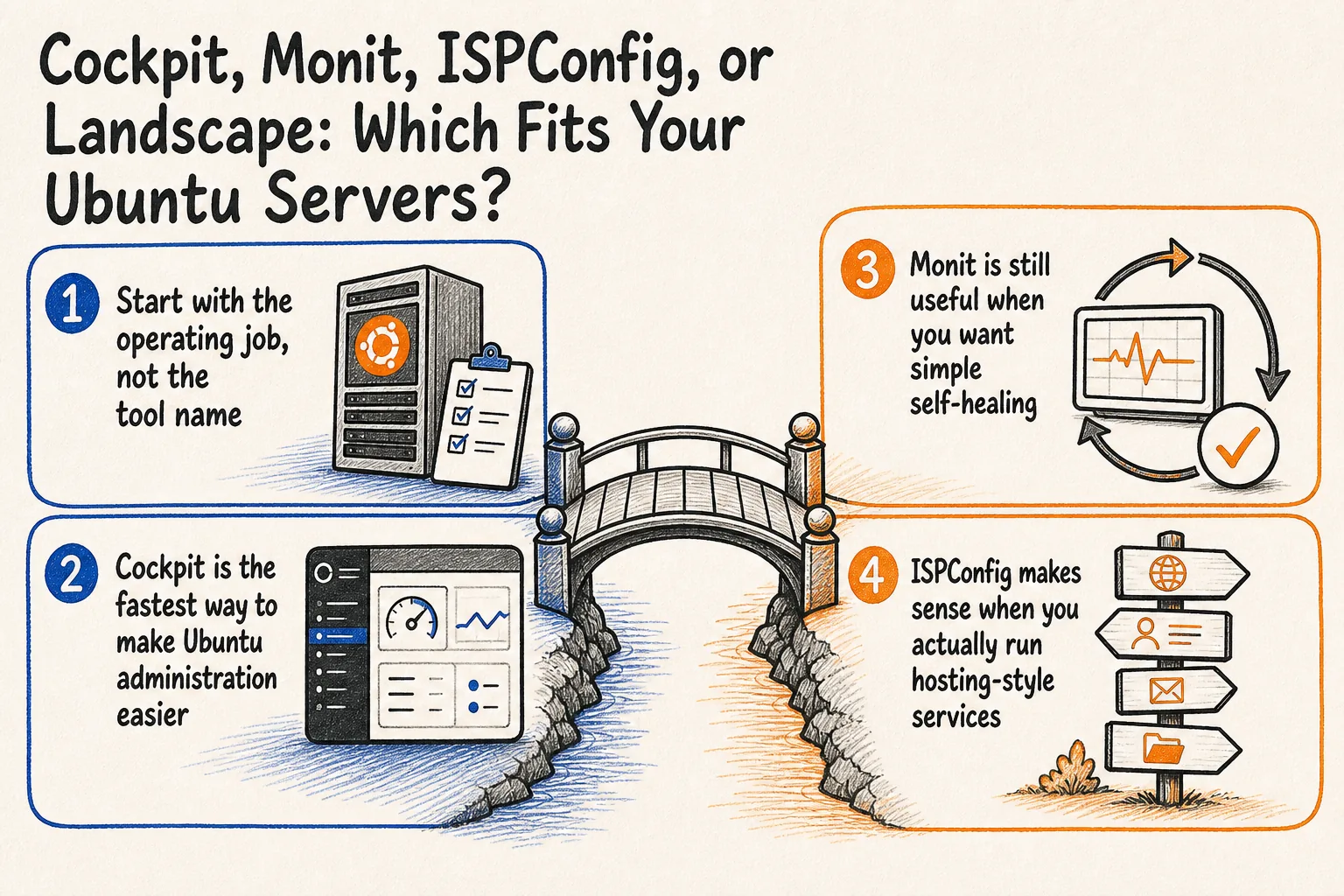
If you run Ubuntu servers, it is easy to treat every dashboard and monitoring tool as the same buying decision. That usually leads to overlap, unclear ownership, and one more admin screen nobody checks consistently. Cockpit, Monit, ISPConfig, and Landscape can all improve operations, but they solve different problems.
For business owners, operations leads, and agency teams, the real goal is not more interfaces. It is fewer surprises, faster recovery, and a setup that another capable person can understand without inheriting years of shell-only habits. The best stack is usually the smallest one that gives you clear visibility, useful alerts, and repeatable routine work.
Start with the operating job, not the tool name
Before you install anything, decide which of these jobs you actually need done:
- A safe web interface for routine administration on one server or a small group of servers.
- A lightweight watchdog that can restart a failed service or alert when local conditions go bad.
- A hosting control panel for domains, mail, DNS, quotas, and multi-client access.
- A centralized Ubuntu management layer for patching, permissions, scripting, reporting, and fleet oversight.
If you choose the wrong category, you usually end up with multiple logins and no clear answer to who patches, who receives alerts, and which system is the source of truth. That is why role clarity matters more than feature count.
Cockpit is the fastest way to make Ubuntu administration easier
Cockpit is the practical choice when your team wants a browser-based admin console without replacing standard Linux workflows. Current Cockpit guidance for Ubuntu still recommends installing from the official LTS backports repository, and direct browser access is typically on https://server-ip:9090.
. /etc/os-release
sudo apt install -t ${VERSION_CODENAME}-backports cockpit
If you want Cockpit available by default after boot on systems people will open directly in a browser, enable the socket:
sudo systemctl enable cockpit.socketOne detail that matters in real operations: only the systems you connect to directly in a browser need cockpit.socket enabled. Additional hosts can be reached over SSH from another Cockpit machine when needed. For a small estate, that is a sensible pattern because you do not have to expose every server in the same way.
In practice, I would use Cockpit for day-to-day server administration, handover resilience, and giving non-specialist stakeholders a controlled view into important machines. I would not treat it as the whole monitoring strategy. Cockpit helps you operate a server; it does not replace alert design, backups, log retention, or long-term observability.
Monit is still useful when you want simple self-healing
Monit remains a strong fit for lightweight monitoring on individual Ubuntu servers. The current manual still describes it as a tool for monitoring processes, programs, files, directories, filesystems, network connections, scripts, and general system resources, with the ability to take action when checks fail.
monit -t
monit summary
monit -t validates your configuration before you trust it. monit summary gives you a short operational status view. That sounds simple, but it is exactly the kind of simple that prevents avoidable downtime.
Monit works best as a local watchdog and auto-remediation layer. Use it to restart a dead service, catch disk or resource thresholds, watch a critical file checksum, or run a small scripted check with a clear failure action. That is very different from an executive dashboard or a centralized observability platform. If your environment is small, Monit may be enough as the server-side safety net. If your environment is growing, it still earns its place underneath a broader management layer.
ISPConfig makes sense when you actually run hosting-style services
ISPConfig belongs in a different category from both Cockpit and Monit. It is an open source hosting control panel designed to manage multiple servers from one control panel, with built-in permission levels and features around websites, mail, DNS, quotas, SSL, shell access, and a server monitoring module.
That makes ISPConfig relevant for agencies and internal teams that really do operate hosting-style environments. If your work includes client websites, mailboxes, DNS zones, delegated access, reseller-style separation, and day-to-day panel workflows, ISPConfig can reduce a lot of operational sprawl. If your real need is simply keeping one or two Ubuntu application servers healthy, it is usually more panel than you need.
The practical rule is straightforward: use ISPConfig because you need hosting operations and client separation, not because it happens to include monitoring features. It is strongest as a control panel for service delivery, not as the only system you rely on for alerting or incident analysis.
Landscape is the better answer when Ubuntu management becomes a governance problem
Landscape is the more serious option when your Ubuntu estate is large enough that central control matters more than convenience. Canonical’s current documentation describes it as a single portal for managing Ubuntu systems with monitoring and alerts, package and upgrade management, remote scripting, repository management, and role-based access control.
That matters when patch status, access rights, and remote actions need to be handled consistently across many machines. Current Landscape documentation also describes SaaS, Managed, and Self-hosted editions, which is useful if your team wants centralized control without assuming every environment should be operated the same way.
I would look at Landscape when you need fleet visibility, controlled patching, auditable permissions, and repeatable remote actions across a larger Ubuntu footprint. For a very small setup, it can be more process than value. For a growing one, it can replace a lot of risky improvisation.
A practical recommendation for most teams
- Use Cockpit when you want easier day-to-day Ubuntu administration on a small number of servers.
- Add Monit when a local failure should trigger an immediate restart, alert, or scripted response.
- Choose ISPConfig when you genuinely run hosting-style services for multiple sites, clients, or resellers.
- Move toward Landscape when patching, permissions, reporting, and remote actions need centralized governance across a larger Ubuntu estate.
The mistake I see most often is choosing tools by interface instead of operating responsibility. A clear answer to “who uses this, for what, and what happens when it fails?” is worth more than another dashboard tab.
Need help choosing the right mix?
If you want a second opinion on your Ubuntu server stack, Greg can help you simplify overlapping tools, tighten operational ownership, and choose a setup your team will actually maintain. Talk with Greg about your server operations setup.
Need help with this kind of work?
Talk with Greg about simplifying your Ubuntu server monitoring and management stack. Get in touch with Greg.