Linux

Adjust power management settings for Ryzen Processors
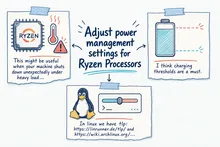
This might be useful when your machine shuts down unexpectadly under heavy loads: https://github.com/FlyGoat/RyzenAdj

For me it only happens in Windows when the batery is charging too. I think charging thresholds are a must. In linux we have tlp: https://linrunner.de/tlp/ and https://wiki.archlinux.org/index.php/TLP and https://github.com/linrunner/TLP :-D

Enable SMART on Old External Seagate SSD Ubuntu 20.10

I have an old external seagate ssd 2TB for backup called "BUP Slim BL". It was a challenge to enable the SMART capability on Ubuntu 20.10.

You might give this a go: sudo smartctl -d sat -T permissive --smart=on /dev/sda1

If that does not work, you might need:

echo options usb-storage quirks=$(lsusb | awk '/Seagate/ {print $6}'):u | sudo tee -a /etc/modprobe.d/ignore_uas.conf
sudo update-initramfs -u

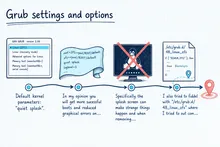
Grub settings and options

Default kernel parameters: "quiet splash".

In my opinion you will get more sucessful boots and reduced graphical errors on boot if you remove quit and splash. Specifically the splash screen can make strange things happen and when removing "quiet" you are able to debug if there is an error.


I also tried to fiddel with "/etc/grub.d/48_linux_zfs" where I tried to out comment #vt_handoff="1" and set quiet boot to zero: 


Tags

Suspend Issue AMD Graphics Driver Kubuntu 20.04

If you have the black screen of death when trying to get back from suspend mode, you might want to check out this bug description and possible resolutions: https://bugs.launchpad.net/ubuntu/+source/plasma-desktop/+bug/1849084

Otherwise disable compositor: qdbus org.kde.KWin /Compositor suspend

Check if compositor is enabled: qdbus org.kde.KWin /Compositor org.kde.kwin.Compositing.active
Or: qdbus org.kde.KWin /KWin supportInformation

Tags