By Greg Nowak. Updated 6 September 2026.
A free Drupal theme can reduce the work needed to launch a website. The bigger question is what it will cost to change that website later: adding a landing page, fixing a mobile menu, updating Drupal, or handing the project to another agency.
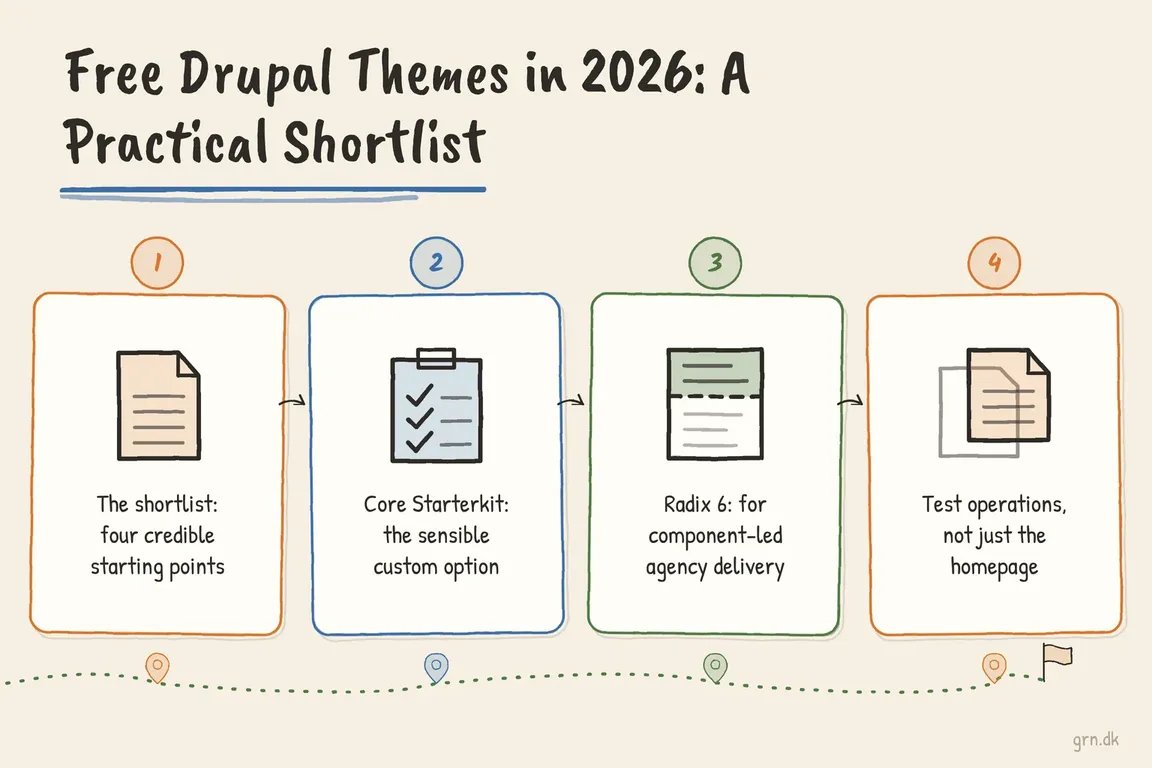
For business websites, my shortlist is Olivero, core Starterkit, the Bootstrap project's 5.x branch, and Radix 6. They serve different needs. Olivero provides an existing design; the others are foundations for development. Choose around your content, branding and maintenance team before comparing screenshots.
Which starting point fits your project?
| Starting point | Choose it when | Budget for |
|---|---|---|
| Olivero | A content website can work within an established design | Content configuration, brand fit and testing |
| Core Starterkit | You need a custom design with direct ownership of the theme | Design implementation and ongoing code maintenance |
| Bootstrap 5.x | Your agency already uses Bootstrap consistently | A sub-theme, asset decisions and integration testing |
| Radix 6 | Your team builds reusable components and maintains frontend tooling | Component development, build tooling and handover |
Check compatibility before investing in a demo
Start with the exact Drupal version installed on your site and the version planned for its next upgrade. For contributed themes, check the stable release's compatibility range, security shield, documentation and unresolved issues affecting your requirements. A compatible version number is a starting point, not proof that your whole site will work.
Older roundups need particular care. Drupal 7 has reached end of life, and official community releases and support have ended. Its themes are unsuitable foundations for a new Drupal build. Equally, check the actual release before dismissing a project simply because its name is familiar from older sites.
Olivero: start here for a straightforward content site
Olivero is Drupal's default frontend theme, introduced as the default in Drupal 9.4. It is a useful first candidate when readable articles, service information and clear navigation matter more than a distinctive page composition.
Load real content before deciding whether it fits: a long service page, a news listing, a contact form and your actual menu. This gives the business something concrete to assess. It also establishes a baseline against which to judge more elaborate options.
If the design brief requires extensive template changes, price a custom theme early. Never edit Olivero's files inside Drupal core; those changes would complicate updates.
Core Starterkit: for a custom design you own
Starterkit generates an independent theme that becomes part of your project. It is a sensible option when a business needs its own design and the development team wants control over the templates and assets.
The Starterkit documentation distinguishes commands by core version. For Drupal versions through 11.3.x, run this from the Drupal web root, usually the web/ directory in a Composer project:
php core/scripts/drupal generate-theme company_theme --path themes/customCheck the documentation for the appropriate command on later versions. Generation creates a starting point; your team still implements the design and maintains the resulting code.
Upstream Starterkit improvements do not automatically flow into an independent theme. Keep the generator metadata and assign responsibility for reviewing relevant fixes, including accessibility changes. This approach works well when ownership is explicit.
Bootstrap 5.x: a practical choice for an experienced Bootstrap team
The Drupal Bootstrap project has a 5.x line using Bootstrap 5 and Single Directory Components, without jQuery. Its listed stable 5.0.2 release supports Drupal ^10.3 || ^11.0 and has security-advisory coverage. It offers CSS and Sass sub-theme options.
From the Composer project root:
composer require 'drupal/bootstrap:^5.0'This command targets the Bootstrap project, whose package is drupal/bootstrap. Confirm the package name when following tutorials.
For an existing site, the crucial detail is that 5.x is a complete rewrite of the older 8.x-3.x theme, with no formal upgrade path. Budget for reviewing markup and rebuilding customisations.
For a new build, its appeal is team familiarity. Use a supported sub-theme, document how assets are loaded or compiled, and check what CSS and JavaScript representative pages actually need.
Radix 6: for teams investing in reusable components
Radix 6 combines Bootstrap 5, Sass and JavaScript tooling with Drupal's Starterkit and Single Directory Components. The project lists stable 6.0.8 with security-advisory coverage and compatibility with Drupal 10.3 and 11, among its declared core ranges.
composer require 'drupal/radix:^6.0'Run Composer from the project root, then follow the project's theme-generation and build instructions. Installing the dependency alone does not create your finished site theme.
Radix is worth evaluating when an agency wants repeatable components across page types. Before choosing it, establish who maintains the Node environment, package dependencies and production build. A small brochure site may not need that level of tooling.
Test the work your website must support
Shortlist two candidates and compare them on staging using the same content. Ask an editor to assemble a campaign page, replace an image and preview the result. A frontend theme alone does not provide a complete page-building workflow; content types, layout tools and permissions also shape that experience.
Test mobile navigation, long headings, missing images, search results and form errors. Check keyboard access, visible focus and zoom. Measure representative pages with realistic images and third-party scripts.
For commerce, include product variations, cart changes, checkout validation and order history. A polished product grid tells you little about the purchase journey.
Choose with the next handover in mind
Record the chosen release line, customisation approach, build commands, tested page types and upgrade owner. Ask for estimates covering implementation, editor setup and maintenance as well as visual design.
If you need a second opinion before committing, discuss your Drupal theme shortlist with Greg. Bring your Drupal version, key page types and design requirements so the review can focus on a practical implementation plan.
Related on GrN.dk
- AI Crawler Control for Business Websites: Protect Content Without Vanishing from Search
- Cloudflare Page Rules Debt: How Quiet Configuration Drift Breaks Business Websites
- NGINX 1.30 changed upstream connection reuse: what to check before you upgrade
Need help with this kind of work?
Discuss your Drupal theme shortlist with Greg Get in touch with Greg.