By Greg Nowak. Last updated 2026-07-17.
Drupal Commerce is a strong option when selling is only one part of a larger digital platform. It gives you Drupal’s content modelling, permissions, multilingual capabilities, and integration flexibility alongside a capable commerce framework. The trade-off is that important business decisions are yours to make: Drupal Commerce provides building blocks, not a pre-packaged operating model.
For business owners, operations leads, and agency teams, the key question is therefore not “Can Drupal Commerce run a store?” It can. The better question is whether its flexibility solves problems your business genuinely has—and whether the project has enough delivery discipline to use that flexibility well.
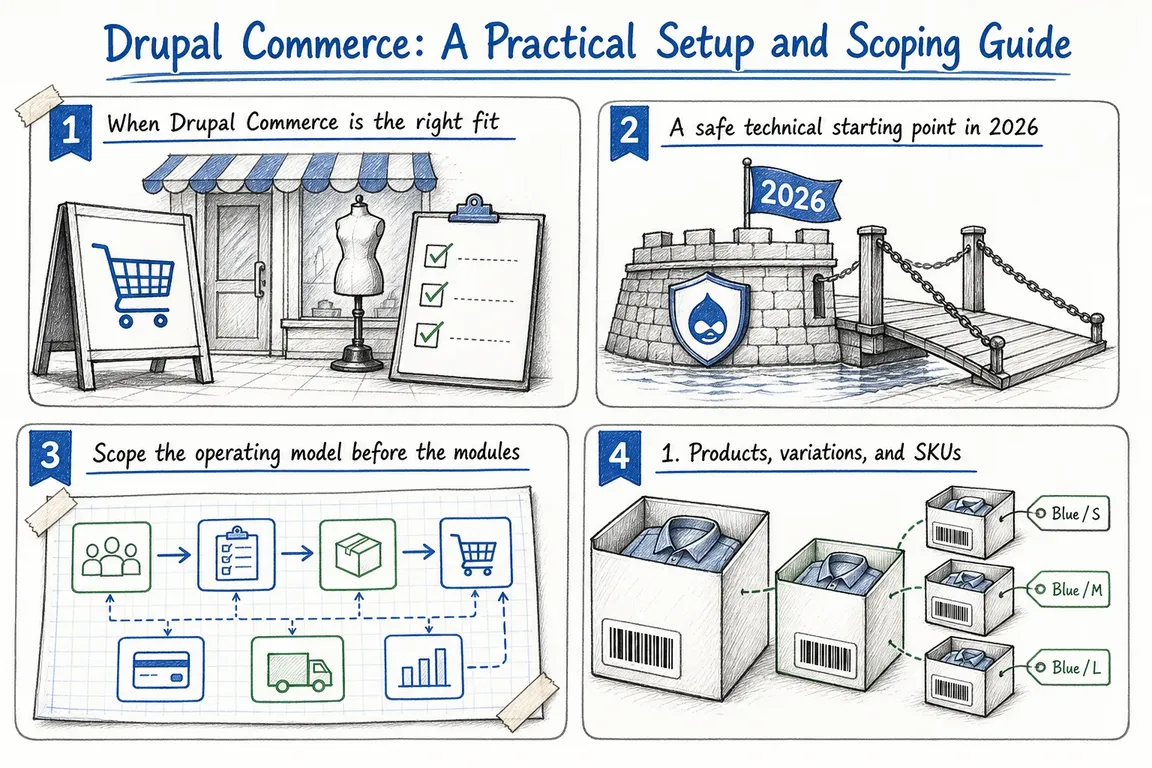
When Drupal Commerce is the right fit
Put Drupal Commerce on the shortlist when content and transactions must work as one platform. Typical examples include editorial-led retail, complex B2B catalogs, memberships, configurable products, multiple brands, role-based pricing, or extensive connections to ERP, PIM, CRM, fulfillment, and finance systems.
It is less compelling when the requirement is a conventional catalog, standard checkout, and a handful of mainstream integrations. A hosted ecommerce product will usually reach that destination faster and with less ongoing technical ownership.
| Starting point | Best suited to | Main advantage | Delivery caution |
|---|---|---|---|
| Existing Drupal site plus Commerce Core | Adding transactions to an established Drupal platform | Reuses content, users, permissions, and infrastructure | Audit the existing architecture and upgrade position before estimating |
| Fresh Drupal installation plus Commerce Core | Most planned production builds | Lean dependencies and explicit architectural decisions | Requires early work on products, orders, checkout, and editorial workflows |
| Commerce Kickstart | Discovery, prototypes, workshops, and accelerated project starts | Provides a Drupal 11 starter and optional demo configuration | No supported stable release was listed on Drupal.org on 17 July 2026; review every inherited component before choosing it as a production baseline |
| Hosted ecommerce platform | Standard retail requirements with limited custom logic | Quicker launch and less platform maintenance | May become restrictive when content, permissions, or integrations grow complex |
A safe technical starting point in 2026
As of 17 July 2026, Drupal.org lists Commerce Core 3.3.6 as the stable, security-covered release for Drupal 10.3 and Drupal 11. For an existing compatible Drupal project, the official Composer constraint is:
composer require 'drupal/commerce:^3.3'For a local evaluation using Commerce Kickstart, its project page provides this workflow:
composer create-project centarro/commerce-kickstart-project kickstart
cd kickstart
ddev config --project-type=drupal11 --docroot=web
ddev start
Kickstart can shorten the route to a clickable store, but speed during a demonstration is not the same as production readiness. Check its Composer dependencies, update path, configuration, theme assumptions, and ownership before adopting it. For most bespoke builds, a clean Drupal installation with Commerce Core remains the easier baseline to explain, maintain, and hand over.
Scope the operating model before the modules
The largest Drupal Commerce costs rarely come from installing Commerce Core. They come from unresolved decisions that surface during development. Settle the following areas before approving a detailed estimate.
1. Products, variations, and SKUs
In Drupal Commerce, the product is the customer-facing grouping; a product variation is the item actually purchased. Each variation has its own SKU and can have its own price and attributes. Decide which differences require separate variations, how SKUs are formed, and whether Drupal or another system creates them. This model affects search, filters, feeds, pricing, inventory, fulfillment, and reporting.
2. Data ownership and integrations
Name one source of truth for product descriptions, prices, stock, tax decisions, customer records, and order status. Then document the direction, frequency, and failure behaviour of every integration. “Connect to the ERP” is not an estimable requirement. The team needs to know what moves, when it moves, how records are matched, and who resolves rejected or duplicated data.
3. Checkout and order handling
Commerce supports configurable single-page or multi-page checkout flows. Start with the information the operation truly needs rather than reproducing an old checkout screen. Cover guest checkout, account creation, address validation, payment failure, cancellation, refunds, partial fulfillment, customer-service edits, and confirmation messages.
4. Stores and market structure
Products can be assigned to multiple Commerce stores, but an order belongs to one store. This matters for multiple brands, currencies, legal entities, or retail locations. If customers must mix items from different stores in one basket, treat that as an architectural requirement—not a setting to discover late in development.
5. Payments, shipping, tax, and compliance
Choose integrations by maintained release status and required capabilities, not simply because a module exists. Confirm authorizations, captures, refunds, webhooks, reconciliation, regional payment methods, and support ownership. Shipping requires the separate Commerce Shipping module; live carrier rates normally require an additional provider integration. Include tax, privacy, accessibility, and payment-compliance responsibilities in the delivery plan.
Plan a launch that operations can run
Before development starts, turn the scope into a small set of testable journeys: publish a product, update a price, place and refund an order, handle failed payment, fulfill a shipment, correct customer data, and recover from an integration failure. Assign an owner to each journey and test it with realistic permissions and data volumes.
A sensible first release normally limits product types, checkout variations, promotions, gateways, and bespoke integrations. Extra flexibility can be added after the core order lifecycle is reliable. Installing speculative modules early creates more upgrade, security, and regression work without proving business value.
Common budget traps
- Treating a demo distribution as the finished architecture.
- Estimating from page designs without modelling products and orders.
- Leaving data ownership for developers to infer during integration work.
- Assuming an available payment or shipping module guarantees maintained, production-ready coverage.
- Testing the storefront while neglecting refunds, fulfillment, reconciliation, and support workflows.
Drupal Commerce works best when its flexibility is applied deliberately. If you need help converting a broad commerce brief into an architecture, delivery backlog, and phased launch plan, Greg can help lead the project from discovery through delivery.
Related on GrN.dk
- Drupal CMS 2.0 Speeds Marketing Site Rebuilds, but It Is Not Autopilot
- AI Crawler Control for Business Websites: Protect Content Without Sacrificing Search Visibility
- Critical CSS for Faster Pages: When It Helps and When It Does Not
Need help with this kind of work?
Plan your Drupal Commerce project Get in touch with Greg.