By Greg Nowak. Updated 26 October 2026.
If someone on your team opens the same portal every Monday, selects a reporting period and downloads a spreadsheet, you have a sensible automation candidate. If they spend most of that time deciding what unusual figures mean, automate the collection and leave the judgement with them.
For business owners, operations leads and agencies, the useful question is whether the workflow can deliver a dependable result at a reasonable maintenance cost. Start with one repetitive task, a clear output and someone who can recognise when it has gone wrong.
Which browser tasks are worth automating?
Good candidates have predictable steps and outputs you can check: supplier report downloads, campaign landing-page checks, timestamped screenshots, or collecting records for reconciliation. Frequency helps, but so does avoiding a missed deadline or catching a broken form before a campaign launches.
First check for an API, scheduled export, webhook or supported integration. These usually avoid the fragility of navigating a changing interface. Browser automation earns its place when the required work depends on the visible page or no suitable supported route exists.
| Workflow | Starting decision | Essential safeguard |
|---|---|---|
| Download a recurring portal report | Good first candidate | Check account, period and file contents |
| Capture campaign pages for review | Automate collection | Record URLs, timestamps and failed checks |
| Update customer records or publish content | Pilot with approval | Prevent duplicates and verify each change |
| Resolve ambiguous reconciliation differences | Automate preparation | Send exceptions to a named reviewer |
| Move data through an available API | Evaluate the API first | Confirm permissions and required fields |
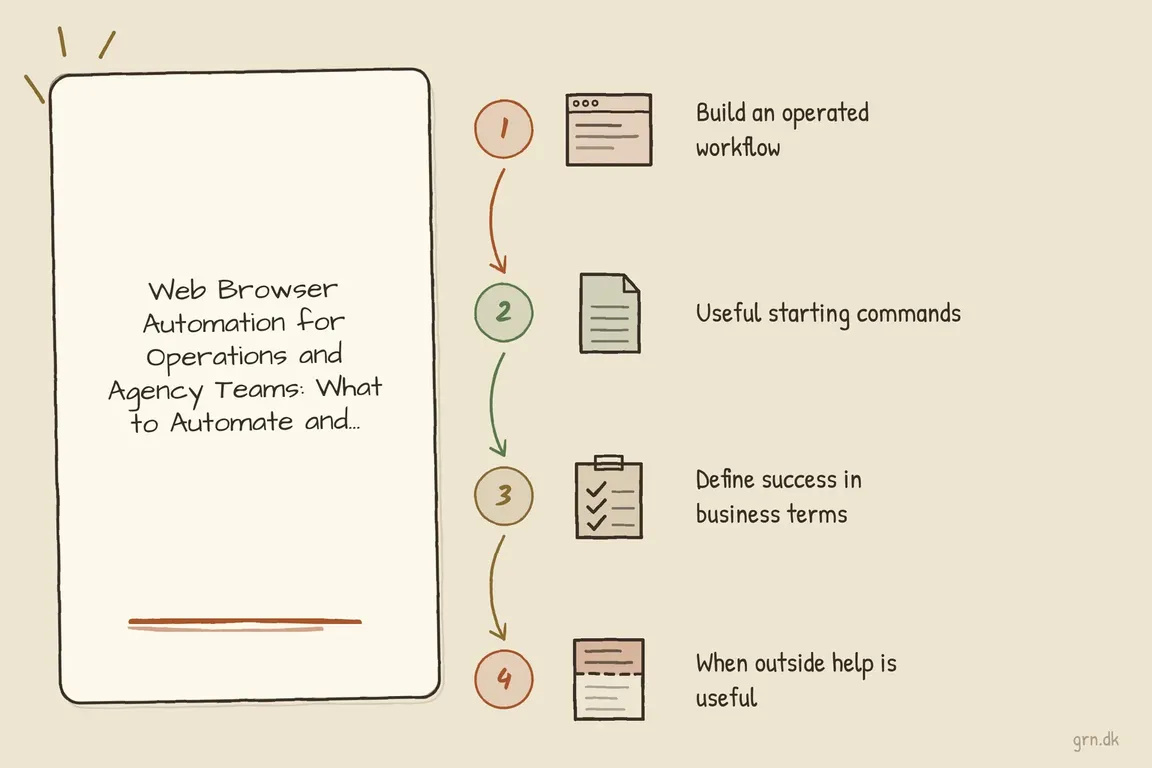
Before commissioning anything, write down the trigger, account, steps, expected output and exception owner. Include the awkward cases: an expired login, a missing report, an empty file and an interrupted run. This becomes the brief and the acceptance checklist.
Playwright, Selenium or R: choose for the team maintaining it
For a new JavaScript or TypeScript project, I would usually evaluate Playwright first. It supports Chromium, Firefox and WebKit. Its automatic waiting and retrying assertions help workflows tolerate normal page loading, while traces make failures easier to investigate. The official best practices recommend locators based on user-facing attributes rather than brittle page structure.
Selenium makes sense when you already have WebDriver expertise or Selenium infrastructure. Modern Selenium includes Selenium Manager, which can discover, download and cache drivers when none is supplied. That reduces setup work; upgrades still need testing in the environment that runs the job.
For an R team, RSelenium connects R to a Selenium Server. Its official basics guide includes legacy server examples, so validate compatibility before adopting those commands. chromote is another option for Chrome-based R workflows. Its browser selection documentation explains how to use a specific Chrome for Testing version instead of depending on an automatically updated local browser.
Define success beyond “the script finished”
A successful click does not prove that the business task succeeded. A reporting workflow should confirm the correct organisation and reporting period, wait for the download, then inspect the file for expected columns and plausible contents. Decide explicitly whether an empty report is valid or needs review.
For an agency checking campaign pages, define the checks in advance: page loads, expected headline appears, destination link is correct and screenshots reach the right folder. A screenshot alone is evidence for review; it does not prove that every part of the page works.
Finish each run with a clear status: completed, needs review or failed. Include a concise explanation and the output location. Colleagues should be able to understand the result without opening developer logs.
Make retries and access deliberate
Downloading a report twice is usually manageable. Submitting an order twice can create real work. Before retrying a step that changes data, check whether the first attempt succeeded. Record a unique business reference where possible, and send uncertain outcomes for review.
Playwright Test can run across several browser projects and use retries. For a workflow that submits or publishes, configure the intended browser, concurrency and retry behaviour explicitly. Do not let a testing configuration repeat a live business action.
Use a dedicated account with only the permissions needed, where the provider supports it. Store credentials and saved sessions outside source control. Agree how multi-factor authentication, session expiry and account recovery will work through supported methods. Protect screenshots and traces too: they may contain customer information or authenticated page content.
Useful commands for a first implementation
For a Playwright Test project, these commands follow the official installation guide and best practices. Run the initial checks against safe test data:
# Create a Playwright Test project
npm init playwright@latest

# Install browser binaries and OS dependencies where needed
npx playwright install --with-deps

# Run the configured tests
npx playwright test
For an R implementation, install the relevant package:
install.packages("RSelenium")
vignette("basics", package = "RSelenium")

install.packages("chromote")
These are starting points. Scheduling, secrets, output storage and alerts still need configuration. Record working dependency and browser versions, then test updates regularly rather than leaving old versions pinned indefinitely.
What should a useful pilot deliver?
Keep the pilot to one portal and one useful output. Test expired sessions, missing elements, invalid files and interrupted runs. Check that a colleague can pause the schedule, find failure evidence and follow the recovery instructions.
Agree who owns alerts and maintenance before handover. Measure manual effort removed alongside failed runs, interventions and repair time. Include setup, hosting and maintenance when judging value.
If you have a repetitive browser workflow in mind, talk it through with Greg. Bring a short walkthrough, the output you need and the exceptions that consume time. Greg can help assess the integration options and scope a first version your team can operate.
Related on GrN.dk
- Your AI workflow has logs. Can they explain one bad decision?
- AI automations need a spend dashboard before the first runaway bill
- When AI writes JSON, one bad field can break the workflow
Need help with this kind of work?
Discuss your browser automation workflow with Greg Get in touch with Greg.