By Greg Nowak. Updated 11 October 2026.
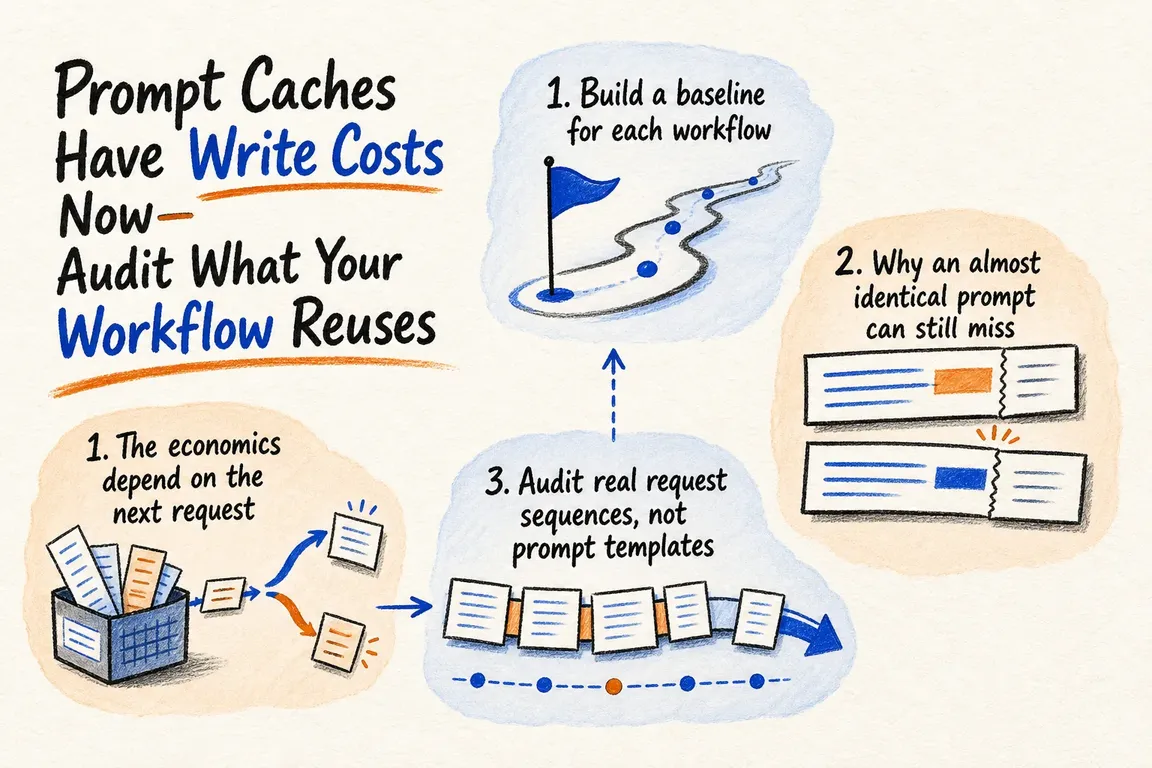
Prompt caching can make a busy AI workflow cheaper and faster. It can also leave you paying to store instructions or documents that no later request reuses. The difference comes down to what stays unchanged, where the cache boundary sits and how soon the next request arrives.
For a business owner or operations lead, the useful question is whether caching reduces the cost of getting a job done. For an agency, that question needs answering per client: one busy account can hide wasted writes across several quieter ones.
Start with a recurring workflow that has long inputs or several AI calls, such as support triage or document processing. A focused audit should tell you what to change, what it saves and whether the implementation effort is justified.
When does a cache write pay for itself?
Some models charge a premium to create a cache entry, then discount subsequent reads. At the rates checked on 11 October 2026, GPT-5.6 Sol pricing lists ordinary input at $4 per million tokens, cached input at $0.40 and cache writes at 1.25 times ordinary input: $5 per million. These rates apply to prompts at or below 272,000 input tokens; longer prompts have higher rates.
For a 10,000-token reusable prefix, one write costs $0.05 and one complete cached read costs $0.004. Together, that is $0.054, compared with $0.08 to process the prefix twice at the ordinary rate. One complete reuse covers the write premium in this example. Two different prefixes written once each cost $0.10, without delivering any read savings.
The write rate replaces the ordinary input rate for those tokens; it is not an additional surcharge. This comparison excludes changing input, outputs and tools. It also assumes the entire prefix is reused before its cache entry expires. Partial hits need their own calculation.
Choose one workflow and establish a baseline
Collect a representative sample of production usage before changing the prompt. Include quiet periods as well as busy bursts. Record the model, client, workflow, prompt version, token usage, response time and outcome for each call. Connect calls to a completed task so retries and tool turns stay visible.
| What you observe | Likely audit target | Next step |
|---|---|---|
| Many writes, few reads | Changing content before the cache boundary | Compare assembled requests and find the first difference. |
| Good reuse in tests, poor reuse in production | Request spacing or client variations | Replay realistic intervals and separate client totals. |
| Reuse drops after a deployment | Instructions, tools or document ordering changed | Compare prompt versions and repeat the baseline. |
| High hit rate, little overall saving | Outputs, tools or retries dominate | Calculate total cost per successful task. |
| A large document is used once | No likely reuse | Test a smaller input or avoid an unnecessary write where supported. |
Fix the request your application actually sends
A stable template does not guarantee a stable request. Inspect the assembled input after variables, retrieved documents, tool definitions and conversation history have been added.
Consider a support assistant that receives a fixed policy document plus a customer's question. A fresh timestamp placed before the policy changes the prefix on every call. Put necessary changing information after the reusable material, and give the policy snapshot a version. Keep tools, examples and documents consistently ordered.
Fingerprint candidate prefixes to group identical requests, then inspect the first changed block when two expected matches differ. Avoid collecting unnecessary customer content in audit logs. Keep information the task needs: removing useful context to improve a cache metric can create more expensive mistakes downstream.
Set boundaries for the provider and model you use
For GPT-5.6 and later, OpenAI's prompt caching guide specifies a minimum of 1,024 visible input tokens. Add prompt_cache_breakpoint: {"mode": "explicit"} to the stable content block and set prompt_cache_options.mode to "explicit". Explicit mode without breakpoints creates no cache writes. The only supported prompt_cache_options.ttl is "30m", refreshed by reuse. Keep prompt_cache_key stable within each customer grouping when separate cache accounting is needed.
Anthropic's documentation prices five-minute writes at 1.25 times base input and one-hour writes at twice base input. An explicit cache_control: {"type": "ephemeral"} belongs on the last stable block. Its prefix hierarchy is tools, system content, then messages: changing an earlier layer invalidates later layers. Choose the longer lifetime from actual request spacing, and check the model's minimum length and read rate.
Gemini's caching guide distinguishes APIs: Interactions supports implicit caching only; explicit cache objects require generateContent. On Amazon Bedrock, verify the selected model's supported endpoint, checkpoints and lifetime. Settings copied from another integration may not apply.
Measure reads, writes and completed work
Keep the provider's usage fields available to whoever owns the workflow:
- OpenAI Responses:
usage.input_tokens_details.cached_tokensandusage.input_tokens_details.cache_write_tokens. - Anthropic:
usage.cache_read_input_tokensandusage.cache_creation_input_tokens. - Bedrock Converse:
usage.cacheReadInputTokensandusage.cacheWriteInputTokens.
Normalise totals carefully. OpenAI's input_tokens includes reads and writes; subtract them to find ordinary input. Anthropic's input_tokens and Bedrock Converse's inputTokens exclude both categories; add them to find total input. Price each category separately, then include outputs and tools.
Replay a cold start, repeated calls, tool turns, a realistic pause, a document refresh and a prompt deployment. Test the same acceptance criteria before and after. Compare total spend divided by successful tasks, including failed attempts, and check whether users actually wait less.
Leave the team with a decision they can implement
A useful audit produces a cost baseline, identified causes of wasted writes, tested changes and an owner for ongoing review. Keep an untouched workflow version available so the team can reverse a change if answer quality suffers.
If your team needs help connecting API behaviour to operating costs, Greg can help scope the audit and coordinate implementation. Get in touch with Greg with the workflow, provider and cost or latency problem you want to address.
Related on GrN.dk
- Is Prompt Caching Actually Lowering Your AI API Bill?
- When AI writes JSON, one bad field can break the workflow
- Your AI workflow has logs. Can they explain one bad decision?
Need help with this kind of work?
Discuss your AI workflow with Greg Get in touch with Greg.










