By Greg Nowak. Updated 8 October 2026.
When someone joins, changes teams or finishes a contract, who updates their AI access? If the answer involves several dashboards and whoever remembers to check them, admin APIs offer a useful way forward.
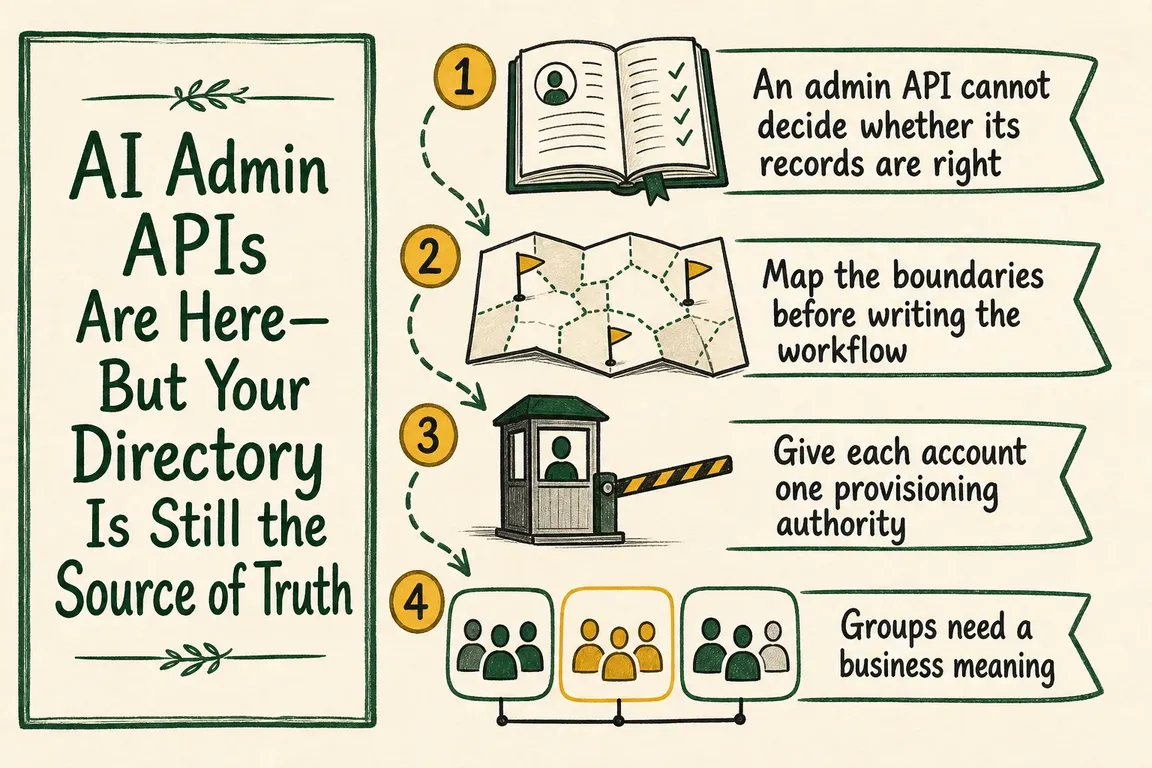
They can help reconcile users, groups and permissions across AI environments. But they cannot decide whether a contractor still needs access to a client's project or whether an employee should keep an administrator role. Those decisions need reliable identity data and a named business owner.
Keep your directory as the operational source of truth, then use AI administration APIs to apply and verify approved access. The practical starting point is a clear access map and a reconciliation report.
Your directory needs trustworthy inputs
A directory is only authoritative if someone maintains the information behind it. Employment status may come from HR; contractor access may depend on a sponsor, contract end date and approved assignment. Microsoft's HR-driven provisioning documentation describes HR as the source of authority for identities created through that process. The directory carries those signals into downstream systems.
For a smaller business, an approved access register may be enough initially. Record who the person is, which team or client they support, what access they need, who approved it and when it should end. Connect that register to your directory rather than letting each AI platform become a separate personnel list.
Also separate identity status from activity. An infrequent user may still need access. A busy account may belong to someone whose contract has ended. Usage can trigger a review; it should not decide employment or entitlement.
Map the environments before choosing endpoints
Start with an inventory of each AI organisation, workspace and API project. Record its owner, billing responsibility, approved users and provisioning method. For agencies, include client-owned environments: approval to use an agency account does not automatically authorise access to a client's resources.
Product boundaries matter. OpenAI's Admin APIs cover API organisation workflows including invitations, projects, API keys, spend limits and alerts. Treat your ChatGPT workspace as a separate inventory item; these API Platform endpoints do not establish its access state.
Anthropic's user management documentation distinguishes Claude Console from Claude Enterprise. Both expose members and invitations, but Enterprise has group controls and read-only custom-role endpoints; Console has workspace and API-key operations. Build against the capabilities of the actual environment.
| Situation | Check first | Practical response |
|---|---|---|
| A new starter needs access | Approved role, start date and provisioning route | Provision through the controlling system; verify the resulting permissions |
| A contractor finishes | Sponsor, end date and all relevant environments | Remove approved entitlements and check invitations and credentials |
| Someone changes teams | Old and new role requirements | Reconcile both sets of permissions so old access does not accumulate |
| A SCIM group looks wrong | Identity provider ownership and sync status | Correct the upstream group, then verify synchronisation |
| A seat has little activity | Usage and the owner's continuing business need | Request a licence review before removing access |
Give each account and group one provisioning authority
SCIM is the standard commonly used to provision users and groups from an identity provider. Where it controls a record, make changes upstream. Otherwise, a script and the identity provider can repeatedly undo each other's work.
OpenAI group records expose is_scim_managed, identifying groups controlled by the identity provider, as shown in its group reference. Claude Enterprise uses source_type: SCIM groups are readable but cannot be renamed, deleted or have membership changed through its Admin API. Its documentation also describes restrictions when the identity provider controls invitations, roles or member removal.
Classify accounts and groups as directory-managed, platform-managed or approved exceptions. Give exceptions an owner, reason and expiry date. If manual invitations, automatic creation at sign-in and SCIM coexist, document which route governs deactivation.
Start with a report your operations team can review
A useful first release compares intended access with actual access and explains every difference. Keep it read-only until IT and business owners agree that the proposed changes make sense.
- Collect complete snapshots. Read the approved population, users, invitations, groups and roles across every mapped environment.
- Match identities carefully. Keep stable directory and platform IDs. Use email as a matching aid, with review for renamed addresses and ambiguous matches.
- Classify differences. Separate missing access, unexpected users, excessive privileges, pending invitations and approved exceptions.
- Propose actions with reasons. Include the target environment, controlling system and business rule behind each change.
- Apply policy checks. Route removals, privilege increases and unclear cases to the appropriate owner before execution.
- Verify and record. Re-read the resulting state and retain the input snapshot, decision, API result and correlation identifier.
Handle pagination, rate limits and partial failures explicitly. An incomplete directory export must never be interpreted as a list of leavers. Make the workflow idempotent: repeating it against unchanged state should produce no extra invitations or changes. Stop unexpectedly large change sets for review.
Once the report is reliable, automate routine policy-approved changes and retain an exception queue.
Offboarding must include credentials and remaining access
Removing someone from one group does not prove they have lost organisation or project access. Check direct assignments, other groups and pending invitations, then verify the final state. Where the API cannot change an administrator account, assign a manual task rather than marking offboarding complete.
Credentials need their own review. Claude's documentation states that organisation Admin API keys continue working after their creator leaves. Revoke and replace those keys during offboarding. Separately, identify personal credentials and service accounts; give continuing workloads a current owner.
Use read-only or narrowly scoped credentials for reporting where supported, and separate them from credentials used to make changes. Claude Enterprise provides distinct member and group read/write scopes. Keep production secrets in managed storage and make failed reconciliation runs visible to the operating team.
Make the workflow something your team can own
A good handover includes the environment inventory, access rules, exception owners, reconciliation report and instructions for failed or disputed changes. Start with one environment and prove joiner, mover and leaver handling before expanding.
Greg can help map your AI environments, clarify directory and SCIM ownership, and build a reconciliation workflow your business or agency team can operate. If access still depends on scattered invitations and manual checks, talk to Greg about where to start.
Related on GrN.dk
- Microsoft Access Database Resources: When to Fix, Split, or Replace Your System
- Search Console Can See Social Posts—Your Reports Need a New Map
- Agentic AI: How It Works and When It’s Worth Using
Need help with this kind of work?
Talk to Greg about AI access and administration Get in touch with Greg.










