By Greg Nowak. Last updated 2026-10-25.
A price correction is live on your website, but search results still show the old offer. Your editor has finished their work; the publishing workflow has another job to do. The same problem arises when a product disappears, a service page moves or an office address changes.
IndexNow lets your website notify participating search engines about added, updated and deleted URLs. It can help them discover changes sooner, but it does not guarantee crawling, indexing, rankings or inclusion in an AI answer. For a business team, the useful deliverable is a reliable workflow covering the whole life of a public page.
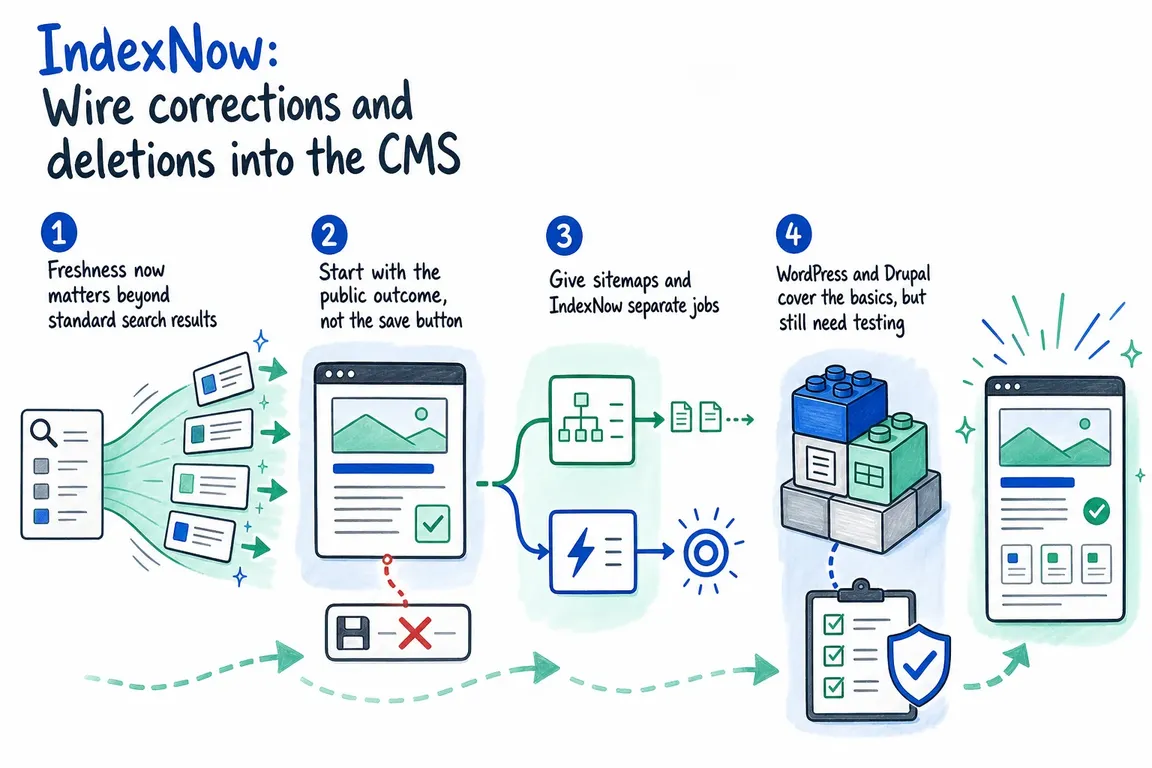
Agree what happens to the page first
Before configuring notifications, decide what visitors should find at each affected URL. An expired campaign might have a genuine replacement that deserves a permanent redirect. A withdrawn page without a replacement might need a 404 or 410 response. A correction usually belongs at the existing address.
These are publishing decisions with technical consequences. Give editors clear rules, then make the CMS carry them through consistently.
| Publishing action | Public outcome | Notification and checks |
|---|---|---|
| Publish a page | New canonical URL serves indexable content | Submit the new URL; check its response, canonical and sitemap entry. |
| Correct content | Existing URL serves the revision | Submit that URL; verify the correction is visible publicly. |
| Change a permanent URL | Old address redirects to the relevant replacement | Submit both addresses; check the redirect and destination. |
| Unpublish or delete | Removed address returns 404 or 410, unless a replacement warrants a redirect | Submit the old URL; remove it from the sitemap. |
The IndexNow FAQ explicitly supports submitting redirected URLs and addresses returning 404 or 410. Removing a page from your CMS should therefore create a notification, even though the page can no longer be opened successfully.
Trigger notifications after the public change
A generic “save” event is too broad. Editors save drafts, revise internal fields and preview unfinished work. Trigger submissions when something meaningful changes at the public URL, such as a price, availability or substantive correction.
For a custom integration, record the affected URLs in a durable queue after the publishing transaction succeeds. Keep the old address before changing a slug or deleting an entity; afterwards, the CMS may no longer be able to reconstruct it.
For headless or cached sites, include frontend deployment and cache invalidation in the sequence. A notification sent while the public site still serves yesterday’s content is poorly timed. Check public readiness before releasing the queued event.
Deduplicate repeated events and keep submissions restricted to approved production hosts. Assign one integration to own notifications so a hosting feature, SEO plugin and custom worker do not all submit the same changes independently.
Make submission results understandable
A worker can send JSON batches to https://api.indexnow.org/indexnow. The protocol allows up to 10,000 URLs per request; smaller batches can simplify troubleshooting. For manual integrations, place a UTF-8 verification file containing your key at https://example.com/{key}.txt. A non-root location requires keyLocation and has URL scope restrictions.
The protocol documentation distinguishes these outcomes:
- 200: the submission was received, not proof of indexing.
- 202: the URL was received and key validation is pending.
- 400, 403 or 422: investigate request formatting, verification or URL ownership before retrying.
- 429: slow submissions and respect a
Retry-Afterheader when supplied.
Use bounded retries with backoff for temporary failures. Log the triggering event, URL, submission time, response and retry count. Give permanent failures an owner rather than leaving them in an endless retry loop.
Keep the sitemap consistent with the workflow
Use IndexNow for change notifications and the XML sitemap for your current inventory of canonical, indexable pages. Remove redirected and deleted addresses from that inventory while still notifying IndexNow about their changed state.
Keep modification dates honest. The Sitemaps protocol says lastmod describes the linked page’s modification date, rather than the time the sitemap was generated. Refreshing every timestamp on every build makes the inventory less useful.
Check what your WordPress or Drupal integration actually covers
The Bing Webmaster team’s WordPress plugin handles creation, updates and deletion, hosts its verification key and submits in the background. It also checks rendered noindex directives, HTTP headers and WordPress search visibility settings. Start by checking whether your existing tools already provide this coverage.
Then test scheduled publication, custom post types, translations, imports and slug changes. Treat applying noindex as a separate acceptance case: verify the live directive and the integration’s exclusion behaviour rather than assuming it follows the deletion route.
For Drupal, follow the Index Now module instructions for your installed branch. The 4.x alpha branch uses entity-specific submodules; its setup differs from stable 3.x. In headless configurations, $settings['index_now.base_url'] replaces the scheme and host, but preserves the path. Different frontend paths need hook_index_now_url_alter.
The verification file must also be available on the public domain. Retrieve the configured key with drush config:get index_now.settings api_key and follow the module’s file-naming instructions when serving it through your frontend.
Define a useful handover
Ask the implementation team to demonstrate publication, correction, URL change, unpublication and deletion. At each step, inspect the public response, rendered content, canonical, sitemap entry, queued URL and submission result. Repeat for important translations and commerce routes.
A useful handover includes that event map, test evidence and a named owner for failures. Operations should be able to see outstanding retries, the oldest queued event and unresolved errors without reading application logs. Check search-engine reporting separately: successful delivery and search visibility are different measurements.
Greg can help map these decisions, review your integration and coordinate testing across editors, developers and agencies. Talk to Greg about your CMS publishing workflow.
Related on GrN.dk
- Cloudflare Page Rules Debt: How Old Rules Break Business Websites
- AI Crawler Control for Business Websites: Protect Content Without Losing Search Visibility
- Drupal Relaunch: What Happens to Your Content and Old URLs?
Need help with this kind of work?
Review your CMS publishing workflow with Greg Get in touch with Greg.










