By Greg Nowak. Last updated 2026-10-02.
Google now gives website owners a choice about appearing in its generative AI Search features. The control is available worldwide, but the decision is less simple than flipping a switch. A service business may welcome another route to discovery; a publisher may have serious questions about how its original work is used. Both need to know what they stand to gain or give up.
If you own the site or advise the team that does, start with the purpose of the content. Then measure what Google can show you, connect that evidence to business outcomes, and give someone responsibility for the final call.
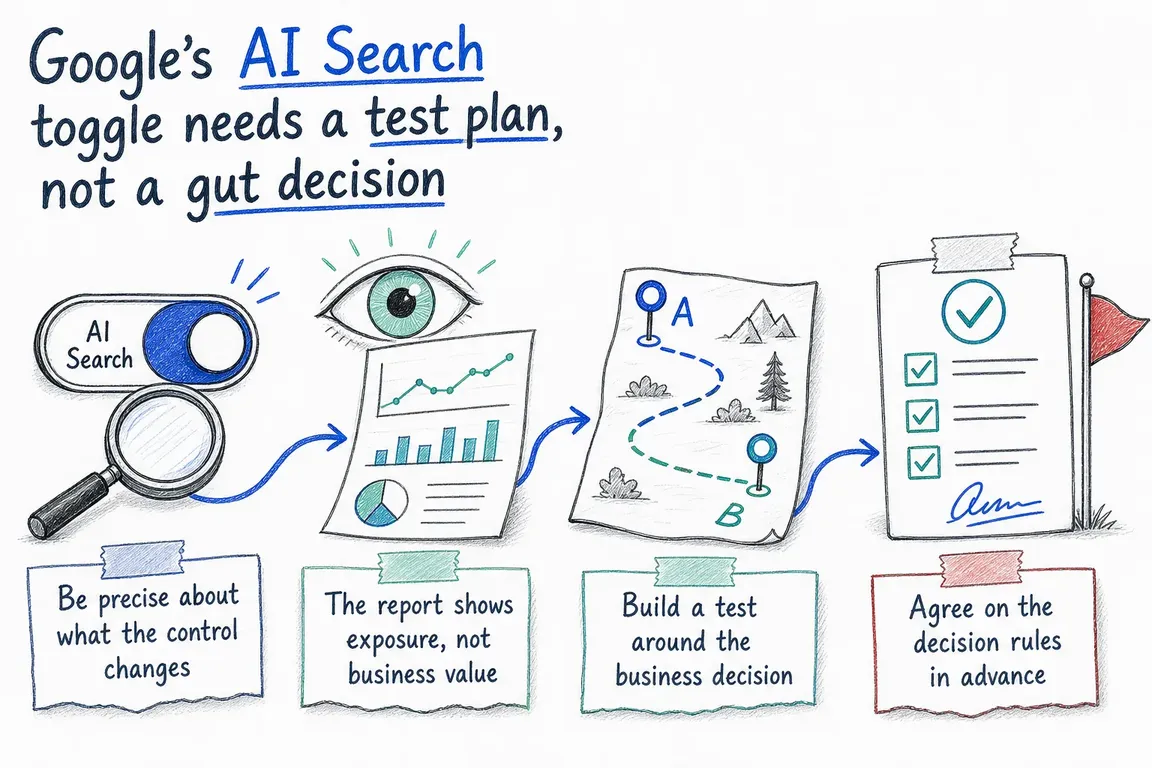
What the control changes
In Search Console, an owner can open Settings > Search generative AI and choose to include or exclude a property. Inclusion is the default. Included content can appear as links and help ground responses in AI Overviews, AI Mode and generative AI features in Discover. Exclusion removes that eligibility and the resulting impressions and traffic.
The choice does not act as a ranking signal for other parts of Google Search. It does not change participation in Google Ads or Merchant Center, and it does not mean Google will stop using the content for Search as a whole. Google also says exclusion does not control AI training.
Be precise about which setting you mean. Google-Extended is a robots.txt control for specified uses involving Gemini models and products; it does not remove a site from Google Search. A noindex directive has a different, much broader purpose: keeping an accessible page out of Google Search. If the discussion is about AI Search visibility, record the Search Console setting by its actual name.
Decide which pages matter before opening a report
One site can contain sales pages, support instructions and material whose value depends on paid access. A site-wide impression total will not tell you whether AI exposure helps those pages do their jobs. Group the important URLs by business purpose and agree on the outcome you will look for.
| Content group | Question to answer | Useful evidence |
|---|---|---|
| Service or product pages | Does exposure support qualified demand? | Visible pages, relevant landing-page visits, enquiries and sales conversations |
| Educational articles | Do they bring the right audience closer to a decision? | Exposure by topic, engaged visits and subsequent journeys |
| Support documentation | Are the pages accurate and useful when surfaced? | Exposed versions, support journeys and content ownership |
| Licensed or premium work | Is participation consistent with the access and commercial model? | Contract terms, subscription goals and the content owner’s assessment |
An agency can prepare the evidence, but it should not silently make a publishing-policy decision for the client. Bring in the owner of premium content or commercial rights before changing their exposure.
What Search Console can tell you
The generative AI performance report for Search shows impressions for AI Overviews and AI Mode. You can inspect pages, countries, dates and devices, filter by search type, and export the data. Discover has a separate generative AI report. An impression means a link was shown to a user; it is not a visit, lead or sale.
Read the numbers with care. Search Labs experiments are excluded. The usual 1,000-row table limit applies, and a chart total may differ from page-table totals because the two views aggregate impressions differently. A missing report can mean too few impressions or an excluded site; it does not establish that the channel has no value.
For a business decision, put the exposed page groups beside your ordinary Search reporting, landing-page analytics and CRM records. Look for useful demand, such as relevant enquiries, while acknowledging that those systems may not identify every visit from an AI result. Avoid turning an impression count into a claimed conversion rate for AI Search.
Run a test the team can explain later
- Save a baseline. Export the AI report by page and date, along with ordinary Search performance and your chosen business outcomes. Note the period and the URLs in each content group.
- Record the current setting. Capture the property, its owner, whether it inherits a parent setting, the selected choice and the reason for reviewing it.
- Choose a workable scope. A verified child property, including a suitable URL-prefix path, can have its own setting. Check the exact property boundary and inheritance before treating it as a contained test.
- Keep a change log. Note campaigns, redesigns, content updates and tracking changes during the comparison period. Allow for the setting to propagate: Google says exclusion generally takes a few days, with some content taking longer because of caching.
- Review a meaningful business cycle. A low-volume site may need more time than a busy publisher. Compare the page groups and outcomes you chose in advance, then set a date to revisit the decision.
Changing a child property or comparing periods can provide useful evidence, but it is not a clean experiment by itself. Different sections may serve different audiences, and seasonality can move demand. Exclusion also stops new AI impressions, so a falling AI report after exclusion confirms the setting more readily than it proves what revenue was lost.
Make the call and document why
Keep inclusion where important pages gain relevant exposure and the business case supports it. Consider exclusion where licensing, access or governance concerns outweigh that opportunity. If exposure is sparse or outcomes are unclear, extend the observation period or narrow the question. Write down the decision owner, evidence, trade-off and review date so the next team does not have to reconstruct the reasoning.
If your team needs help connecting Search Console data, content priorities and commercial goals, Greg can help plan the review and turn it into a clear decision.
Related on GrN.dk
- Google’s AI Search Toggle Is a Publishing Decision, Not an SEO Setting
- Bot traffic now exceeds human traffic—and crawler rules are no longer optional
- ChatGPT Visibility Without Opening Every Door: robots.txt Is Only the Start
Need help with this kind of work?
Plan your AI Search review with Greg Get in touch with Greg.










