By Greg Nowak. Updated 10 September 2026.
A scheduled post should publish before the campaign email goes out. A stock import should finish before customers order. When those timings matter, WordPress scheduling deserves a place in your operations plan.
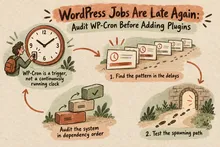
Default WP-Cron relies on requests reaching WordPress to check for due events. Quiet periods can delay execution. Server cron supplies a regular trigger while WordPress and its plugins keep managing their scheduled events.
Make the switch when unpredictable delays create customer problems or manual work. First check whether your hosting provider already supplies a scheduler: you may need to repair or monitor an existing setup.
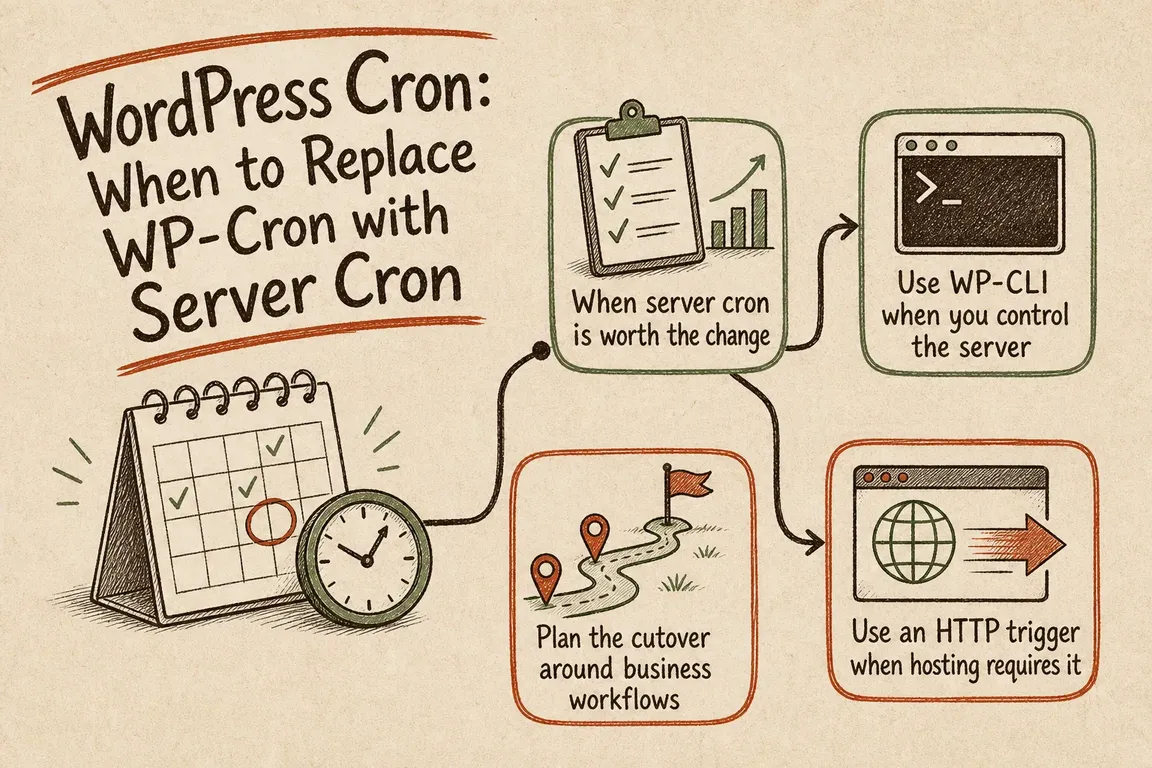
When is server cron worth it?
Start with the cost of lateness. A small membership site can need tighter scheduling than a much busier brochure site. Ask what happens if an important task runs five minutes late, an hour late, or tomorrow.
| Situation | Practical choice | What to check |
|---|---|---|
| Brochure site; housekeeping can wait | Keep default WP-Cron | No important workflow depends on precise timing |
| Scheduled publishing or regular feeds | Consider server cron every five minutes | The interval fits the publishing deadline |
| Renewals, stock updates, or customer notifications | Use a monitored scheduler; assess whether one-minute triggering is needed | Completion time, failures, and overdue work |
| Hosting already manages cron | Verify the existing arrangement | Frequency, coverage, logs, and ownership |
| Growing backlog despite regular triggering | Investigate processing capacity and plugin errors | Whether work arrives faster than it finishes |
A five-minute trigger can leave a newly due event waiting almost five minutes before processing starts. Backlogs and slow callbacks add more delay. Server cron cannot guarantee an exact completion time or fix a failing integration.
Prepare the change around real workflows
List the important jobs in business language: publish an article, update stock, send a renewal reminder, synchronise a contact. For each, record its schedule, acceptable delay, evidence of completion, and responsible person.
Have the implementer map those workflows to plugin hooks or queues. Check the current scheduler, take a configuration backup, and agree a low-risk verification task. Avoid testing through a payment or bulk email job unless its effects are understood.
- Prepare the replacement schedule and confirm its user, paths, PHP environment, and logging.
- Test the exact command under that operating-system user.
- Enable the replacement and verify an automatic run.
- Disable the default page-request trigger and check another automatic run.
In wp-config.php, before the stop-editing comment, add or update this setting without creating a duplicate:
define( 'DISABLE_WP_CRON', true );This follows the WordPress system scheduler guidance. The setting stops automatic spawning; it does not remove scheduled events or prevent an external trigger from running them.
Use WP-CLI when the host supports it
WP-CLI can execute due WordPress events without an HTTP request to wp-cron.php. The official command reference documents --due-now for this purpose.
For a Linux user crontab, a five-minute schedule looks like this:
*/5 * * * * /usr/local/bin/wp cron event run --due-now --path=/var/www/example.comReplace the example paths. Confirm that cron finds the intended PHP executable and required extensions; an absolute path to wp alone does not establish the whole environment. Use the hosting account responsible for the site, rather than testing only as root.
For multisite, add the target URL:
*/5 * * * * /usr/local/bin/wp cron event run --due-now --path=/var/www/example.com --url=https://example.comThis targets one site. Plan coverage for every relevant site in the network. Keep plugins loaded so their callbacks are available.
Retain output and errors in reviewed logs. If a run can exceed the interval, have the implementer add a suitable overlap guard and monitor skipped runs. Repeatedly starting more workers can make an overloaded site worse.
Use an HTTP trigger when shell access is limited
A hosting control panel or external scheduler can request https://example.com/wp-cron.php. Where command scheduling is available, WordPress documents using wget:
*/5 * * * * /usr/bin/wget --delete-after https://example.com/wp-cron.phpChoose one trigger method. Test from the actual scheduler: authentication, redirects, caching, or firewall rules can prevent the request from reaching WordPress. An HTTP success response alone does not prove that a business task finished.
Verify completion, not just the scheduler
Use the WP-CLI event list before and after an automatic run:
wp cron event list --path=/var/www/example.com --fields=hook,next_run_gmt,next_run_relative,recurrenceRecurring events should advance; completed one-off events normally disappear. Neither observation proves that an email arrived or an external system accepted an update. Check the workflow result and relevant plugin logs too.
For a controlled manual execution:
wp cron event run --due-now --path=/var/www/example.comThis runs due work immediately, including any customer-facing actions. It is not a diagnostic dry run.
After migration, wp cron test deliberately errors when DISABLE_WP_CRON is true. It tests HTTP spawning, so use scheduler history, queue progress, and actual outcomes to assess the replacement.
Plugins using Action Scheduler also need their own queue checked. Its processing documentation explains that batch limits and loopback requests affect throughput. A healthy WordPress trigger can coexist with a delayed plugin queue; persistent backlogs may need a dedicated Action Scheduler runner.
Make the setup supportable
Document the command, interval, account, site coverage, log location, and alert owner. Monitor missed executions and the age of overdue work. For rollback, restore default spawning and withdraw the replacement schedule in a coordinated change.
If your team needs help identifying critical jobs, coordinating hosting changes, or verifying the result, talk to Greg about your WordPress operations. A useful starting point is the workflow that currently needs someone to check it manually.
Related on GrN.dk
- AI automations need a spend dashboard before the first runaway bill
- MariaDB 10.6 EOL: quiet CMS hosting debt needs a real upgrade plan before July 2026
- NGINX 1.30 changed upstream connection reuse: what to check before you upgrade
Need help with this kind of work?
Talk to Greg about your WordPress operations Get in touch with Greg.