By Greg Nowak. Updated 17 September 2026.
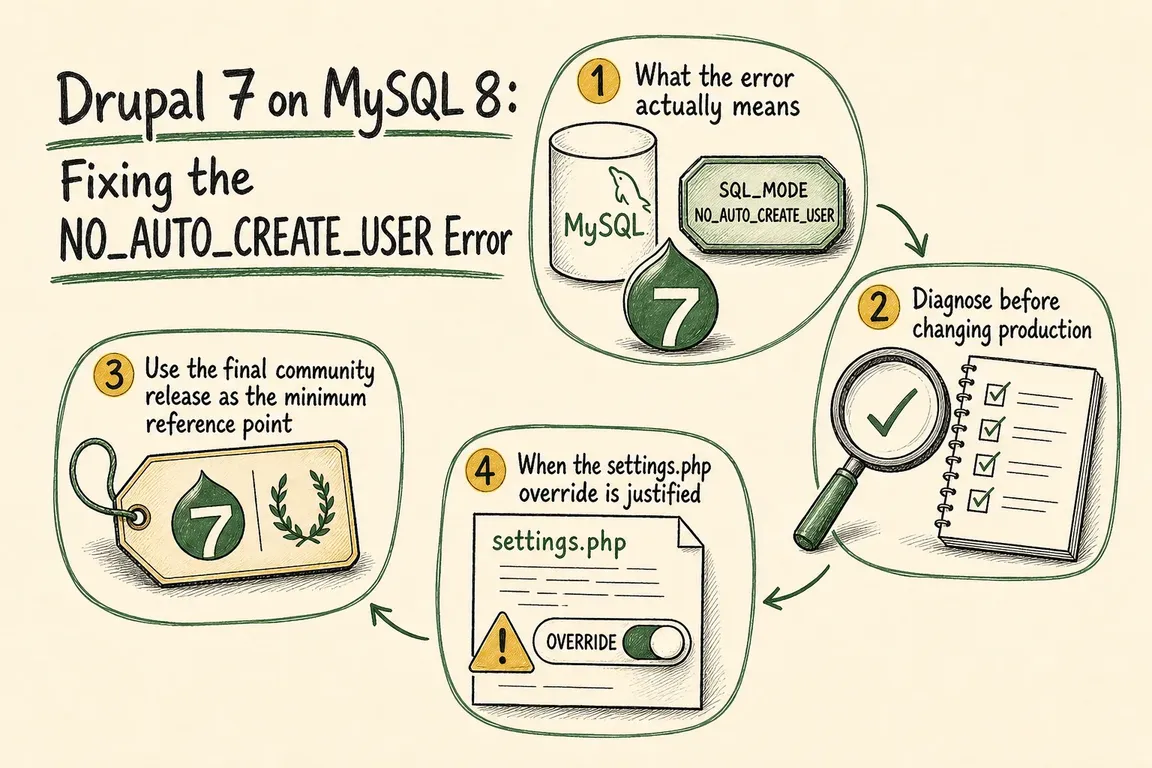
Moving a Drupal 7 site to MySQL 8 can produce an alarming SQLSTATE[42000] error saying that sql_mode cannot be set to NO_AUTO_CREATE_USER. The immediate problem is usually narrow: Drupal, a server configuration or an old database dump is requesting an SQL mode that MySQL no longer accepts.
The repair may take minutes. Making it safely requires more care. Before editing production code, identify where the obsolete value comes from, preserve a working rollback and test the business functions that matter. Because Drupal 7 is now beyond community support, the incident should also trigger a decision about the site’s remaining lifespan.
Why MySQL 8 rejects the setting
MySQL removed NO_AUTO_CREATE_USER in version 8.0.11. Oracle’s upgrade documentation says to remove it from MySQL option files and older dump files as well as application-generated settings.
Drupal added MySQL 8 support in Drupal 7.76. That release stopped requesting the removed mode on MySQL 8 and introduced quoting for reserved identifiers such as Drupal’s system table. Drupal 7.77 then fixed a regression affecting table prefixes containing dots.
This history matters because deleting one string from an old core file is not a complete compatibility fix. It misses the related identifier work, creates an undocumented fork and makes the next maintenance job harder.
Confirm where the error originates
Start with the deployed application, not an old handover document or hosting dashboard. From the Drupal document root, confirm the core version and search the likely configuration locations:
grep "define('VERSION'" includes/bootstrap.inc
grep -R "NO_AUTO_CREATE_USER" sites includes 2>/dev/null
Then inspect the database version and SQL modes:
SELECT VERSION();
SELECT @@GLOBAL.sql_mode;
SELECT @@SESSION.sql_mode;
Run the session query through Drupal’s connection where possible. A separate MySQL client creates its own session and may not reveal an initialization command added by Drupal. Also ask the infrastructure owner to check MySQL option files, deployment templates and any SQL dump used during the move.
| Where it fails | Probable source | Next action |
|---|---|---|
| Every Drupal request | Old core or a custom connection setting | Compare the deployed core with the maintained baseline |
| MySQL server startup | my.cnf or another option file |
Remove the obsolete mode from the server configuration |
| Database import | An older dump contains the mode | Remove it from the dump and repeat the import in staging |
| Only behind a proxy or managed service | Incorrectly reported server version | Verify version reporting before adding an override |
Use the safest repair route
Before changing anything, take a fresh database backup, retain the currently deployed code and name the person responsible for rollback. Ideally, restore both into staging first. A backup that has never been restored is not yet a proven recovery plan.
If the site predates Drupal 7.76, move away from the isolated one-line patch. Drupal 7.103, released in December 2024, was the last community release before end of life and is the appropriate historical comparison point. It is not a supported or secure 2026 destination. Sites covered by commercial extended support should use the provider’s maintained distribution and update procedure instead.
Compare the existing core with a clean copy before replacing it. Legacy sites frequently contain undocumented core edits, and overwriting them blindly can exchange the database error for a different outage. Pay particular attention to custom table prefixes and cross-database configurations because Drupal 7.77 specifically corrected a prefix regression introduced in 7.76.
When a settings.php override is appropriate
If the deployed baseline already contains Drupal’s MySQL 8 changes but a proxy or managed database reports the server version incorrectly, Drupal may still select the old mode list. After verifying that condition, a connection-level override can contain the problem:
$databases['default']['default']['init_commands']['sql_mode'] =
  'SET SESSION sql_mode="REAL_AS_FLOAT,PIPES_AS_CONCAT,ANSI_QUOTES,IGNORE_SPACE,STRICT_TRANS_TABLES,STRICT_ALL_TABLES,NO_ZERO_IN_DATE,NO_ZERO_DATE,ERROR_FOR_DIVISION_BY_ZERO"';
Place this after the relevant database connection definition. Adding the named sql_mode entry preserves other initialization commands. Keep the change in version control, explain which infrastructure behaviour it compensates for and assign a review date.
Do not broadly disable strict modes, and do not turn off identifier quoting as a routine MySQL 8 workaround. If the obsolete value is in a MySQL option file or dump, correct that source rather than masking it in Drupal.
Test more than the homepage
A working homepage only proves that Drupal can bootstrap. Test administrator login, content editing, cache clearing, cron, search, email and file handling. Then exercise the site’s commercially important paths: lead forms, checkout, account creation, payment callbacks, API synchronisation or scheduled exports.
Record the core version, database version, effective session mode, changed files, test results and rollback location. This turns a fragile fix into an understandable operational change and gives the next engineer more than an error screenshot.
The outage is fixed. What happens to Drupal 7?
Drupal 7 reached end of life on 5 January 2025. Community security releases and compatibility updates have ended. Restoring the MySQL connection resolves today’s incident; it does not restore a community-supported platform.
Once service is stable, give the legacy risk an owner and a date. Decide whether commercial extended support is required while migration is planned. Discovery should cover custom modules, integrations, content types, editorial workflows, data retention and the business journeys that cannot be interrupted.
If you need help separating the immediate recovery from the longer platform decision, Greg can review the evidence, coordinate the technical work and turn the next steps into a practical delivery plan.
Related on GrN.dk
- Essential Drupal 8 Modules: What Still Matters on a Legacy Site
- MariaDB 10.6 EOL: quiet CMS hosting debt needs a real upgrade plan before July 2026
- Cloudflare Page Rules Debt: How Quiet Configuration Drift Breaks Business Websites
Need help with this kind of work?
Talk to Greg about your Drupal plan Get in touch with Greg.