By Greg Nowak. Updated 21 July 2026.
Drush is often described as Drupal’s command-line shell. That is technically correct, but it understates its value. Used well, Drush gives a business or agency team a repeatable way to inspect a site, target the right environment, run deployments, and document operational knowledge that would otherwise live in one developer’s head.
That makes it particularly useful during site takeovers, upgrade planning, maintenance windows, and agency handovers. The commands are rarely the difficult part. The real work is deciding which checks belong in the operating routine, who may run them, and how the team recovers if a release fails.
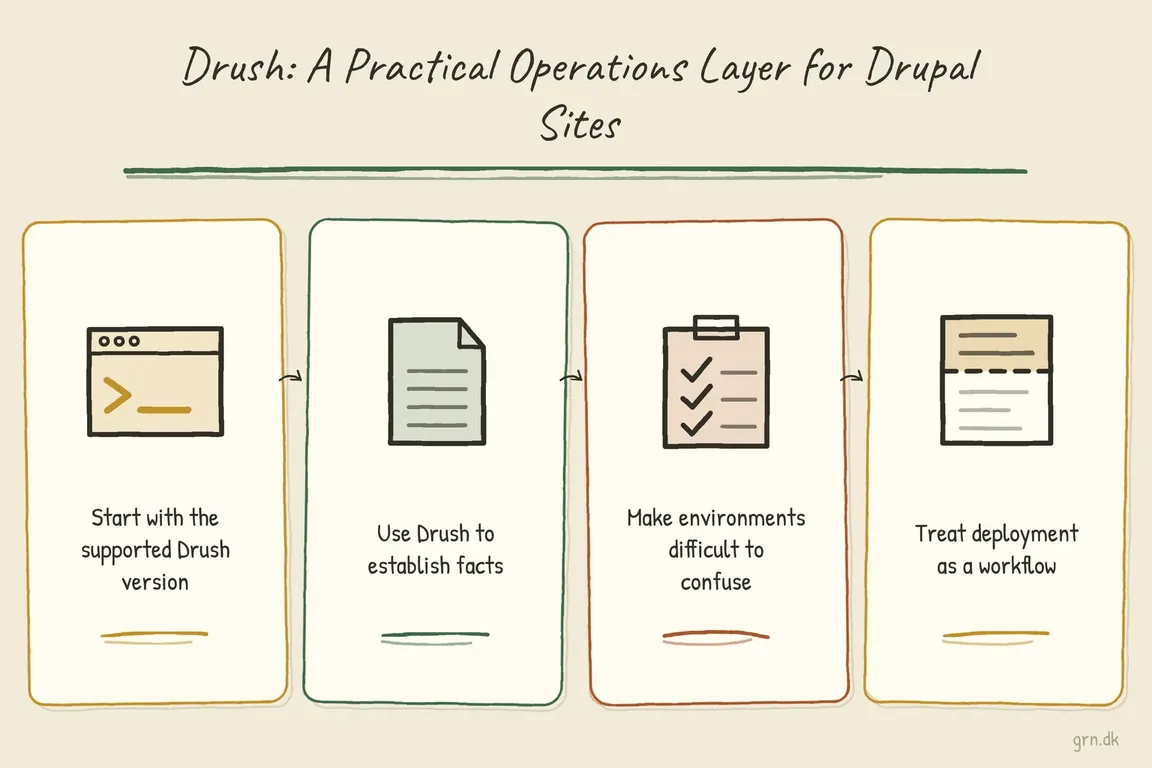
Start with the supported Drush version
Drush should be installed as a dependency of each Composer-managed Drupal project. Do not base a modern Drupal 10 or 11 workflow on an old global installation or a downloaded PHAR.
As of July 2026, Drush 14 requires PHP 8.3 or newer and is the recommended line for Drupal 11.3 and later. Drush 13 also requires PHP 8.3 or newer; it is recommended for Drupal 10.2 and later and supports Drupal 11. Check the official compatibility table before changing versions, especially when PHP and Drupal core are being upgraded together.
composer require drush/drush
vendor/bin/drush --version
vendor/bin/drush core:status
vendor/bin/drush help pm:list
Run the project-local binary from the project root. This keeps the Drush version recorded in composer.lock and prevents a global binary from quietly using the wrong PHP or Drupal stack.
| Operational moment | Useful Drush action | Decision it supports |
|---|---|---|
| Taking over a site | core:status and pm:list |
Establish what is running before estimating work. |
| Preparing a release | updatedb:status and config:status |
Identify pending database and configuration changes. |
| Managing environments | site:alias @self |
Confirm that local, staging, and live targets are explicit. |
| Deploying changes | deploy |
Run the documented release sequence consistently. |
| Creating audit evidence | --format=json or --fields |
Produce structured output instead of scraping a terminal table. |
Use Drush to establish facts
When inheriting a Drupal site, begin with observation rather than cleanup. Confirm the Drupal and Drush versions, PHP runtime, database connection, site URI, configuration path, and enabled extensions. These checks often expose mismatched environments or undocumented customisation before anyone commits to an upgrade estimate.
vendor/bin/drush core:status --fields=drupal-version,drush-version,php-version,uri,root,config-sync
vendor/bin/drush pm:list --type=module --status=enabled --no-core
vendor/bin/drush pm:list --type=module --status=enabled --no-core --format=json
The final command is preferable to piping a human-readable table through grep. Current Drush commands support documented formats, fields, and semantic filters. JSON is suitable for an audit script, while --field=name is useful when a shell script needs only module machine names.
A module inventory is not a verdict by itself. An enabled contributed module may be essential, redundant, abandoned, or replaceable by core. The list gives the team a reliable starting point for reviewing security coverage, custom dependencies, upgrade effort, and ongoing maintenance cost.
Make environments difficult to confuse
Shared aliases turn Drush from a personal shortcut into team infrastructure. The documented project-level location is drush/sites/self.site.yml:
live:
  host: server.example.com
  user: deploy
  root: /var/www/example/web
  uri: https://www.example.com
stage:
  host: stage.example.com
  user: deploy
  root: /var/www/example/web
  uri: https://stage.example.com
vendor/bin/drush site:alias @self
vendor/bin/drush @stage core:status
vendor/bin/drush @stage cache:rebuildCommit the alias structure when appropriate, but keep passwords and private keys out of it. Use SSH configuration, environment variables, and the organisation’s secret-management process for credentials.
For multisite installations or commands that generate links, provide the correct URI through the alias or explicitly on the command line:
vendor/bin/drush --uri=https://www.example.com user:login
DRUSH_OPTIONS_URI=https://www.example.com vendor/bin/drush user:login
The environment variable is DRUSH_OPTIONS_URI, not the older-looking DRUSH_OPTIONS_URL. Getting this detail wrong can produce links for the default host or bootstrap the wrong multisite.
Treat deployment as a workflow
Running updatedb -y remains useful, but it should not be the whole release procedure. For Drupal 10.3 and later, Drush’s deploy command standardises database updates, configuration import, cache rebuild, deploy hooks, and—on Drupal 11.2 and later—cache warming.
vendor/bin/drush @stage updatedb:status
vendor/bin/drush @stage config:status
vendor/bin/drush @stage deploy -y

# After staging validation and an approved backup or rollback point:
vendor/bin/drush @live deploy -y
updatedb automatically enables maintenance mode while database updates run and restores the previous state afterward. That safeguard is helpful, but it is not a backup, a rollback plan, or a substitute for testing. A dependable release still needs a known recovery point, staging validation, appropriate access controls, and a short post-release check of critical journeys.
Leave behind an operating model
The most valuable Drush improvement is often not another one-liner. It is a concise runbook covering supported versions, aliases, deployment commands, backup ownership, rollback steps, and who can operate on production. Together with composer.lock and project-level configuration, that makes the site easier for another developer or agency to support.
If your Drupal estate relies on undocumented commands or one person’s server memory, Greg can help turn it into a safer audit, release, and handover workflow. Talk to Greg about practical Drupal operations.
Related on GrN.dk
- CMS Upgrades in 2026: A PHP Roadmap for WordPress and Drupal Sites
- Fixing Website Email Deliverability in 2026: A Practical Checklist for Business Sites
- WordPress 7.0 Upgrade Planning: Collaboration Meets Old Meta Boxes
Need help with this kind of work?
Talk to Greg about Drupal operations Get in touch with Greg.