By Greg Nowak. Last updated 2026-10-31.
Before closing an Apache patch ticket, make sure the record explains what is running, which security fixes it contains and how the service was checked after the update. A version string gives you somewhere to start. The decision needs evidence tied to the server handling your website or application.
There is a specific reason to revisit Apache 2.4.68: Apache released 2.4.69 on 1 October 2026 with security fixes for vulnerabilities affecting upstream 2.4.68. The Apache vulnerability list gives the affected versions and the conditions for each issue.
For the business owner, the useful deliverable is a clear answer about that installation: what has been fixed, what falls outside the documented conditions, and what still needs attention. Here is how to build that record.
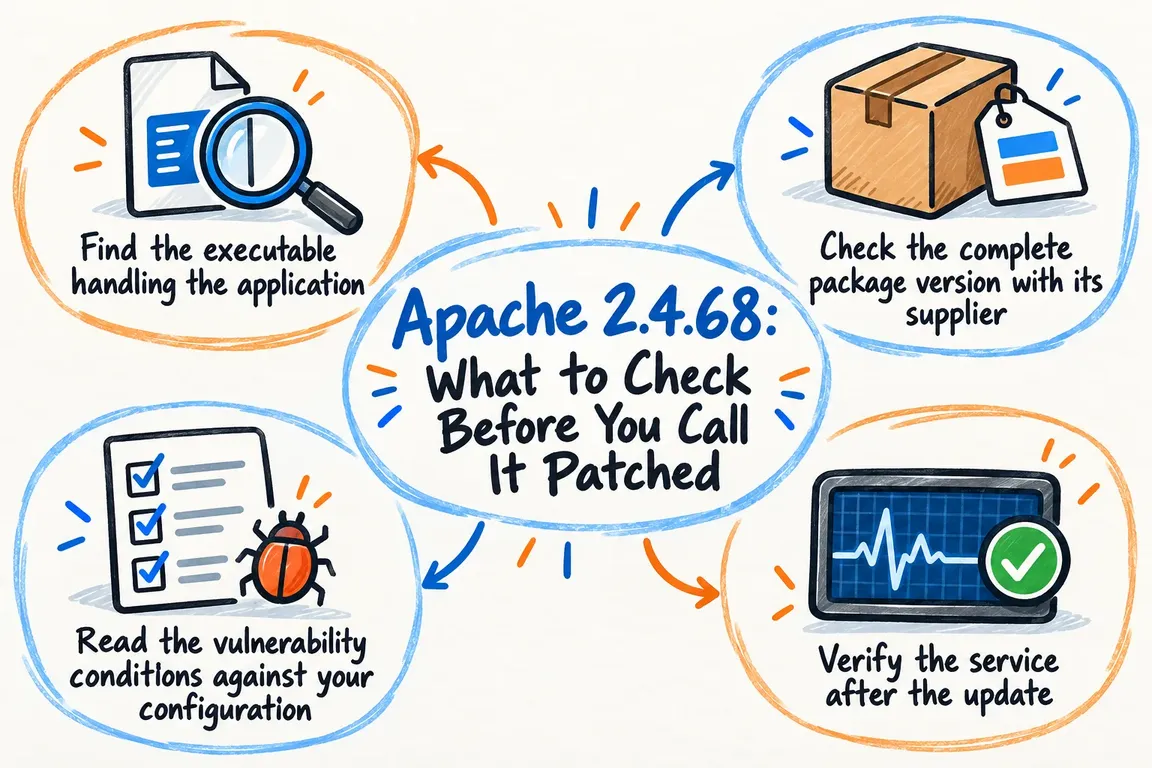
Find the executable handling the application
Identify the service responsible for the application, then record its executable path, startup configuration and deployment location. If the application uses containers or several Apache installations, assess each relevant instance separately.
This is where a routine check can lose its connection to the live service. A command entered in an administrator’s shell tells you about the executable that command selects. Compare the service definition and process information with that executable before treating its output as evidence about the application.
The Apache httpd command reference documents the checks below. Use the installation’s appropriate wrapper and configuration context; Apache generally recommends invoking httpd through apachectl on Unix systems.
| Option | What you learn | What still needs checking |
|---|---|---|
-v |
The executable’s version | Whether its distribution package contains the required fixes. |
-V |
The version and build parameters | Whether this executable belongs to the service handling requests. |
-M |
The loaded static and shared modules | Whether the command used the service’s configuration context. |
-S |
The parsed virtual host settings | Whether application requests behave as expected. |
-t |
Whether the configuration passes its syntax check | Whether the vulnerabilities have been addressed. |
Save the output alongside the executable path and inspection time. For the module inventory, use -M: the reference distinguishes it from -l, which lists only compiled-in modules.
Check the complete package version with its supplier
Record the operating system release, installed package identifier, full package version and repository origin. For a custom build, collect the source release and maintained patch history instead. You need to know who supplied the executable before choosing an update route.
An older upstream version number does not settle the question. Red Hat’s explanation of security backporting describes how suppliers apply fixes from newer upstream software to older distributed versions. It also explains why vulnerability checks based solely on upstream version numbers can produce false positives.
Compare the complete installed revision with the supplier’s status for that operating system release. An older version number can accompany a fixed package, but you still need evidence for the package actually installed.
For example, Ubuntu’s CVE-2026-57941 record, last updated on 8 October 2026, lists the issue as fixed in apache2 2.4.58-1ubuntu8.16 for Ubuntu 24.04 LTS and 2.4.52-1ubuntu4.24 for Ubuntu 22.04 LTS. Both retain older upstream version numbers. Those entries establish the status of this CVE; they do not clear every Apache vulnerability.
Keep the full revision in the maintenance record. If your package comes from another supplier, its status remains unresolved until you have evidence that applies to it. A fixed version listed by one distribution cannot establish the status of a different supplier’s package.
Read the vulnerability conditions against your configuration
Use the module inventory to work through the relevant advisories. For each issue, record the affected component, the prerequisites in the advisory, what you found locally and the decision that follows.
Apache identifies CVE-2026-57941 as a use-after-free issue in mod_http2 affecting upstream versions 2.4.17 through 2.4.68. Another October fix, CVE-2026-63292, concerns mod_vhost_alias where VirtualDocumentRoot uses a hostname format specifier and LimitRequestFieldSize has been raised above its default. Under those conditions, an oversized Host header can trigger the issue. Both are documented in the Apache security list.
Apply the same review to the remaining relevant entries. Check whether the required modules and settings are present, and retain the configuration evidence behind each finding.
Be precise about the outcome. If a prerequisite is absent, record that the issue falls outside the documented conditions for this configuration. Confirmation that a fixed package is installed is a separate finding. If you cannot establish applicability, give someone responsibility for the next check and leave the item open. A working application does not resolve that uncertainty.
Verify the service after the update
Use the package’s supported update route. Before making the change, agree a maintenance window, recovery steps and a short acceptance test with the application owner. Decide which business functions must work before the change can be accepted.
After the update, confirm the installed package revision and check that the intended executable is in service. Account explicitly for any restart or replacement required by the deployment process. Then collect fresh evidence from the resulting service.
Run the configuration syntax check in the correct context, review the virtual host mapping and compare the loaded modules with the intended configuration. Follow those checks with ordinary application requests.
The acceptance test should reflect how people use the application: the public site, authentication, a representative form submission and any essential application route. Include checks for the modules and features reviewed during the advisory assessment. Read the resulting logs and document unexpected behaviour before declaring the work complete.
Leave a record the next administrator can use
The handover should let another administrator understand the decision without repeating the investigation. Include the instance identity, executable path, package origin and revision, advisory review date, applicable CVEs, configuration findings, update action and post-change checks.
Give every reviewed issue an explicit outcome: fixed in the verified package, outside the documented conditions, or unresolved with an owner and next step. State which instances and advisories the assessment covers. That keeps a finding about one CVE or one server from being read as clearance for the whole environment.
Greg at GrN.dk can help with this as a defined server patch assessment: identify the installation, review the vulnerability evidence, apply supported updates, check configuration and application behaviour, and provide a concise patch-status record. If an Apache version warning is waiting for a decision, contact Greg to discuss the assessment.
Related on GrN.dk
- Before an AI Assistant Issues a Refund, Put Approval in Its Path
- Drupal Deployments: Keep Small Fixes From Rewriting Live Settings
- Let’s Encrypt’s 64-Day Certificates Call for a Renewal Check
Need help with this kind of work?
Discuss an Apache patch assessment Get in touch with Greg.










