By Greg Nowak. Last updated 2026-10-03.
A colleague builds a script to reconcile two exports. It works, saves time, and gets shared. A few months later, the team uses its output every Friday, but the script still runs from that colleague’s account. If a column changes or a credential expires, who notices? Who can fix it?
This is the point where a useful experiment becomes an operational dependency. The question is not whether AI helped write the code. It is whether the business can understand, check, and keep using the tool when its original builder is unavailable.
Decide when an experiment needs support
A private prototype can stay lightweight. Assign an owner once a tool is used repeatedly by others, runs on a schedule, connects to business systems, changes records, or informs customer, financial, or operational decisions. Those signals matter more than the size of the codebase.
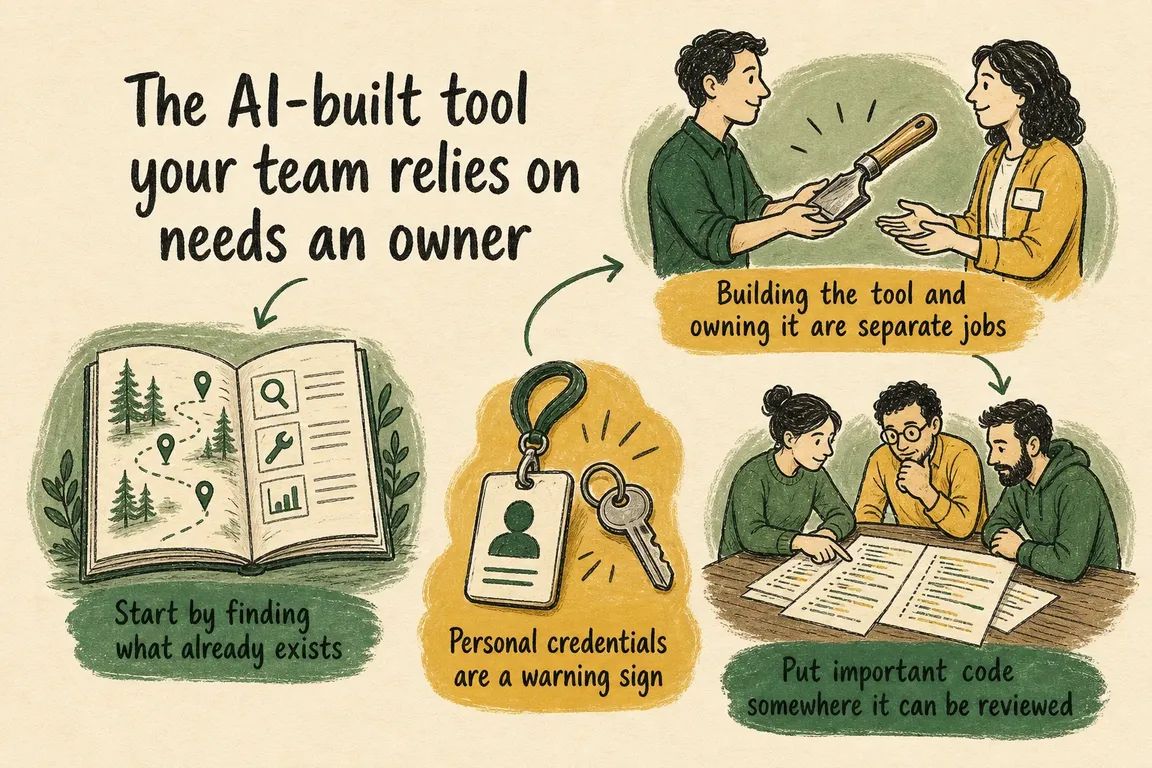
Start by asking teams what they actually use. Present the exercise as a way to support useful work: people are more likely to disclose a rough but valuable tool if they know the first response will be to understand it. For each one, record its purpose, users, business owner, builder or technical contact, code location, inputs, outputs, connected systems, credentials, schedule, and what happens if it stops.
NIST’s AI Risk Management Framework calls for inventories, clear responsibilities, monitoring, and safe retirement of AI systems. An ordinary script written with AI assistance is not necessarily an AI system, but those operating principles are useful here too.
| What you find | Ownership decision | First practical control |
|---|---|---|
| A personal experiment with no dependent process | Keep it experimental; set a review date | Record its purpose and creator |
| A tool the team uses regularly | Name a business owner and a technical contact | Store the code where colleagues can access and review it |
| A scheduled tool connected to business systems | Assign an owner and a backup | Fix credentials, add output checks and failure alerts |
| A tool that affects important decisions or records | Require review before significant changes | Document recovery and test the failure cases that matter |
Give the owner a job they can actually do
The business owner should be accountable for the tool’s purpose, acceptable output, users, and continued value. They need to know when to pause it and whom to call if results look wrong. A technical contact handles code, deployment, and diagnosis. A backup matters if either person is absent. One person may fill more than one role, but the responsibilities should be explicit.
Write a short operating note that answers: How is the tool run? Which data does it read or change? What does a good result look like? What would reveal an incomplete result? Who approves changes? How can the team return to the previous process? Give that note and the code an organisation controlled home. A handover should take more than a repository link, but less than a large manual.
Fix access before it becomes a crisis
Check whether a job depends on someone’s personal login, a key pasted into code, or permissions broader than its task requires. OWASP’s secrets guidance recommends managed storage, access controls, auditing, and a lifecycle for credentials. Move secrets out of source files, give the running tool only the access it needs, and document who can rotate or revoke its credentials. If a secret has been exposed, replacing it in the file alone does not invalidate the old value; revoke or rotate it.
Then put important code under version control and agree who reviews changes. The reviewer should understand the affected area: a data specialist for a changed reconciliation rule, for example, or a security specialist for an authentication change. GitHub’s required reviewer rule can enforce designated team approvals for selected files and branches. The rule helps with change control; the business owner still decides whether the tool is fit for its job.
Check the result, not just whether the job ran
A green scheduled run can still produce a plausible but wrong report. For a reconciliation script, check required columns, duplicate identifiers, record counts, and totals before anyone relies on the output. For a dashboard feed, alert on missing updates or unusual volumes. Decide who receives those alerts and what they should do next.
Use a few representative inputs to test changes before releasing them, including an empty file or a renamed column if those are realistic failure cases. Keep the previous working version and a manual fallback where the process warrants one. These checks are most valuable when they reflect how the business would discover harm, not just whether the code executes.
Review whether the tool should still exist
Ownership includes an exit decision. At a regular review, ask whether people still use the tool, whether another system now does the same work, and whether its access remains justified. Before retiring it, identify downstream users, preserve records the business needs, stop scheduled runs, revoke credentials, and tell people what replaces it. NIST also includes safe decommissioning in its lifecycle guidance.
If you cannot answer who will notice a failure, judge its impact, and take action, start there. Greg can help your team inventory AI-built tools, assign practical ownership, and strengthen the ones worth keeping. Talk with Greg about your internal tools.
Related on GrN.dk
- Agentic AI: What It Is, How It Works, and When to Use It
- Microsoft Access Database Resources: When to Fix, Split, or Replace Your System
- Google Review Link Generators: What Small Teams Actually Need
Need help with this kind of work?
Talk with Greg about your internal tools Get in touch with Greg.










