By Greg Nowak. Last updated 2026-07-13.
The WordPress 6.9.2 incident is a useful warning for anyone responsible for a customised site. A security update exposed unsupported template-loading code in some themes, leaving affected front ends unusable until WordPress issued a compatibility fix. The lesson is not to avoid updates. It is to make custom code and the update process predictable enough that one unusual dependency cannot create an emergency.
For business owners, operations leads, and agencies, this is less about one WordPress hook than operational readiness. When nobody knows which templates are fragile, what must be tested, or who can approve a release, a small technical problem quickly consumes billable hours and management attention.
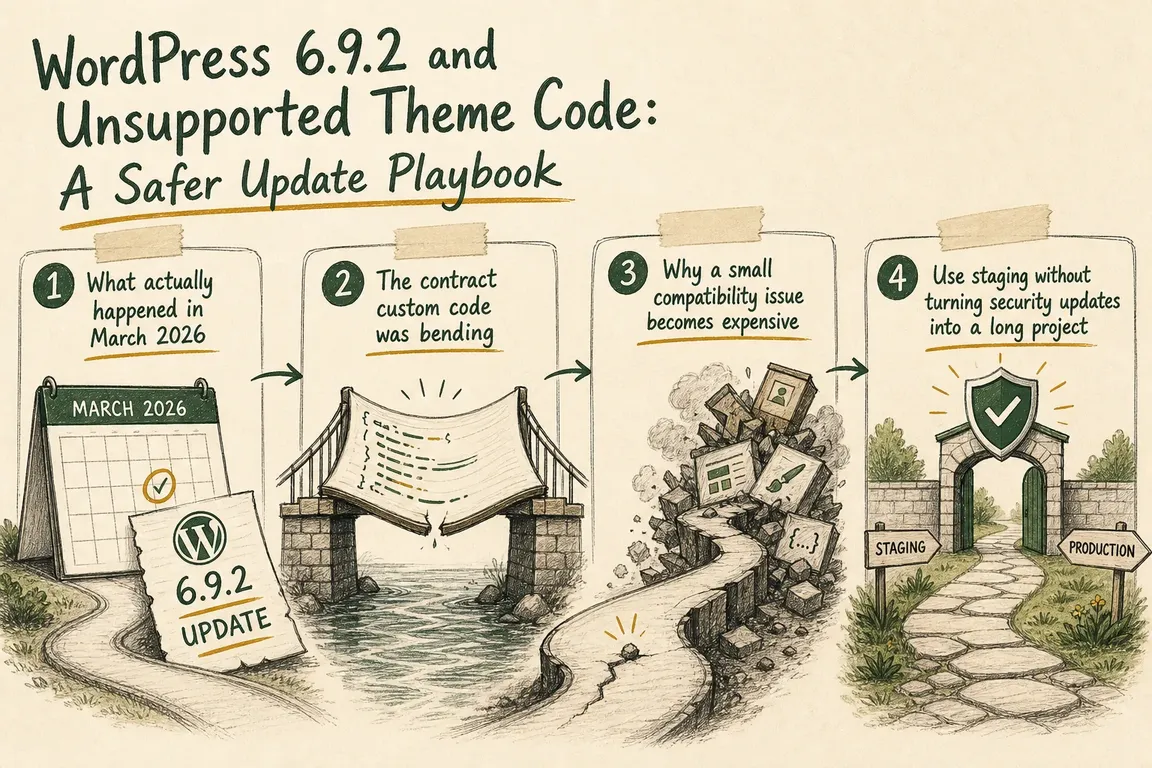
What actually happened in March 2026
WordPress 6.9.2 was released on March 10 as a security update addressing ten issues. It also changed template-loading behaviour in a way that broke some themes using an unusual “stringable object” mechanism for template paths.
WordPress 6.9.3 followed later that day to restore compatibility. This is an important correction to the original framing: 6.9.3 did not cause the theme failure; it was the fast-follow fix for a problem exposed by 6.9.2.
Then, on March 11, WordPress released 6.9.4 after its Security Team found that some of the original security fixes had not been fully applied. That means the sequence contained two distinct risks: unsupported custom behaviour on affected sites and an incomplete security release that required another upstream update. A responsible operating process must be able to handle both without assuming every failure is automatically “WordPress’s fault” or “the theme’s fault.”
The contract custom code was bending
The documented template_include filter accepts and returns a string containing the template path. Some affected themes returned objects that PHP could convert to strings. That happened to work until stricter template handling made the unsupported assumption visible.
Audit custom themes, must-use plugins, and regular plugins for template_include, custom routers, template wrappers, and code that constructs paths indirectly. The safe implementation is deliberately ordinary:
add_filter( 'template_include', function ( $template ) {
    if ( ! is_page( 'campaign' ) ) {
        return $template;
    }

    $custom_template = locate_template(
        array( 'templates/landing-page.php' )
    );

    return is_string( $custom_template ) && '' !== $custom_template
        ? $custom_template
        : $template;
}, 99 );
This example limits the override to one route, checks the result, returns a string path, and falls back to the original template. If an internal abstraction returns an object, convert and validate it inside that abstraction rather than passing it into WordPress and relying on undocumented tolerance.
Why a small compatibility issue becomes expensive
A failed public page affects more than engineering. Marketing may pause a campaign, customer support starts receiving reports, account teams need explanations, and developers must diagnose unfamiliar code under time pressure. The final patch may take minutes; discovering which layer owns the problem can take much longer.
The antidote is a small amount of release evidence collected before and after every change. A practical workflow looks like this:
| Stage | Minimum check | Stop condition |
|---|---|---|
| Prepare | Restorable files and database backup; current version recorded | Restore has never been tested or credentials are missing |
| Stage | Apply the intended core update to a production-like copy | Environment, PHP version, or active extensions differ materially |
| Validate | Homepage, key templates, forms, search, login, checkout, and scheduled jobs | Critical journey fails or logs show a new fatal error |
| Release | Named operator, approval, monitoring, and rollback route | No accountable person is available during the change window |
| Close | Clear caches, confirm version, review logs, and record the result | Visitors still receive mixed or stale output |
Use staging without turning security updates into a long project
Staging should be a fast confidence check, not an excuse to leave a known security update waiting for weeks. Define a short test pack around the pages that generate leads, revenue, donations, registrations, or editorial output. Assign each check to a named role and agree beforehand which failures block production.
Teams using WP-CLI can keep the minor-update sequence explicit:
wp core version
wp core check-update --minor
wp core update --minor
wp core update-db
wp core verify-checksums
Do not copy the old version-pinned 6.9.4 command into a current runbook. It describes a historical release, not today’s supported destination. Check the installed version and available update first. Also remember that --minor stays on the current major branch; a move to a new major version needs its own compatibility review.
If production fails, diagnose before changing three things at once
Capture the current version, PHP error, request path, and deployment time. Confirm whether the problem appears on all templates or only particular routes. Then isolate the active theme, must-use plugins, template overrides, and caching layers methodically. A restorable backup can recover service, but rolling back a security update should be a temporary containment step followed by a safe update forward—not the permanent fix.
Make update ownership visible
Every customised site should have a short answer to four questions: who watches releases, who can update staging, who approves production, and who validates the customer journey. Agencies should document this per client; internal teams should put it in the operating runbook rather than leaving it with one developer.
If those answers are unclear, Greg can help review template-loading code, map the fragile parts of the stack, and turn the update checklist into a workable release routine. Talk to Greg about a focused WordPress update-risk review before the next urgent release exposes the same uncertainty.
Related on GrN.dk
- CMS Upgrades in 2026: A PHP Roadmap for WordPress and Drupal Sites
- WordPress Security Releases Still Need an Ops Runbook for Business Sites
- Cloudflare Page Rules Debt: The Quiet Way Business Websites Break
Need help with this kind of work?
Plan a safer WordPress update Get in touch with Greg.










