By Greg Nowak. Updated 9 October 2026.
If your Honda Click 125i switches off at a junction, first establish whether Idling Stop has activated or the engine has stalled. The two can look similar, but they lead to different next steps. Turning a screw before answering that question can make the original problem harder to diagnose.
These notes cover the useful checks you can make, the documentation to use, and what to record before booking a workshop visit. The aim is to help you make a sensible decision about idle behaviour and coolant maintenance without guessing at settings.
Start with the manual for your scooter
The original reference for this article is Honda’s 2019 Click125i owner’s manual, document 32K60A100. Keep using it if it matches your machine. A newer publication does not automatically replace the instructions for an older scooter.
Before ordering parts or following a repair video, confirm the model year, market, model code and chassis number. Check whether your scooter has an Idling Stop switch. Terms such as “V1” and “V2” may help you search, but they do not establish which maintenance procedure applies.
Use each document for its intended job. The owner’s manual covers operation and routine checks. The shop manual supplies diagnosis and repair procedures. The parts catalogue identifies components and part numbers. Honda’s guide to shop manuals and parts catalogues explains the distinction: an exploded drawing helps identify a part, but does not provide the complete repair method.
Is the engine stalling, or is Idling Stop working?
On the equipped variant in Honda’s 2019 manual, the Idling Stop indicator flashes when the system deliberately stops the engine. Opening the throttle normally restarts it. Always turn the ignition off before leaving the scooter; throttle movement can otherwise restart the engine unexpectedly.
| What you notice | Useful first check | Next decision |
|---|---|---|
| Engine stops and Idling Stop indicator flashes | Compare the behaviour with your manual. | It may be normal Idling Stop operation. |
| Idling Stop never becomes ready | Check the switch, activation conditions and warning lights. | Investigate repeated failures with a mechanic. |
| Rough idle or stalling with Idling Stop disabled | Record whether the engine is cold or warm. | Arrange diagnosis if the symptom repeats. |
| Coolant level falls repeatedly or reservoir is empty | Record the cold level and any visible leakage. | Have the cooling system inspected. |
Activation conditions matter. For example, Honda’s 2020 Click125i manual says the equipped variant needs a warm engine, the switch set to IDLING STOP, and a ride above 10 km/h after starting. Low battery voltage can prevent operation. A lit PGM-FI malfunction indicator also inhibits the system and requires dealer attention.
To separate the symptoms, select IDLING before starting normally and observe the scooter in a safe, ventilated location. If it still stalls, include that finding in your workshop brief. Avoid further road testing if it cuts out unpredictably in traffic.
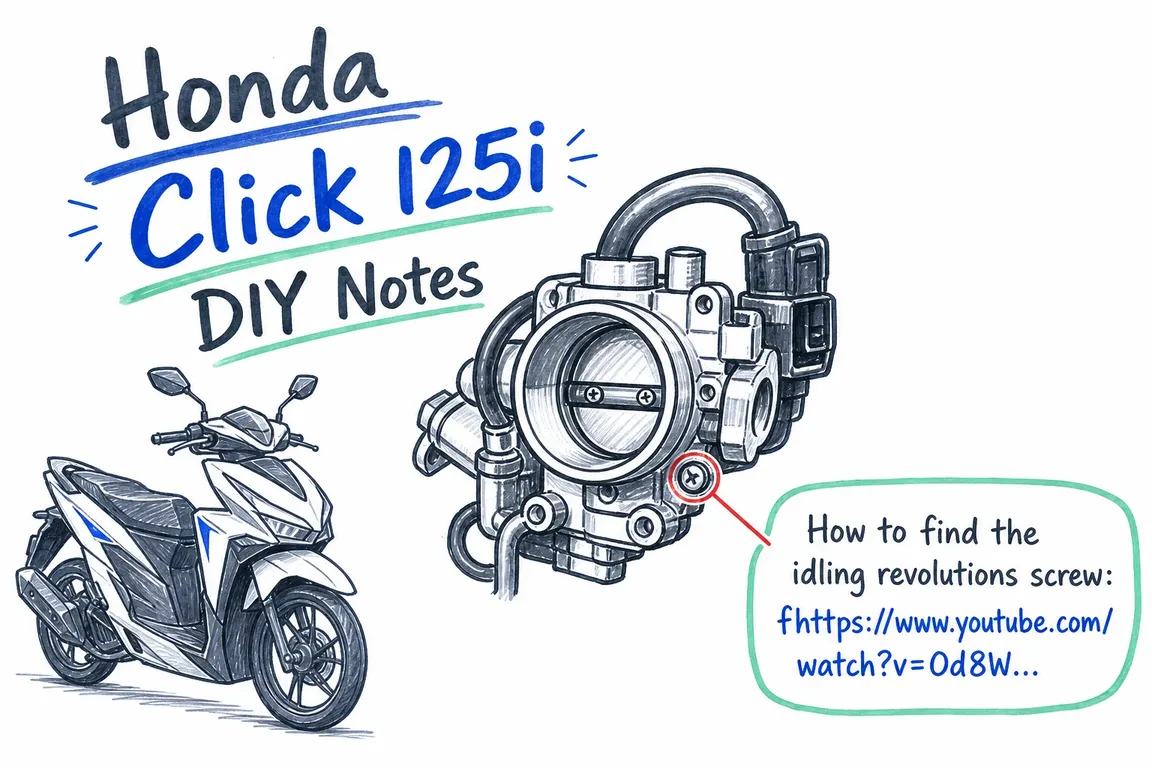
Before adjusting an idle screw or air screw
“Idle screw” and “air screw” are not precise enough to support an adjustment instruction. Identify the component, confirm the applicable shop-manual procedure, and establish how engine speed will be measured before changing a setting.
The maintenance schedule in Honda’s 2023 Click125 manual classifies idle-speed inspection as intermediate work. Honda recommends dealer service unless you have the necessary tools and mechanical skills, and directs readers to the shop manual for procedures.
A video can help you recognise a panel or component. A screw position copied from another scooter does not establish the correct setting for yours. If someone has already made adjustments, write down what changed and tell the mechanic. Further trial-and-error adjustments make the history less useful.
Check coolant consistently before planning a change
Check coolant with the engine cold. The 2023 Click125 manual specifies the centre stand on a firm, level surface, with the reserve-tank level between LOWER and UPPER. Confirm the positioning and access instructions in the manual for your year.
If topping up is needed, use the specified coolant through the reserve-tank opening and stay below the UPPER limit. Do not remove the radiator cap to top up the reservoir. Never open a hot radiator cap: pressurised coolant can spray out and cause burns.
Check the product specification as well as the level. The 2023 manual specifies genuine Honda PRE-MIX COOLANT without added water. Do not apply generic dilution advice to a product your manual says to use undiluted.
An empty reservoir or a level that keeps falling needs investigation. Honda’s coolant inspection guidance recommends dealer inspection for suspected leaks and stresses that maintenance methods vary by model. Its example uses a CB650R, so use it for background rather than Click-specific access instructions.
For replacement, confirm the maintenance interval and the complete draining, refilling and air-removal procedure. Add the replacement date to your service record; low mileage alone does not establish that coolant is still within its service interval. If a temperature warning appears while riding, stop safely and follow your manual’s overheating instructions.
Give the mechanic a useful handover
A short, factual note is easier to act on than “sometimes it stops”. Record the date, mileage, cold or warm engine, switch position, indicator behaviour, restart behaviour and recent maintenance. Include adjustments already attempted and dated coolant-level photographs where relevant.
Ask the workshop to record its findings and any settings or parts changed. That gives you a reference if the symptom returns and helps the next person continue the diagnosis.
The same discipline helps business owners, operations leads and agency teams manage digital projects: document the symptom, check the right reference and make the handover usable. If your website or digital project needs clearer priorities and coordination, talk to Greg about digital project management.
Related on GrN.dk
- AI Search Is Eating the Click: Measure Before You Rewrite
- Before Your Support Bot Learns the Help Center, Make Sure It Can Forget
- Drupal Wiki: Build a Knowledge Base People Can Actually Use
Need help with this kind of work?
Talk to Greg about your digital project Get in touch with Greg.










