- Client
- GrN.dk — internal build
- Sector
- Educational apps for children
- Period
- July 2026
At a glance
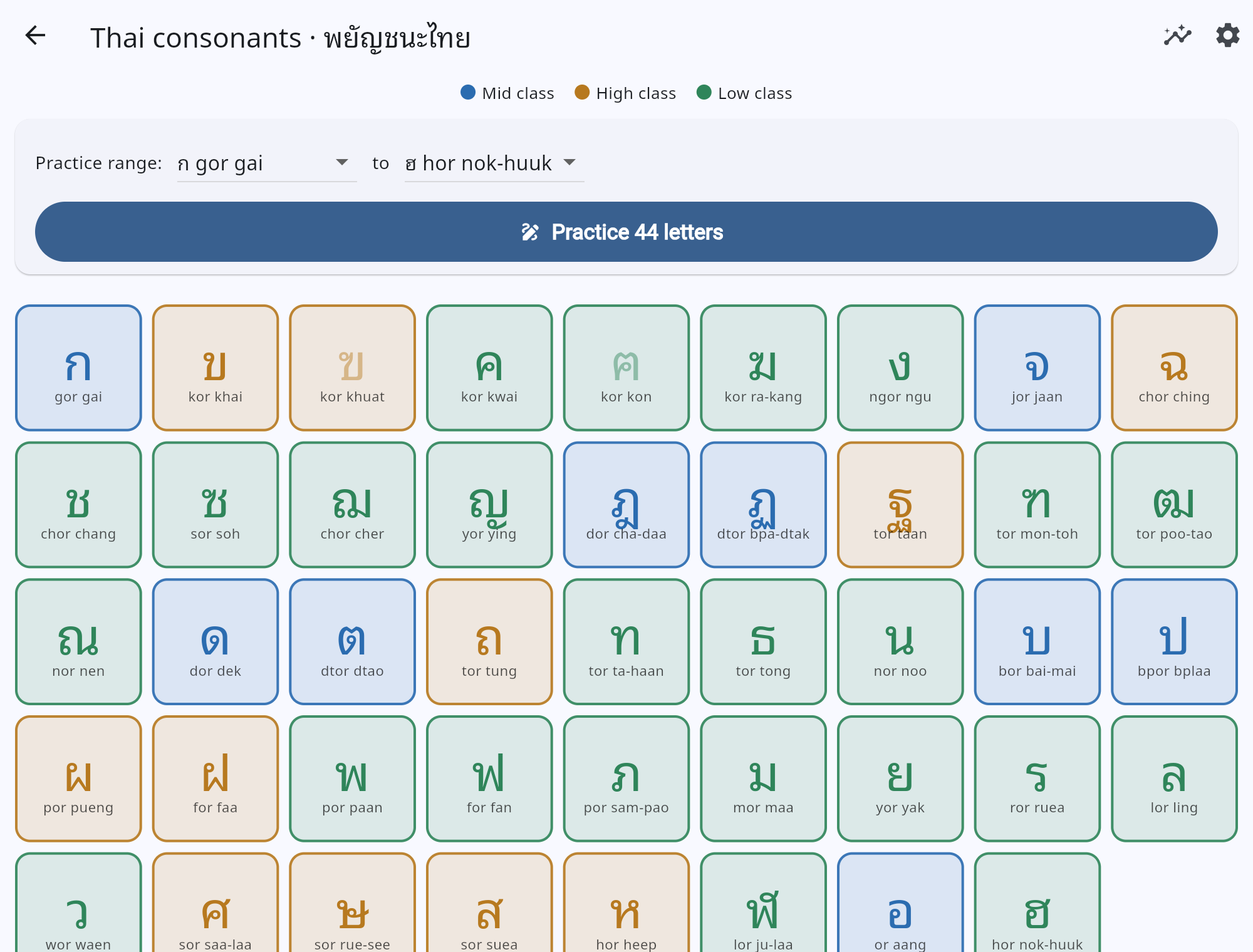
abc.grn.dk teaches a child to write an alphabet rather than to recognise one: pick a letter, trace it with a finger, and the app scores the shape you actually drew and tells you how close you got. Thai first — all 44 consonants, free — with Japanese hiragana and katakana behind a premium gate. Everything happens in the browser: the handwriting recogniser is plain Dart running on the device, the spoken letter names are files bundled with the app, and there is no account, no runtime backend and no advertising.
The challenge
Most apps that promise to “teach the alphabet” actually test recognition — hear a letter, tap the letter. Writing is the harder half, and it is the half a five-year-old is really practising. Building that means solving a scoring problem: judge the shape a child drew, without punishing them for drawing the strokes in a different order or a different direction, and without sending a child's drawings to a server.
Thai adds its own demands. There are 44 consonants that come in three tone classes a learner is expected to internalise, and each is named by an acronym — ก is gor gai, กอ ไก่, “gor as in chicken”. An early version spoke those names with the device's own text-to-speech, which failed in the obvious way: a phone with no Thai voice reads the names in English, or says nothing at all.
And then there is the audience. The first difficulty bars — 60%, 75% and 90% similarity to pass — were set by adults and turned out to be far too strict for the small hands the app is for.
The solution
abc.grn.dk is a Flutter web app: 3,176 lines of Dart across 18 files, with three packages beyond Flutter itself. No runtime backend exists — progress lives in the browser's localStorage.
Scoring the handwriting. The recogniser is a 204-line, pure-Dart implementation of the $P point-cloud recognizer (Vatavu, Anthony & Wobbrock, 2012). It flattens whatever the child drew into an unordered cloud of points, resamples it to exactly 32, and matches it against the one target letter — not against all 44, because the app already knows which letter it asked for. Treating strokes as a cloud rather than a sequence is what makes it order- and direction-independent, which is exactly the forgiveness a beginner needs. The honest trade-off is stated in the repo's own README: a recogniser this forgiving cannot teach stroke order. The reference shapes are the letters' centre-lines, generated from the font outlines, so a dead-on trace scores near-zero distance; a forgiveness floor scaled by each letter's stroke width means fatter letters are judged a little more gently than thin ones.
Making it a game rather than a test. A letter is one shot. Trace it, lift your finger, and it checks itself — no button to press. Pass and it moves on by itself; miss and you spend a heart and get more help on the next attempt: first a bare canvas, then the letter's centre-line as guide dots, then the whole letter faint underneath. Run out of hearts and it offers a gentle start-again, never a failure screen. A pass on the first, help-free attempt extends a streak. The praise is a soft ascending chime and the miss is a mellow two-note tone — deliberately never a buzzer.
Re-tuned against real hands. The difficulty presets were redesigned after use: Easy now passes at 40% with 7 hearts and is the default, Normal at 60% and Hard at 85%, both with 5. Rather than let a default apply silently, the very first run asks the learner to choose, and Settings can change it later. The guide dots got the same treatment — placed by walking the letter's skeleton longest-first and keeping a dot only if it is a full step from every dot already placed, because the earlier per-fragment spacing left a visible blob at every junction, spotted on the live site.
Sound without depending on the device. The letter names and effects are 542 audio clips generated ahead of time and bundled with the app: Thai in two voices — female (Premwadee) and male (Niwat) — at three speeds, Japanese in one voice at three speeds, plus the two feedback tones. Pronunciation is therefore identical on every phone, whether or not it has a Thai voice installed, and a single Sound switch turns all of it off.
Two scripts, one shape. Japanese arrived as data plus assets rather than as a second app: 46 hiragana and 46 katakana in gojūon order, their own generated stroke templates and their own voice clips. The one rule that cannot be bent is that the font used to render a letter must also be the font its templates were generated from — otherwise the guide the child traces is not the shape being scored. Thai uses Noto Sans Thai Looped; the kana use a subset of Klee One, a textbook-style face.
What is paid, and how honestly. Japanese and a relaxed, un-gamified practice mode sit behind a per-user premium unlock; Thai stays free and there is no advertising anywhere — “no ads” is a compile-time constant referenced wherever an ad slot could plausibly be added, so the intent lives in the code rather than in a policy page. The checkout itself is not built yet, so the locked state opens a plainly-worded “coming soon” sheet instead of a button that goes nowhere.
Delivery included the pipeline. Its own virtual host and git repository, TLS, and a poller that watches the repository every ten minutes: a new commit on master builds the web release, stamps the git SHA into the binary, deploys it and purges Cloudflare. Because Flutter's main.dart.js keeps the same filename between builds, the domain also carries a bypass-cache rule — purge-by-URL propagation was losing races with the post-deploy check. The build stamp is printed on the home screen (v10.0.0 · 4533787), so anyone testing can say exactly which build they are looking at.
The results
The app has been live at abc.grn.dk since 19 July 2026 and is currently v11.3.0, with 98 tests green across 16 suites — the recogniser calibration, the game's rules and the screen navigation all covered without a browser or a device in the loop.
It is also a worked example of the delivery model the rest of this portfolio describes: every feature arrived as a Trello card picked up by an AI agent, from the first tracing loop through the Japanese set to the difficulty redesign — 15 commits between 19 and 24 July 2026, each one deployed by the poller within ten minutes of being pushed.
What it is not, it says out loud. English is listed as coming soon, the paid checkout is not built, and the recogniser in free play stays forgiving by design. Both of the changes that mattered most, the dot spacing and the difficulty bars, came from watching the live app rather than from the plan, which is the argument for shipping small and often on a domain of its own.
Update, August 2026. The stroke-order gap is closed: a guided mode now animates each stroke, requires drawing them in order, and checks direction — built on a curated set of canonical stroke templates for all 44 Thai consonants, each verified against a proof sheet, with the recogniser scoring shape per axis so a childs wobble is judged fairly. Guided strokes ship behind the premium gate; free play is unchanged.
Draw the letter — it checks itself.
