
How to Bulk Delete Cloudflare DNS Records Safely—Without Browser Console JavaScript
By Greg Nowak. Updated 11 August 2026.
If you are searching for browser-console JavaScript to bulk-delete Cloudflare DNS records, the real problem is probably an untidy migration, an old vendor setup, or a large import that needs reversing.
A DevTools click-loop may look quick, but it depends on Cloudflare’s current page structure and gives you a poor audit trail. One changed selector can delete the wrong records. Cloudflare now has first-party bulk operations in its dashboard and API, so the better objective is a controlled cleanup that someone else can review and the business can recover from.
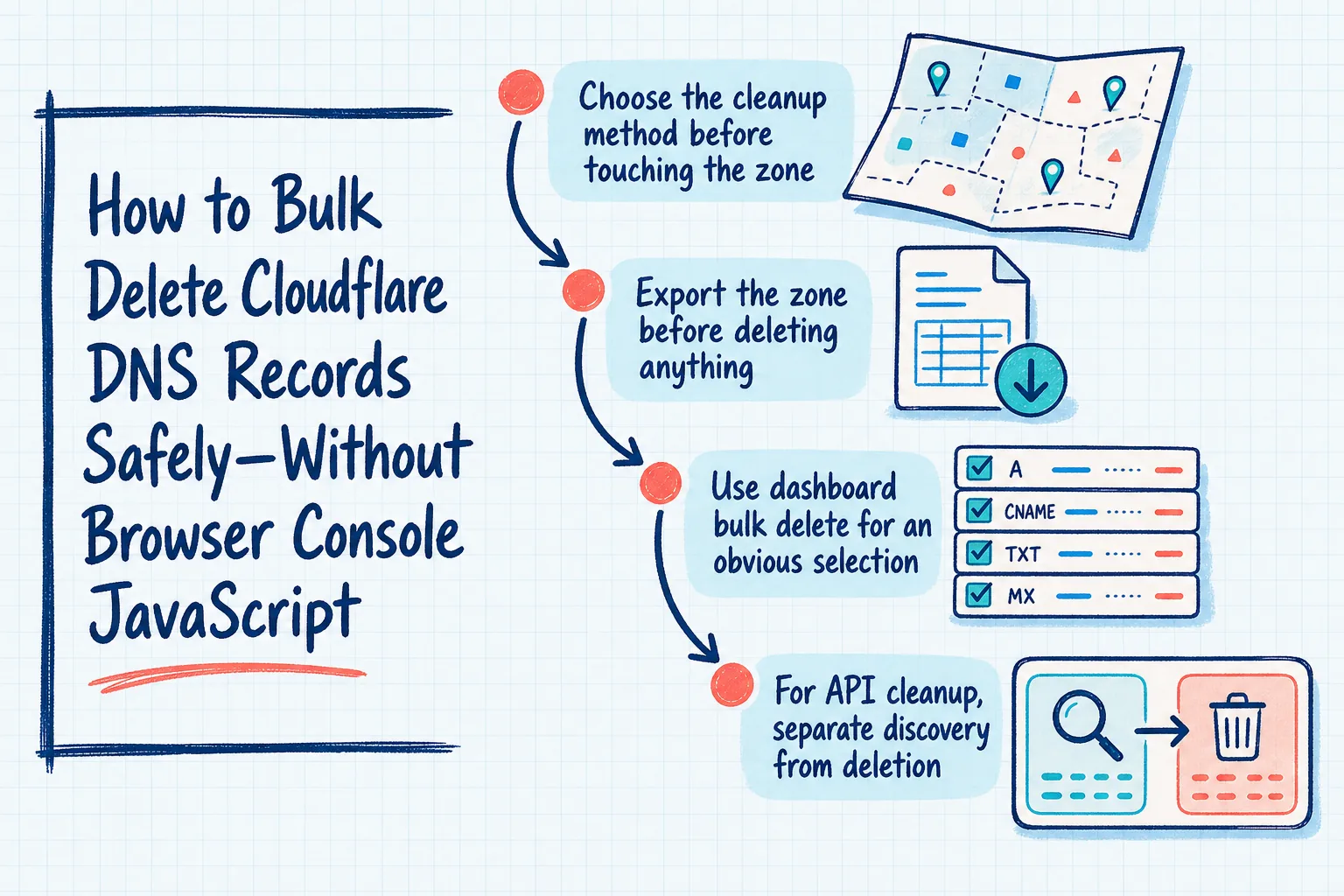
Choose the cleanup method before touching the zone
| Situation | Recommended method | Main advantage |
|---|---|---|
| A human can clearly identify the unwanted records | Dashboard bulk delete | Visible selection and confirmation |
| Records match a precise rule | API inventory followed by individual deletes | Repeatable filtering with an approval file |
| Old records must be removed as replacements are created | Batch API | One reviewed change request |
| Most of a heavily cluttered zone needs rebuilding | Export, edit, and import | Clear before-and-after zone files |
Whichever method you choose, assign one person to approve the candidate list and another to execute or observe the change when the zone supports email, customer access, payments, or revenue-generating services.
Export the zone before deleting anything
Cloudflare deletions cannot simply be undone. Start by exporting a BIND-format zone file and keeping it with the change ticket:
export ZONE_ID="your_zone_id"
export CLOUDFLARE_API_TOKEN="your_read_token"

curl --fail-with-body --silent --show-error \
  "https://api.cloudflare.com/client/v4/zones/$ZONE_ID/dns_records/export" \
  --header "Authorization: Bearer $CLOUDFLARE_API_TOKEN" \
  > zone-before.txt
An export is recovery material, not a one-click rollback. Re-importing still requires care around proxy status, fully qualified names, duplicate records, and services that may have modified the zone since the export.
Review these record groups separately rather than placing them inside a broad deletion rule:
MX, SPF, DKIM, and DMARC records affecting email;TXTrecords used for domain ownership and SaaS verification;CAA,SRV, and delegatedNSrecords;- hostnames supporting logins, redirects, certificate issuance, or migration fallbacks.
Use dashboard bulk delete for an obvious selection
In Cloudflare, open the zone’s DNS Records page, select the records, choose Delete records, and type DELETE when prompted. Cloudflare currently documents bulk DNS changes on every plan, with up to 200 records per action on Free and 3,500 on Pro, Business, and Enterprise.
This is usually the right option for a modest, visually unambiguous cleanup. It is not a good fit when the operator must repeatedly search, scroll, or remember exceptions. At that point, produce an explicit candidate list through the API.
For API cleanup, separate discovery from deletion
Create an API token restricted to the affected zone. Use DNS Read while exporting and inspecting records, then use DNS Write only for the deletion step. API tokens are preferable to exposing the account-wide Global API Key.
This example takes a JSON snapshot and produces a tab-separated review file for TXT records at or below old.example.com. Replace the example rule with one that matches your migration:
curl --fail-with-body --silent --show-error \
  "https://api.cloudflare.com/client/v4/zones/$ZONE_ID/dns_records?per_page=50000" \
  --header "Authorization: Bearer $CLOUDFLARE_API_TOKEN" \
  > dns-records.json

jq -e '.success == true' dns-records.json > /dev/null

jq -r '.result[]
  | select(
      .type == "TXT" and
      (.name == "old.example.com" or
       (.name | endswith(".old.example.com")))
    )
  | [.id, .type, .name, .content]
  | @tsv' dns-records.json > candidates.tsv

wc -l candidates.tsv
column -t -s $'\t' candidates.tsv
Stop and inspect candidates.tsv. Confirm every name, value, owner, and expected count. Also inspect result_info.total_pages; if it exceeds one, retrieve every page before deciding the inventory is complete.
Cloudflare’s list endpoint supports structured filters for record type, name, content, comment, and tags. Avoid using its general search parameter in automation because Cloudflare describes that parameter as intended for humans and leaves its exact behaviour subject to change.
Delete only the approved IDs
Copy the approved IDs into a new file rather than rerunning the original selection rule during deletion:
cut -f1 candidates.tsv > approved-record-ids.txt

while IFS= read -r id; do
  response=$(curl --fail-with-body --silent --show-error \
    --request DELETE \
    "https://api.cloudflare.com/client/v4/zones/$ZONE_ID/dns_records/$id" \
    --header "Authorization: Bearer $CLOUDFLARE_API_TOKEN") || exit 1

  jq -e '.success == true' <<< "$response" > /dev/null || exit 1
done < approved-record-ids.txt
This separation creates an approval artifact and prevents a changing query from silently expanding the deletion. Store the snapshot, candidate file, approval, and execution output together. Revoke a purpose-made write token when the change is complete.
Use the batch API for coordinated replacements
Cloudflare’s /dns_records/batch endpoint accepts deletes, patches, puts, and posts. It runs those groups in that order, and a failed individual action prevents the batch from being applied. A delete entry requires only the record ID.
The database operation is transactional, but DNS propagation across Cloudflare’s distributed network is not atomic. Users may briefly see different stages of a coordinated replacement. Keep the old destination available where practical and validate the service itself after the request succeeds.
Finish with business-level validation
- List the zone again and confirm that only approved IDs disappeared.
- Resolve critical names through more than one public resolver.
- Test the website, redirects, email flow, certificates, logins, and vendor verification affected by the change.
- Record what changed, who approved it, and where the recovery files are stored.
For extensive reconstruction, Cloudflare’s import workflow may be clearer than hundreds of deletes. Its documented zone-file limit is 256 KiB, while the import API is limited to three requests per minute per user, so check those constraints before choosing that route.
If the zone supports important customer or internal services and ownership is unclear, Greg can help turn the cleanup into a controlled DNS change with a reviewable inventory, clear responsibilities, and sensible validation.
Related on GrN.dk
- Cloudflare Service Keys: Audit Old Automation Before September 30
- Google’s August 18, 2026 Content API Cutoff: Feed Cleanup Before Merchant API Migration
- AI automations need a spend dashboard before the first runaway bill
Need help with this kind of work?
Plan a safer DNS cleanup with Greg Get in touch with Greg.