Lenovo T450s Thinkpad Screen Connectivity Issues

Illustrated infographic summarizing: Lenovo T450s Thinkpad Screen Connectivity Issues

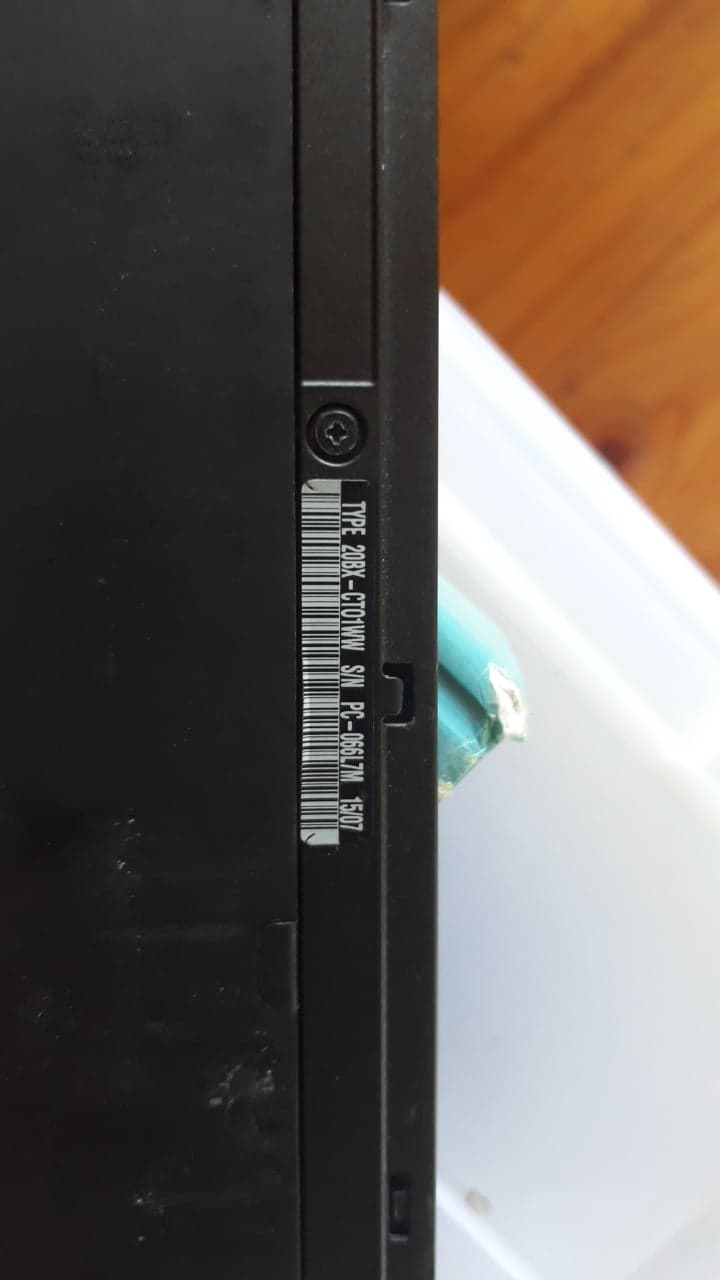
Recently I am experiencing bad connectivity on my LCD-screen. It seems to happen randomly and periodically. The connection is disrupted and a gray darkish void appears on the screen. Sometimes this can be ammended by moving the screen up and down but the bulletproof solution is to suspend the laptop and wake it up again, then the screen works properly. Sometimes for hours sometimes only for minutes. Last time I managed to remove and reattach the left hand side LCD-connector from the motherboard. This releived the problem for a couple of days, but now it's back again. After second attempt to tweak the left hand side LCD-connector the problem got a bit worse. I am guessing that the cable needs replacement. I am not sure where to buy, but an option might be on ebay or aliexpress.

An other possible solution would be to remove and reattach the LCD-cable from the Screen Panel itself, but on this model T450s, its quite hard to access the LCD-panel. I have successfully managed to remove and reattach the LCD-cable for the screen on an older and cheaper Lenovo model, which mitigated a similar problem.


My Setup

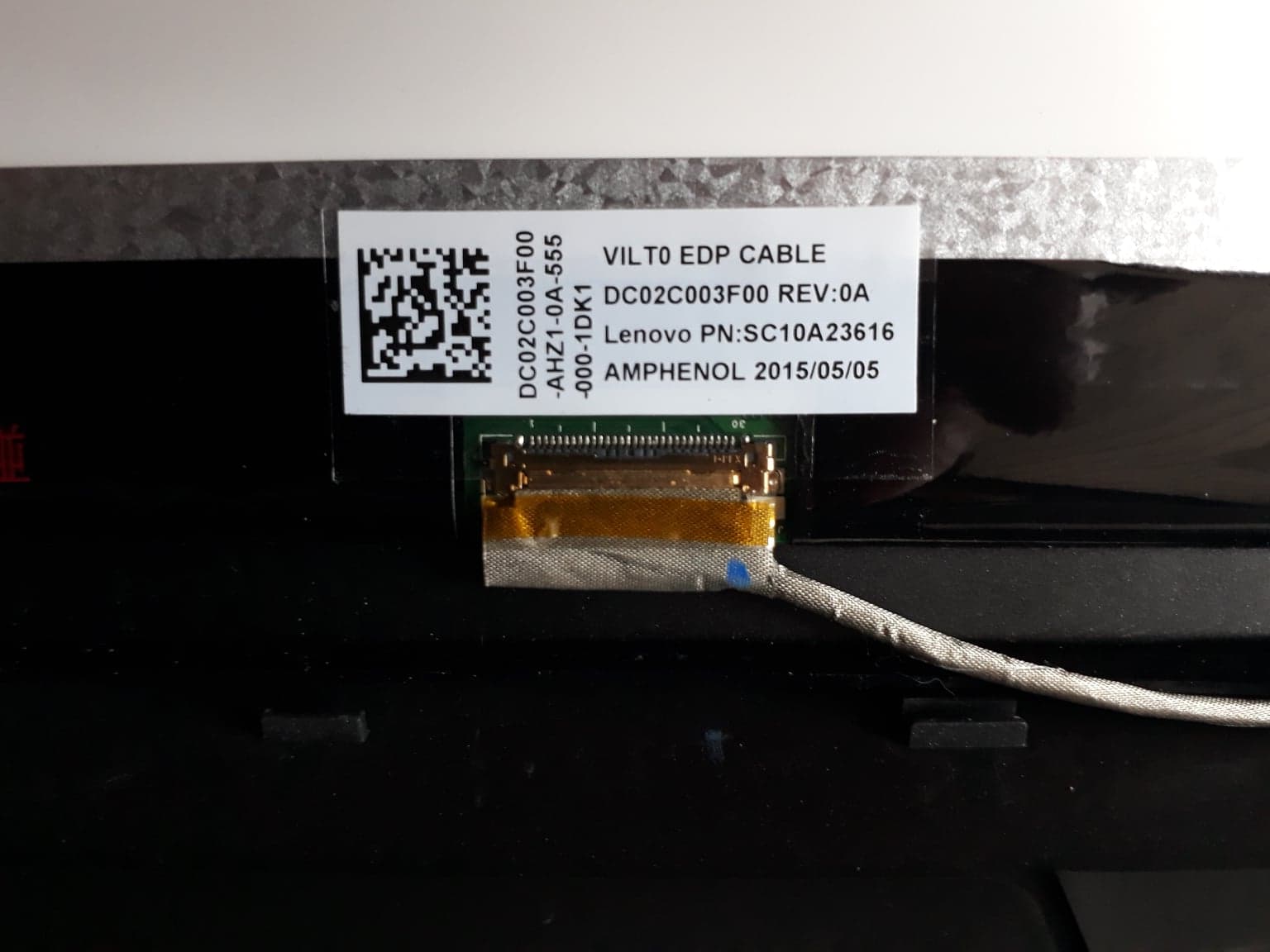
  • EDP Cable:
    • VILT0 EDP CABLE
    • DC02C003F00 REV: 0A
    • Lenovo PN: SC10A23616
    • AMPHENOL 2015/05/05
    • 30 pin.
  • Max Screen Resolution on current monitor: 1920x1080

If you have any experience with this, please let me know.

Thanks!

Latest articles

Check whether prompt caching reduces cost per completed task, accounting for cache writes, retries, review effort and the charges on your provider's bill.

A practical Drupal translation workflow for Danish service pages: German review, commercial approval, publication and keeping translations current after edits.

Build a weekly marketing report from GA4 and Google Ads with verified calculations, clear data caveats and a short AI draft to support your Monday meeting.

Before buying a GPU, test one real team workflow on existing hardware. A Linux pilot can show whether quality, memory, response times, and running costs add up.

Planning a Drupal relaunch? Set clear rules for content, translations, media and old URLs, with a practical checklist for approving the migration and launch.

Use AI for your online store’s alt text with a manageable pilot: map the images, generate suggestions in Danish, and check the results in WordPress and WooCommerce.

Supplier files need more than extraction. Here’s how to check coverage, match SKUs, resolve unclear units and prices, and test product data before a catalogue import.

Shorter TLS certificates leave less room for renewal problems. Check domain validation, scheduling, deployment and the certificate your customers actually receive.

AI image credentials can disappear during routine website processing. Learn how to test your CMS, optimizer, CDN, and publishing workflow end to end.

AI-based ticket analysis can uncover recurring complaints, product defects and gaps in documentation—without the company needing yet another chatbot.