By Greg Nowak. Last updated 2026-10-22.
Once colleagues rely on an AI workflow, its credentials deserve a closer look. Who controls the account? Who pays the bill? And could someone besides the original builder replace the key and keep the workflow running?
If those answers all point to one employee or contractor, review the arrangement before expanding it. The handover needs to cover the account, deployment, billing and stored credentials, with enough documentation for another authorized person to take over.
Give this work a defined scope: identify what depends on the key, establish company control, configure the replacement and test it before retiring the original. Agree what counts as a successful handover before anyone changes production.
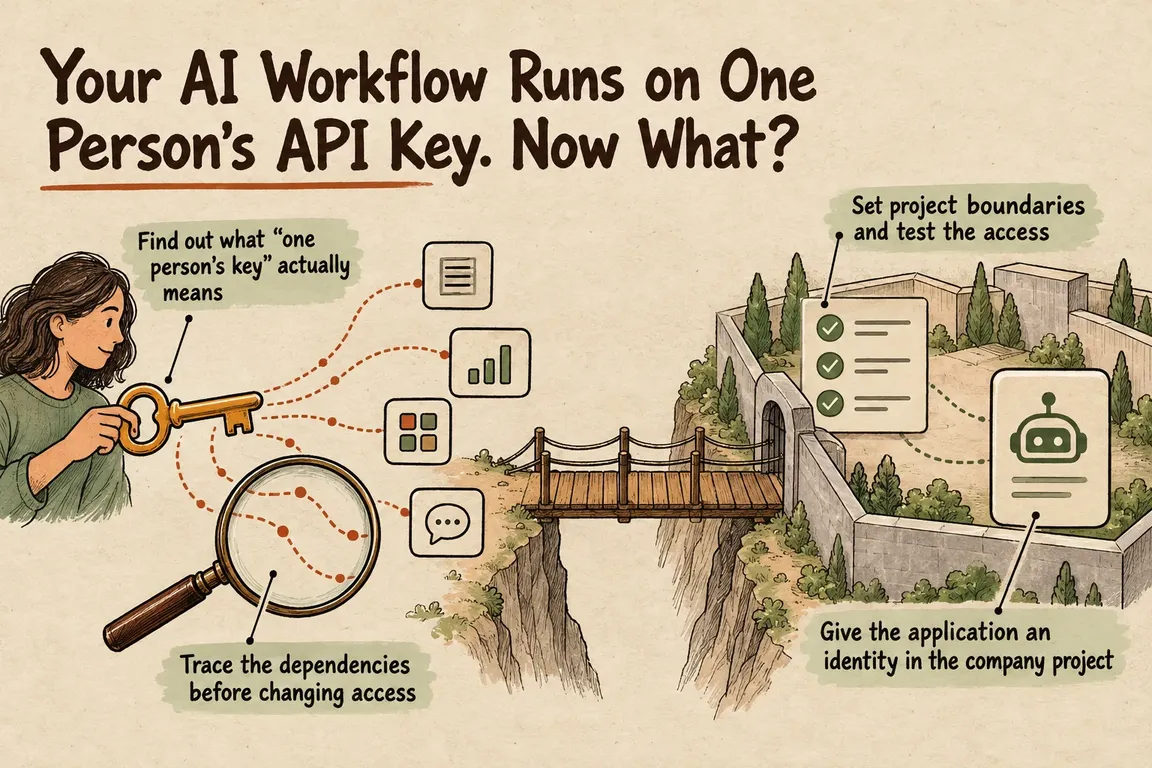
Find out what “one person’s key” actually means
A user-owned key inside a company-controlled organization is one situation. An account, billing arrangement and deployment controlled by the person who built the pilot is another. The second calls for a broader handover.
Ask the current maintainer to walk through the setup. Record the organization and project the application uses, who has administrative access and who handles billing. Check who controls deployment and where the credential is stored.
Then try a practical ownership test: could another authorized colleague replace the credential and restore the workflow using the documentation available today? Any gaps in that process belong in the handover scope. A working integration tells you that it runs; this check tells you whether the company can maintain it.
Trace the dependencies before changing access
The OWASP Secrets Management Cheat Sheet recommends recording a secret’s purpose, consumers, lifecycle events and contact person, alongside controlled storage and access. Build the review inventory from credential identifiers and references to their storage locations. Leave the secret values out.
Follow the workflow from its trigger through deployment to its output. Have the maintainer identify scheduled tasks, background processes and deployment settings that also need checking. Where something is unclear, record an open task. The visible application may not account for every consumer of the credential.
| Question | Work to complete | Evidence that it is done |
|---|---|---|
| Who controls the account and billing? | Confirm company administration and billing responsibilities. | Named company contacts demonstrate the required access. |
| What uses the credential? | Trace the application, scheduled tasks and background processes. | Every identified consumer has a recorded configuration location. |
| Who can change production? | Assign responsibilities and check effective permissions. | Representative accounts pass the agreed access checks. |
| Does the replacement work? | Test the agreed triggers, runs and outputs after deployment. | Recorded results cover every inventoried consumer. |
| Can someone else maintain it? | Rehearse the handover with a second maintainer. | That person can follow the operating instructions. |
Set project boundaries and test the access
OpenAI recommends separate projects for experiments, staging and production, with contractors given narrowly scoped access to the projects they need. Permissions from assigned roles combine, so a project role needs to be reviewed alongside organization-level grants. Check the result using a non-owner account in both the API and Dashboard, as described in OpenAI’s permissions guide.
Before moving the application, list the resources and settings it expects in the destination project. Make checking those dependencies part of the migration. The acceptance checks should show that the workflow meets its requirements after the move.
Agree who approves production changes, who carries them out and who provides backup. A small team may only need a short responsibility note, but the backup should take part in the review. Otherwise, the same dependency can simply move to a different person.
Give the application an identity in the company project
OpenAI’s project service-account creation endpoint creates an account in the specified project and, by default, returns an unredacted API key. It also supports creating an account without default roles or a key. Any expiration parameter must comply with the effective organization or project lifetime policy.
Choose a name that will make sense to the next maintainer. Record the project, the application it serves and the responsible team, then review its permissions explicitly.
Store the credential in the company’s designated secrets system. Limit access to the people and processes that need it, and keep secret values out of deployment logs and handover notes. OWASP’s guidance also covers auditing secret use and changes; include that in the setup review.
Test the replacement before retiring the old key
For a planned migration, OpenAI’s documented sequence is straightforward: create a replacement, update the applications, verify that it works and then revoke the old key. Its production best-practices guide also recommends expiration dates and regular rotation, and describes administrator-enforced maximum key lifetimes.
Decide what you will verify before deployment. Which triggers must run? Which scheduled jobs need checking? What outputs will demonstrate success? Work through every inventoried consumer and record the results. Name the person responsible for deciding when those results are sufficient to retire the original credential.
A potentially compromised credential needs a different response. OWASP calls for revocation, so treat it as an incident requiring prompt containment. Do not delay that response to fit a planned handover schedule.
After the migration, review how new keys can be created. OpenAI lets administrators restrict creation to service-account keys, user-owned project keys, or no new keys. Organization restrictions take precedence, and these controls do not affect existing keys. Retiring the original key therefore remains an explicit task.
Give the review a clear scope and finish line
A production-readiness review should leave you with a credential inventory, a dependency map, an agreed access model and a migration plan with acceptance checks. Any unresolved ownership question should have a named person responsible for the next action.
At GrN, Greg can help scope that review around one AI workflow, then help configure service accounts and permissions, separate testing from production, rotate deployed secrets and document ownership. Agree which parts of the workflow are included, what access is required and what will be delivered before implementation begins.
If your team relies on an AI integration whose credentials still depend on its original builder, discuss a production-readiness review with Greg. The finish line is practical: the company can operate, maintain and hand over the workflow, with clear responsibilities and access that has been tested.
Related on GrN.dk
- OpenAI Evals Is Closing: Keep Your Workflow Tests Running
- Is Prompt Caching Actually Lowering Your AI API Bill?
- OpenAI’s Agents API Is Durable. Is Your Workflow Recoverable?
Need help with this kind of work?
Discuss an AI production-readiness review Get in touch with Greg.










