By Greg Nowak. Last updated 2026-10-21.
Drupal 10 reaches end of life on 9 December 2026. From 21 October, that leaves seven weeks. Drupal’s core release schedule confirms there will be no further Drupal 10 releases after that date.
If you are already planning a website relaunch, you have a decision to make: upgrade the existing site first, or include the upgrade in the relaunch?
My recommendation is to upgrade first if design, content or stakeholder decisions are still open. Combining the work is worth considering when the scope is agreed and the technical team has demonstrated that it can be delivered. The deadline is fixed; the question is how much of your relaunch is ready to commit to.
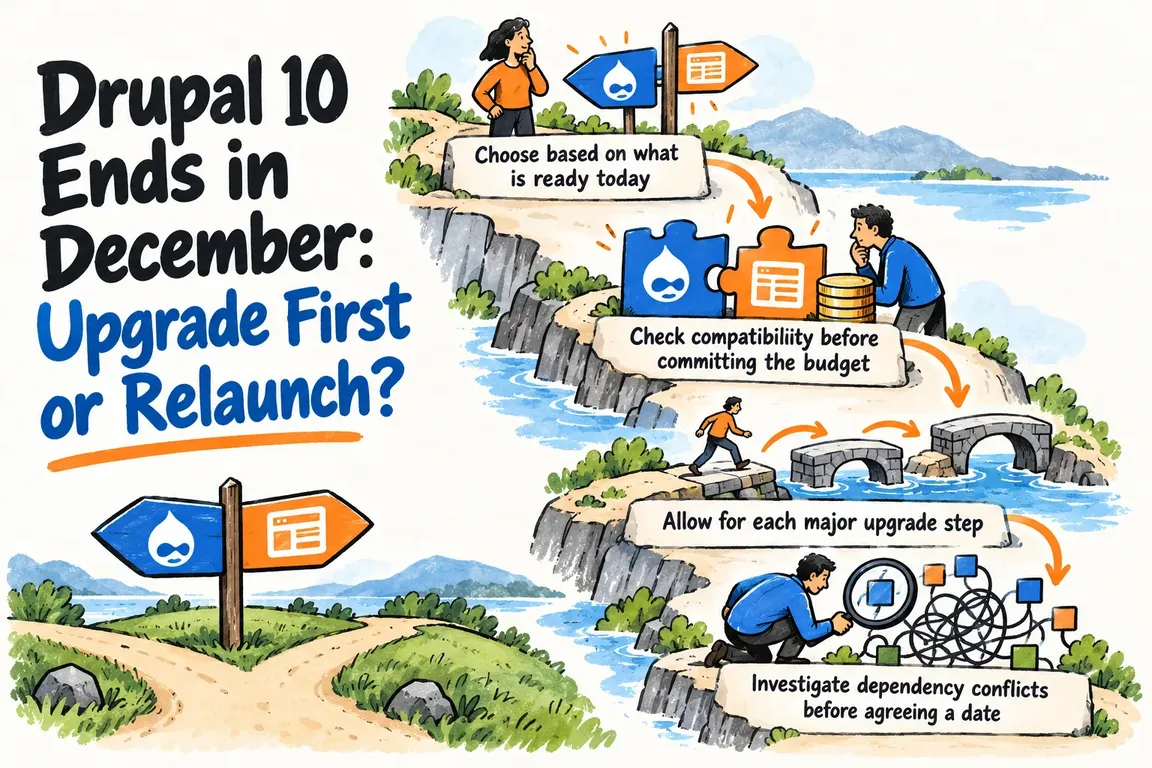
Choose based on what is ready today
Before approving either route, work through the questions below. This table helps frame the decision, but the technical assessment still needs to test the assumptions behind it.
| What needs checking? | Upgrade first when… | Consider a combined relaunch when… |
|---|---|---|
| Design and content | Navigation, templates or copy still need approval. | Launch scope is agreed and people know which content they must deliver. |
| Modules | The existing features have a verified upgrade route. | Replacement modules are identified and can be tested within the schedule. |
| Custom code | Compatibility changes can be isolated from relaunch work. | Replacement features have clear acceptance criteria. |
| Hosting | The current environment supports the target version, or the necessary changes are scheduled. | The relaunch environment is ready for deployment rehearsals. |
| Delivery plan | The relaunch date still depends on unresolved decisions. | The combined schedule allows time for testing, approval and recovery. |
A launch date in a proposal does not establish that the work is ready. If essential decisions remain open, give the upgrade its own scope and acceptance criteria so it can proceed without waiting for them.
Check compatibility before committing the budget
The Upgrade Status project checks the current Drupal version, the next major version’s environment requirements and component compatibility. It also identifies deprecated API usage. Its documentation says to run these checks on the current site against the next major version, before upgrading.
Ask for the findings as a prioritised list of blockers. Each item should name the business function affected, the proposed action, an owner, an estimate and the evidence needed to close it. That gives you something useful for a budget discussion: what needs doing, who will do it and how you will know it is finished.
- Contributed modules: classify each required module as ready, needing an update, needing replacement or awaiting investigation. Upgrade Status notes that many projects support multiple Drupal versions, so some updates can happen before the core upgrade.
- Custom code and themes: review the compatibility findings and estimate the changes. Upgrade Status detects deprecated API usage but does not fix it directly. Allow for manual review where the automated findings need interpretation.
- Hosting: confirm whether the environment meets the target version’s requirements. Name the person responsible for any changes and agree when a representative test environment will be available.
- Content: keep changes to content types, fields, navigation and editorial workflows separate from compatibility work. Decide which changes are essential for the first release.
If a replacement module has yet to be selected, leave that uncertainty visible in the estimate. Assign someone to resolve it by a specific date, before other launch work depends on the choice.
Allow for each major upgrade step
Drupal’s upgrade process overview states that major versions cannot be skipped. An existing Drupal 10 installation must go through Drupal 11 before Drupal 12. The overview also specifies Drupal 11.3.0 or higher as the intermediate version required before upgrading to Drupal 12.
Be clear about the immediate target. Moving the existing site to Drupal 11 can be one milestone, with a relaunch following later. If a proposal includes Drupal 12, its estimate needs to cover the intermediate upgrade and the checks required at that stage.
It is also worth agreeing what everyone means by “relaunch”. A fresh installation with content migration needs a separate migration scope and acceptance plan. Otherwise, you may find yourself comparing an upgrade estimate with a rebuild estimate without a clear account of the different work involved.
Investigate dependency conflicts before agreeing a date
A Composer error needs a diagnosis before anyone can estimate its effect on delivery. The Composer troubleshooting guide recommends composer diagnose for common problems and why-not to investigate why a package cannot reach an expected version.
Ask the implementation team to investigate each blocker in a development environment and identify the exact constraint. Which package is preventing the target version? What needs to change? How will the team verify the fix?
The investigation should end with a documented resolution or a priced alternative. For anything still unresolved, agree a decision date that leaves enough time to change the delivery route.
Compare the full cost of both routes
Request two costed options built on the same assumptions. The upgrade-first option should cover compatibility work, environment changes, testing and deployment, followed by a separately scoped relaunch. The combined option should cover those same responsibilities alongside design, content and any migration work.
For two releases, include any testing and deployment that must happen twice. Show which upgrade work will carry into the relaunch, too, and which changes will be temporary because the relaunch replaces them. Neither route should be assumed cheaper before that work is understood.
Each schedule needs a named technical lead, content owner and launch approver. Set an internal launch target before 9 December and work backwards, leaving time to correct defects and rehearse deployment.
For a combined relaunch, put a fallback decision in the calendar. If the project misses an agreed readiness milestone, the team should already know which work must still ship to move the live site off Drupal 10.
Agree what must work before implementation starts
I recommend defining acceptance around the tasks people use the site for. Choose checks that match the features you actually have, then name who will approve each result.
- Forms: check successful submissions, validation errors, confirmation messages and delivery to the intended recipient or connected system.
- Content and editing: test representative pages, media, permissions and the workflow editors use to publish changes.
- URLs and redirects: verify important existing addresses and agreed redirects wherever the relaunch changes URLs.
- Integrations: test the actual exchange with search, CRM, payment or other services the site uses.
- Deployment and recovery: rehearse the release, verify backups and agree who can authorise a rollback.
Record the expected results and keep evidence from testing the release candidate. A combined relaunch also needs final content approval as part of the launch decision, with someone accountable for giving it.
Start with an assessment you can act on
Before committing to the full project, ask for a prioritised blocker list, costed route options, a delivery schedule and agreed acceptance checks. Together, these should give you enough detail to approve a route and understand what could still affect it.
Through GrN, I can help assess the existing Drupal site, coordinate the technical and business decisions, and implement the chosen route. Bring the current version, module inventory, hosting details and relaunch brief. The assessment should establish what can credibly launch before the deadline and which improvements belong in the next phase.
Related on GrN.dk
- AI Content on Google: Which Pages Are Worth Keeping?
- One Webform Release, Twenty Advisories: Audit Every Drupal Site
- Your Best Content Is Behind JavaScript. Can AI Search Read It?
Need help with this kind of work?
Discuss your Drupal upgrade assessment Get in touch with Greg.










