By Greg Nowak. Updated 8 October 2026.
A contact form displays “Thank you”, but the enquiry never reaches your team. A customer waits for a receipt or abandons a password reset. The website can look healthy while an important part of the business stops working.
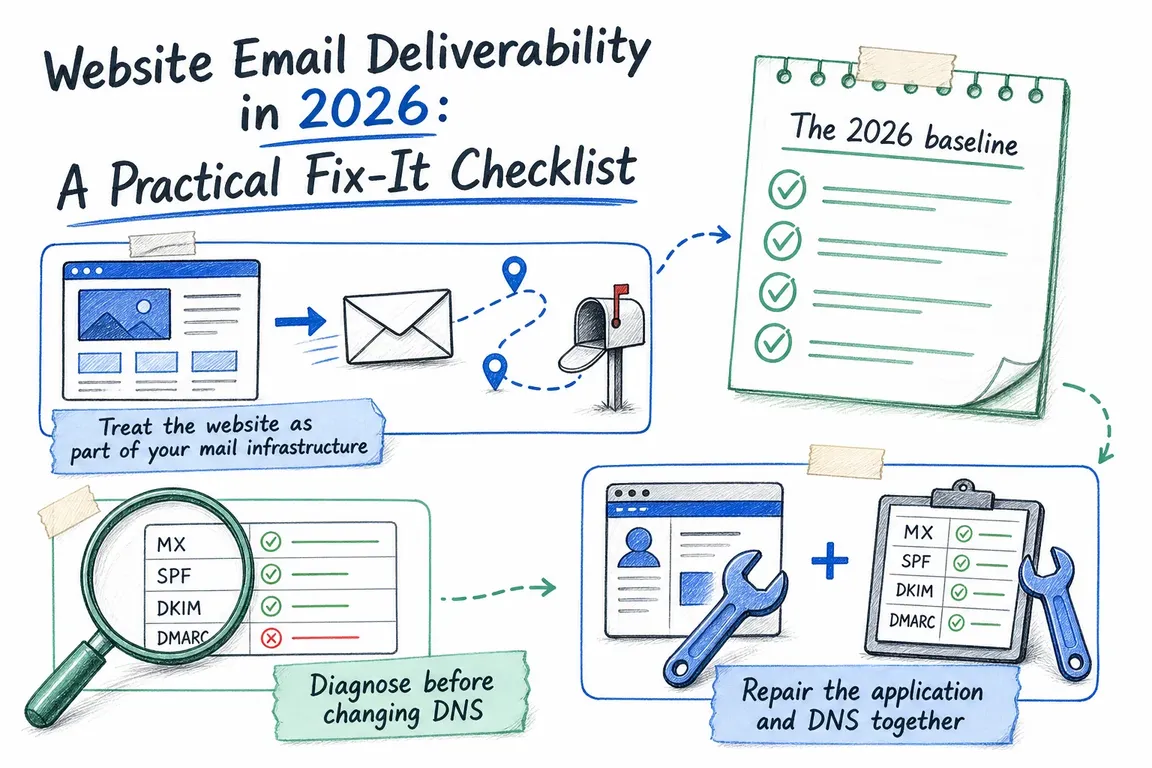
My starting point is one missing message: follow it from the website to the recipient and find the last confirmed step. That gives the developer, hosting company and mail administrator something specific to investigate. Use this website email deliverability checklist to put the work in order.
1. Trace a real message before changing settings
Repeat the exact form, checkout or account action with a controlled recipient. Record the time and timezone, recipient, submission or order reference, and message ID where available. A plugin’s test email may bypass the workflow that is failing.
| Last confirmed step | What to check next | Likely owner |
|---|---|---|
| No message generated | Form rules, application errors, queues and scheduled tasks | Website developer |
| Generated, absent from sending-service logs | SMTP/API credentials, connection errors and transport settings | Developer or hosting team |
| Suppressed before sending | Previous bounce or complaint; suppression reason | Sending-service administrator |
| Deferred, rejected or bounced | Exact response, recipient address and authentication | Sending-service administrator |
| Accepted by recipient server, still missing | Spam, quarantine, mailbox rules and message trace | Recipient’s mail administrator |
A “delivered” event generally means the receiving server accepted the message, not that it reached the inbox. Keep the response text. For suppressed recipients, establish why sending stopped before removing the suppression.
2. Give website mail a dependable route
Map every sender: CMS, CRM, booking system, helpdesk, campaigns and scheduled jobs. Record the provider, From address and responsible person. Include staging sites and occasional invoice runs before changing domain-wide authentication.
For WordPress or Drupal, use an authenticated SMTP or API transport with usable delivery logs. Verify that the relevant plugins or modules actually use it. Check queue workers and scheduled tasks, and remove conflicting transport configurations.
Contact forms should send from an address you control, such as [email protected], with the visitor’s address in Reply-To. Putting a visitor’s Gmail address in From asks your website to impersonate a domain it cannot authenticate.
I also recommend an access-controlled enquiry record with an appropriate retention period. Email can notify the team without being the only place a lead exists. Avoid retaining passwords, reset tokens or unnecessary message contents in diagnostic logs.
3. Check SPF, DKIM and DMARC on an actual message
SPF checks whether the sending infrastructure is authorised for the envelope-sender domain. DKIM verifies a domain signature. DMARC requires a passing SPF or DKIM identity to align with the domain in the visible From address.
SPF can pass for your provider’s domain while DMARC fails for yours. Configure custom DKIM or an aligned envelope sender, often called a custom return-path. Inspect the recipient’s Authentication-Results, comparing smtp.mailfrom, header.d and header.from with their pass/fail results. Microsoft’s authentication troubleshooting guide explains these checks.
Publish one SPF record per relevant domain name. Combine legitimate senders rather than adding a second SPF record. Evaluation allows ten DNS-querying terms, including nested includes; exceeding that produces permerror. The SPF specification defines the limit.
These commands provide a first inspection:
dig TXT example.com
dig TXT _dmarc.example.com
dig TXT selector1._domainkey.example.com
dig CNAME selector1._domainkey.example.com
dig -x 203.0.113.25
Replace the examples with your domain, actual DKIM selector and sending IP. Check SPF at the envelope-sender domain, which may differ from your website domain. Some providers publish DKIM through CNAME records; the sending provider normally manages reverse DNS.
4. Match the requirements of the receiving service
For personal Gmail accounts, all senders need SPF or DKIM, TLS, valid forward and reverse DNS, correctly formatted messages and low spam complaint rates. Bulk senders need both SPF and DKIM, plus DMARC and alignment. Marketing and subscribed messages also need one-click unsubscribe and a visible unsubscribe link. See Google’s sender requirements.
Google counts close to 5,000 messages or more in 24 hours across the same primary domain, including subdomains. Bulk status is permanent once assigned. Password resets, reservation confirmations and form confirmations are excluded from one-click unsubscribe requirements, according to Google’s sender FAQ.
Outlook.com and related Microsoft consumer services also require high-volume senders to pass SPF and DKIM, publish DMARC and pass alignment. Authentication failures can produce 550 5.7.515 rejections.
Keep operational messages and campaigns separate in configuration and reporting. A subdomain helps organise ownership; it does not bypass Google’s bulk threshold or guarantee reputation isolation.
5. Choose DMARC enforcement deliberately
If DMARC is absent, a monitoring record can start the investigation:
_dmarc.example.com TXT "v=DMARC1; p=none; rua=mailto:[email protected]"Use a working reporting mailbox or service. Review reports across a representative business cycle and fix legitimate senders before tightening policy. Monitoring does not disable normal spam filtering. Keep an existing stronger policy unless evidence supports changing it.
RFC 9989, published in May 2026, replaces the earlier DMARC specification and removes pct. Do not depend on percentage-based enforcement working consistently. It also advises against p=reject for general-purpose email domains because mailing lists and other indirect delivery paths can break. For a dedicated website sending domain, assess enforcement after validating every legitimate stream and applying DKIM.
6. Agree what “fixed” means—and who maintains it
Retest real enquiries, receipts and resets with controlled Gmail and Microsoft 365 recipients. Check arrival time, authentication, reply behaviour and working links. Repeat after DNS, hosting, CMS or sending-provider changes.
Give one person responsibility for reviewing failures, suppressions and DMARC reports. An agency handover should include the sending map, access arrangements and repeatable test procedure. A passing authentication check alone does not prove the customer journey works.
If your agency, host and mail administrator each own part of the problem, ask Greg to review the complete website mail path. Bring one failing example and your sender list. Together, we can identify the next fix, assign ownership and define a useful acceptance test.
Related on GrN.dk
- Can’t Publish in WordPress? Fix the Invalid JSON Response Without Guesswork
- Cloudflare Page Rules Debt: How Quiet Configuration Drift Breaks Business Websites
- Form Spam Is a Lead-Quality Problem: How to Harden Your Intake Flow
Need help with this kind of work?
Ask Greg to review your website email Get in touch with Greg.










