By Greg Nowak. Updated 12 September 2026.
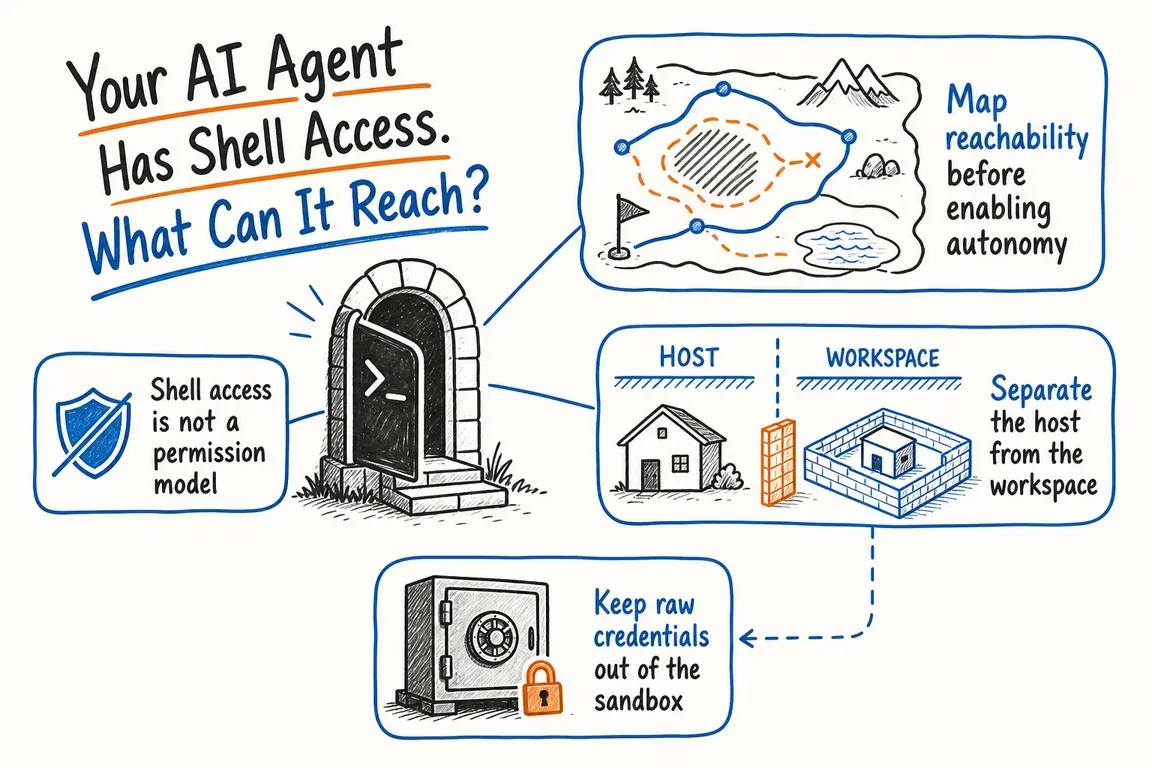
An AI agent that can run shell commands can do useful work: investigate a failing build, process an export, or prepare website changes. Before letting it work unattended, ask what else it can reach along the way.
Could it read another client's files? Use a production credential? Change a script someone will run tomorrow? The agent's practical authority comes from its execution environment: files, accounts, network connections, and connected tools. A request to “only analyse this report” does not remove permissions the process already has.
Start with one job and map its access
Choose a real workflow and write down its inputs, expected output, and stopping point. For example: read an approved sales export, produce a draft report, and stop before emailing it. That gives the team something concrete to configure and test.
Ask whoever maintains the automation to complete the following map. Record actual access, including inherited permissions. For agencies, check whether a shared runner, account, or integration crosses client boundaries.
| Surface | What to check | Useful starting boundary |
|---|---|---|
| Files | Mounted folders, hidden files, exports, and neighbouring projects | Approved inputs and a separate output workspace |
| Credentials | Environment variables, configuration files, tokens, and SSH access | A dedicated identity limited to this task |
| Network | Internet destinations, private services, and host access | Allow only the destinations the workflow needs |
| Connected tools | Databases, deployment tools, and Model Context Protocol (MCP) servers | Specific resources and operations, with separate write permissions |
| Host infrastructure | Docker sockets, setup scripts, and privileged services | Isolated execution without host administration access |
| Business actions | Publishing, sending messages, deleting records, and deploying | Approval of the exact action before execution |
A sandbox still needs a workspace policy
“It runs in Docker” leaves several questions unanswered. An ordinary container and Docker Sandboxes are different: the latter uses a microVM with its own kernel. Mounting the host Docker socket into an ordinary container can give the process control over the host's Docker environment.
Workspace choices matter too. Docker documents that a direct mount exposes the host working tree to immediate edits. Its clone mode prevents writes to the original repository, but still exposes it for reading, including ignored or untracked .env files. Docker's isolation documentation explains these boundaries.
For a first pilot, use a disposable workspace containing only the required inputs. Review returned changes before integration, especially build scripts, CI workflows, and IDE tasks that may execute later. A normal Git diff does not show changes inside .git/hooks/; inspect hooks separately if the agent had access to them.
Protect credentials—and limit what they authorise
If a real token is readable in a file or environment variable, shell access can expose it. Avoid passing the team's normal administrative credentials into an agent session.
Where supported, use a credential proxy that adds authentication outside the sandbox. Docker's proxy-managed credentials keep the real value on the host and give the sandbox a placeholder. However, OAuth passthrough can expose real tokens. SSH forwarding is another distinction: private keys stay outside, but the sandbox can request signatures. Check the configured mechanism, not just the feature name. Docker documents these credential behaviours.
Keeping a token hidden does not prevent misuse of its permissions. A reporting agent should have access to the required dataset without inheriting the ability to delete it. Limit the account's scope and lifetime, and make revocation straightforward.
Check every route to the network
Start with blocked outbound access and add the destinations the job needs. Review default exceptions as well as custom rules: dependency registries may already be allowed.
GitHub's Copilot firewall illustrates why coverage matters. It applies to processes launched through the agent's Bash tool, but excludes MCP servers and configured setup steps. GitHub also warns that sophisticated attacks may bypass it. Its allowlists support domains and narrower URL paths. The firewall documentation lists the limitations.
The practical implication is to map each component separately. A tightly restricted shell does not constrain an external integration with broader access. Also consider what an allowed destination permits: access to a shared service may still allow uploads to an unintended account.
Approve the consequence, with enough detail to judge it
Let the agent prepare work within agreed limits. Put an independent execution check in front of production deployment, bulk deletion, publication, and external messages.
An approval should identify the target and exact parameters, expire, and become invalid if the action changes. This follows OWASP's guidance on high-impact agent actions.
Make the preview useful to the person approving it. For an email, show recipients, attachments, and final text. For a deployment, identify the environment and reviewed revision. “Allow shell command?” rarely gives an operations lead enough context.
Test the boundaries before unattended work
Use synthetic data in a controlled environment. Try reading an excluded file, contacting an unapproved destination, invoking a write tool from a reporting task, and reusing an expired approval. Confirm that enforcement blocks the operation even when the agent requests it.
Set limits for runtime, retries, tool calls, and spend. Record actions, denials, approvals, and outcomes without logging secrets. Keep the tested configuration and results, and repeat relevant checks when tools or permissions change. Assign someone who can stop a run and revoke its access.
Make one workflow ready for real use
A useful first deliverable is a reviewed access map, an agreed approval flow, and evidence that the boundaries work. That makes the decision to expand automation easier to assess.
Greg can help review your agent's environment and turn the findings into practical implementation priorities. Get in touch with Greg with the workflow you want to automate and the systems it needs to access.
Related on GrN.dk
- Before AI agents start clicking, write a browser policy
- Before OpenAI Agents Touch Your CRM, Map the Boring Boundaries
- Before Your Support Bot Learns the Help Center, Test Whether It Can Forget
Need help with this kind of work?
Review your AI agent's access with Greg Get in touch with Greg.










