By Greg Nowak. Last updated 2026-08-24.
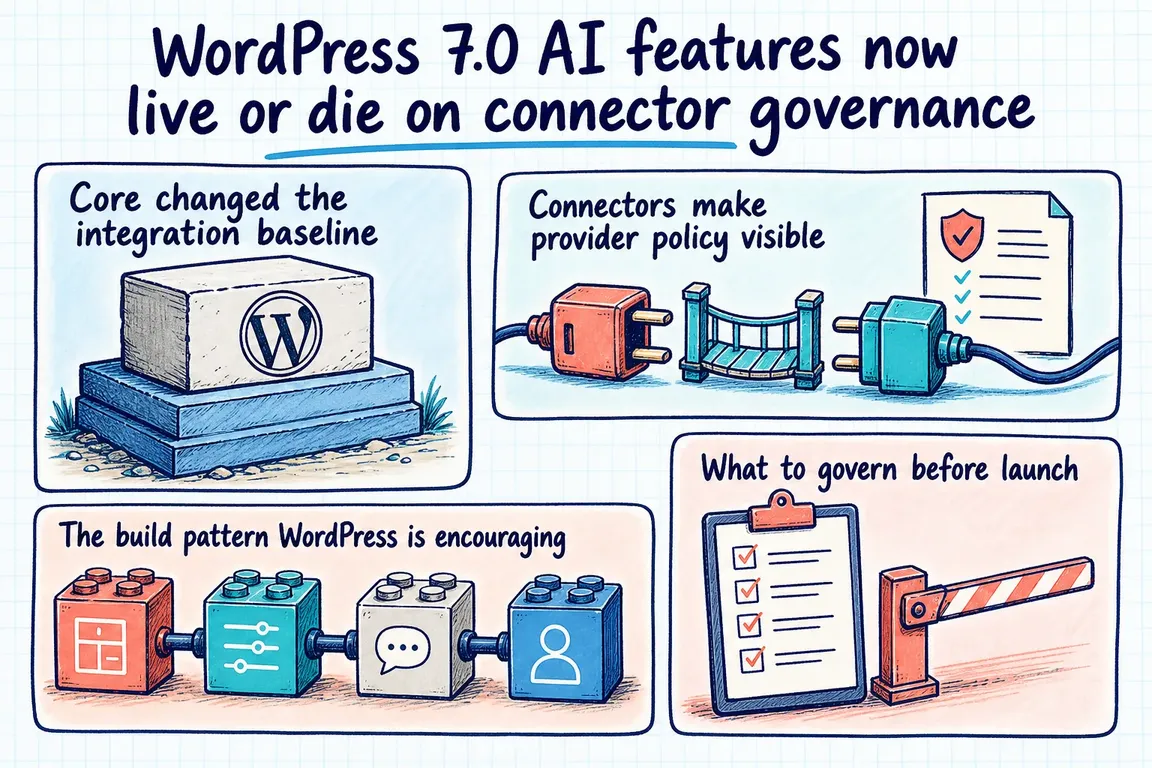
WordPress 7.0, released on May 20, 2026, gives plugin developers a built-in AI Client and site administrators a central Connectors screen. That removes a substantial amount of provider-specific plumbing. It does not remove the business decisions that make an AI feature safe, predictable, and supportable.
For business owners, operations leads, and agencies, the important question is no longer simply “Can this plugin call an AI model?” It is “Who controls that connection, what may use it, and what happens when the expected model is unavailable?” Those decisions now sit at the centre of a reliable WordPress AI rollout.
Core removes plumbing, not accountability
The AI Client gives plugins a provider-agnostic PHP interface. A developer can start with wp_ai_client_prompt(), describe the required output, and let WordPress select a compatible model from the providers configured on the site. The same pattern supports text, images, speech, video, structured JSON, and richer result objects containing provider, model, and token-usage metadata.
This is useful because an agency no longer needs to build separate credential pages and response-handling code for every provider. It also creates a shared dependency: several features may rely on the same connector configuration. Changing or removing a provider can therefore affect editorial tools, media workflows, custom plugins, and automated processes at once.
| Governance decision | Practical default | Why it matters |
|---|---|---|
| Approved providers | Maintain a short, reviewed list | Controls contractual, data-handling, cost, and support exposure |
| Credentials | Assign one operational owner and document rotation | A masked key is not the same as an isolated or encrypted key |
| User access | Grant the narrowest relevant WordPress capability | Prevents every editor or integration from invoking costly workflows |
| Model fallback | Define where fallback is acceptable and where execution must stop | A compatible model may still produce different quality, latency, or output |
| Observability | Record feature, outcome, provider, model, and useful usage metadata | Makes failures, unexpected routing, and spending easier to investigate |
| Failure behaviour | Keep the original workflow usable without AI | Provider outages should not block ordinary publishing work |
Model preference is not model enforcement
The AI Client offers using_model_preference(), but the name matters: it expresses a preference, not a hard requirement. WordPress tries preferred models in order and can fall back to another compatible model. With no preference, it uses the first suitable model found across configured providers.
That is reasonable for low-risk assistance such as draft summaries or internal tag suggestions. It may be unacceptable where output format, brand voice, image dimensions, latency, or review obligations depend on a particular model. Write this into the feature specification. Either test the supported fallback range or stop with a clear message when the required behaviour cannot be guaranteed.
Build narrow workflows behind WordPress permissions
The official image-generation tutorial demonstrates a sound implementation pattern. It places execution behind dedicated REST routes, uses a permission_callback based on current_user_can( 'upload_files' ), and separates generation from saving the approved image to the Media Library. Users can review the output before it becomes stored content.
The same pattern works for summaries, product descriptions, classifications, translations, and media enrichment:
- Keep prompt construction on the server and reuse one builder for execution and support checks.
- Create a route for a defined business action rather than exposing general-purpose prompting to the browser.
- Validate and sanitize inputs using normal WordPress REST conventions.
- Check
is_supported_for_text_generation(),is_supported_for_image_generation(), or the relevant equivalent before showing the control. - Handle
WP_Errorresults and explain the next step in language an editor can act on.
Support checks are deterministic, make no provider request, and incur no model cost. They should control both interface visibility and server-side behaviour; hiding a button is not a substitute for enforcing permissions at the endpoint.
Credential placement does not isolate untrusted plugins
The Connectors API checks API-key sources in this order: environment variable, PHP constant, then database. Database values are masked in the administration interface but are not encrypted. WordPress Core contributors have also clarified that connector keys are site settings accessible to plugin code; environment variables and constants remain available to third-party code running on the installation.
The practical security boundary is therefore the whole WordPress codebase, not the connector card. Review active plugins and custom code, restrict who can install or edit plugins, rotate keys when access changes, and use provider-side limits or project-specific credentials where available. Moving a key out of the database can improve deployment hygiene, but it does not make untrusted PHP safe.
A production launch needs more than a successful demo
- Inventory the workflow. Document the data sent, expected output, human review point, and what is stored in WordPress.
- Choose the connector policy. Name the approved providers, credential owner, environments, rotation process, and spending controls.
- Test permissions and degradation. Cover unsupported capabilities, revoked keys, rate limits, provider errors, slow responses, and fallback models.
- Add useful operational evidence. Capture request outcome and available provider, model, and usage metadata without logging sensitive prompts unnecessarily.
- Plan for long-running work. The latest WordPress tutorial notes that chained AI calls can exceed the default HTTP timeout. The
wp_ai_client_default_request_timeoutfilter can raise the limit, but a larger timeout is not a resilience strategy. For heavier workflows, consider background processing, status feedback, and safe retries.
Finally, confirm ownership after launch. Someone needs to review provider changes, plugin updates, failed requests, usage, and whether the feature still earns its place in the workflow.
Turn the connector into an operating model
A well-built WordPress AI feature should feel uneventful: it appears only for the right people, uses an approved connection, communicates failure clearly, and leaves the normal publishing path intact. If you need help turning a promising prototype into that kind of production workflow, talk to Greg about planning the technical and operational rollout.
Related on GrN.dk
- Agentic AI: What It Is, How It Works, and When to Use It
- Drupal CMS 2.0 Speeds Marketing Site Rebuilds, but It Is Not Autopilot
- AI disclosure rules belong in your CMS, not a spreadsheet
Need help with this kind of work?
Plan your WordPress AI rollout with Greg Get in touch with Greg.