By Greg Nowak. Updated 11 August 2026.
If an inherited Drupal 8 site contains Swedish pages labelled as English, changing the default language will not repair those records. Existing content keeps language metadata in several entity and field tables, where it can influence editing forms, Views, search, feeds, URL handling, and integrations.
Treat the change as a small data migration: define the intended result, inspect the actual schema, test a repeatable script in staging, and arrange editorial sign-off. This is especially important because Drupal 8 has received no security support since November 2021. A language repair may be justified, but it should sit inside a plan for moving the site to a supported Drupal release.
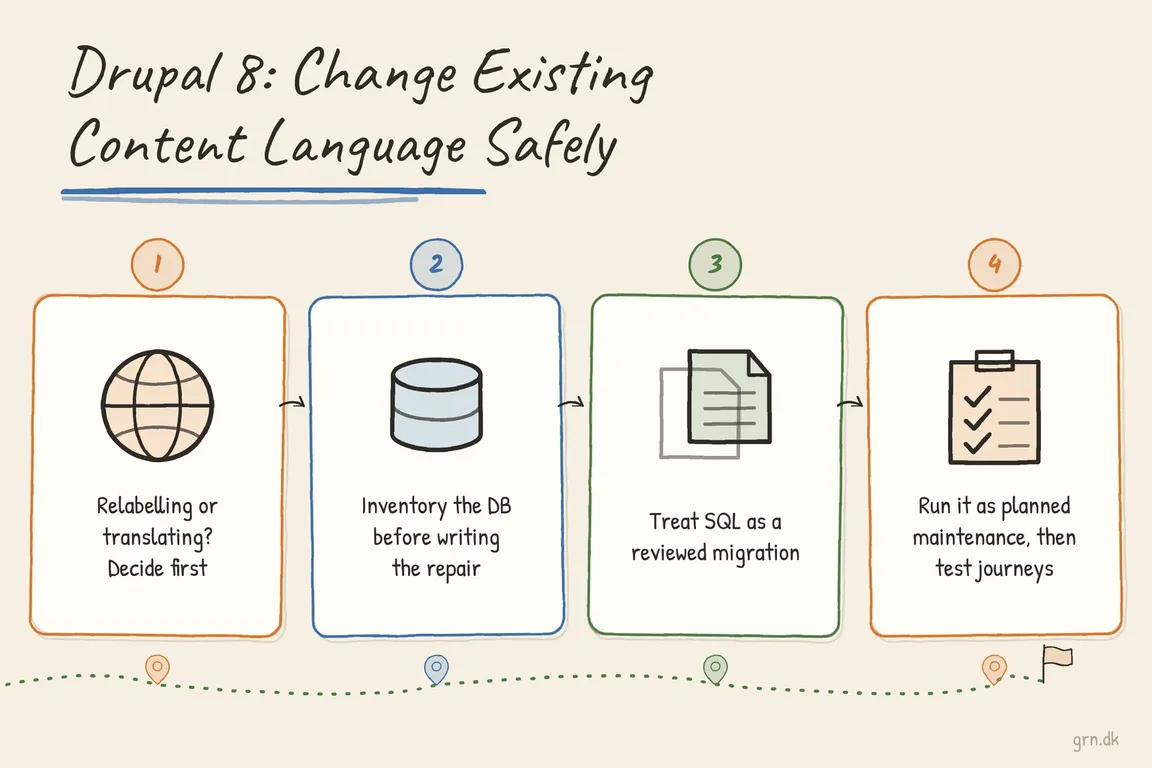
Are You Relabelling Content or Translating It?
Start with the business requirement. If a Swedish article was mistakenly stored with langcode = 'en', you may need to relabel its source language as sv. If the organisation wants separate English and Swedish versions, that is content translation—not a database replacement.
Drupal’s current multilingual documentation explicitly warns against changing the site’s default language after content has been added. It also explains that translations share an entity ID while language-specific values are stored separately. That structure is why a broad search-and-replace is unsafe.
| What you find | Likely requirement | Recommended route |
|---|---|---|
Swedish-only content incorrectly labelled en |
Relabel the existing source content | Controlled data repair in staging, followed by production |
Both en and sv rows for the same entity |
Preserve real translations | Stop and map each translation before writing SQL |
| Editors need both languages going forward | Introduce a translation workflow | Configure Content Translation by entity type, bundle, and field |
| Custom entities or integrations use language filters | Repair a wider data contract | Include application and integration testing in the scope |
Inventory the Database Before Writing the Repair
Clone production and take a complete backup before investigating. Then identify every table containing Drupal’s common language metadata columns. On MySQL or MariaDB, this discovery query provides a useful starting point:
SELECT TABLE_NAME, COLUMN_NAME
FROM INFORMATION_SCHEMA.COLUMNS
WHERE TABLE_SCHEMA = DATABASE()
  AND COLUMN_NAME IN (
    'langcode',
    'default_langcode',
    'content_translation_source'
  )
ORDER BY TABLE_NAME, COLUMN_NAME;
Review nodes, taxonomy terms, revisions, custom field tables, reusable blocks, menu links, redirects, aliases, and custom entities. Not every discovered column should be changed. In particular, default_langcode and content_translation_source express translation state; they are not interchangeable with a simple human-language label.
Before changing en to sv, check whether a Swedish row already exists for the same entity. This basic node query should return no rows for a straightforward relabelling:
SELECT en.nid
FROM node_field_data en
INNER JOIN node_field_data sv
  ON sv.nid = en.nid
 AND sv.langcode = 'sv'
WHERE en.langcode = 'en';
Run an equivalent check for taxonomy terms and every other translated entity type. A result indicates a collision: blindly updating the English row could violate a key, overwrite a translation, or leave the entity inconsistent.
Use SQL as a Reviewed Migration, Not a Global Replacement
For a simple site with no existing Swedish translations, the reviewed script may begin with the following core tables. This is a shape to adapt to the site’s schema, not a universal script:
UPDATE node
SET langcode = 'sv'
WHERE langcode = 'en';

UPDATE node_field_data
SET langcode = 'sv'
WHERE langcode = 'en';

UPDATE node_revision
SET langcode = 'sv'
WHERE langcode = 'en';

UPDATE node_field_revision
SET langcode = 'sv'
WHERE langcode = 'en';

UPDATE taxonomy_term_data
SET langcode = 'sv'
WHERE langcode = 'en';

UPDATE taxonomy_term_field_data
SET langcode = 'sv'
WHERE langcode = 'en';

UPDATE taxonomy_term_revision
SET langcode = 'sv'
WHERE langcode = 'en';

UPDATE taxonomy_term_field_revision
SET langcode = 'sv'
WHERE langcode = 'en';
Translated field values also live in tables such as node__field_*, node_revision__field_*, and their taxonomy equivalents. Inventory and update each applicable table explicitly. Keeping the SQL in version control makes peer review, staging rehearsal, and production repetition much safer than pasting commands into an interactive console.
Run the Change as Planned Maintenance
Arrange a content freeze so editors, imports, queues, and integrations do not write competing records. Use the project-local Drush version from the Drupal root, and select the correct alias or --uri on multisite installations. Because legacy projects may pin an older Drush release, confirm the available syntax with vendor/bin/drush help sql:query.
vendor/bin/drush @site sql:dump \
  --result-file=../before-language-change.sql

vendor/bin/drush @site sql:query \
  --file=change-language.sql

vendor/bin/drush @site cache:rebuild
A language-row repair does not itself require updatedb. Run database updates only when the maintenance window also includes a code deployment with pending Drupal update hooks. Rebuild any external search index separately if it stores language metadata.
Test the Journeys the Business Depends On
- Compare record counts by language before and after the migration.
- Open representative nodes, terms, revisions, and translated field values.
- Create new content and confirm its bundle uses the intended language default.
- Test editing, preview, publishing, moderation, revision rollback, and translation screens.
- Check Views, menus, aliases, redirects, search, feeds, JSON responses, and language-filtered integrations.
- Review logs, then obtain sign-off from an editor who understands the affected content.
The safest outcome is not merely “the SQL ran.” It is that editors can work normally, customer-facing journeys remain intact, and the team knows how to restore the previous state. If you need someone to turn an uncertain Drupal language problem into a scoped maintenance plan, bring Greg in before production is changed.
Related on GrN.dk
- Drupal CMS 2.0 Speeds Marketing Site Rebuilds, but It Is Not Autopilot
- Google’s AI Search toggle needs a test plan, not a gut decision
- Google’s August 18, 2026 Content API Cutoff: Feed Cleanup Before Merchant API Migration
Need help with this kind of work?
Plan a safe Drupal language repair Get in touch with Greg.










