By Greg Nowak. Last updated 2026-10-24.
When a website returns 502 Bad Gateway after maintenance, the immediate concern is whether customers can still send enquiries or complete checkout. The error page names NGINX. Finding the cause means following the request: where did NGINX send it, what failed at that connection, and was PHP ready to respond?
For the owner or agency, the investigation needs to restore the affected journey and explain what will keep it working after the next restart. A page loading again is a useful first result. There is still some checking to do.
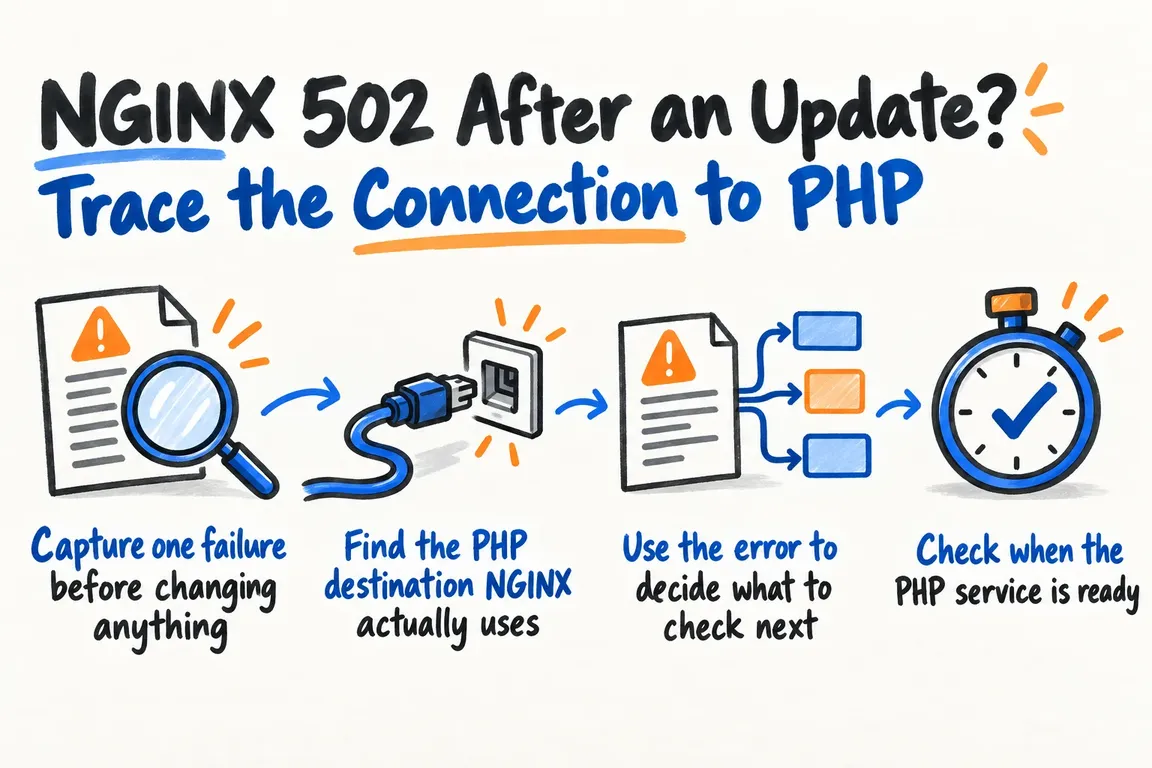
Capture one failure before changing anything
Start with an affected URL, the request time, and the matching NGINX error entry. Note what changed during maintenance and whether every request fails or only a particular action. Save the current configuration and relevant logs before making further changes.
The timing gives you somewhere to look. It does not, by itself, establish which change caused the outage. You need to connect a specific change to the failure.
Choose one request that reliably reproduces the problem and exercises PHP. Keep using it as you investigate, so you can judge each change against the same behaviour.
Find the PHP destination NGINX actually uses
The NGINX FastCGI documentation defines fastcgi_pass as the backend address. It can point to a hostname or IP address with a port, a Unix socket path, or a server group. Examples include fastcgi_pass localhost:9000; and fastcgi_pass unix:/tmp/fastcgi.socket;.
Find the configuration that handles your failing request and record that destination. Then compare it with the listener configured for the intended PHP-FPM pool. Follow any references through the configuration; the first PHP configuration file you find may belong to another website or pool.
For a Unix socket, check that the named path exists. Inspect its ownership and permissions, including access through its parent directories, against the NGINX worker identity. For TCP, compare the configured address and port with the actual listener. Let those checks establish what is wrong rather than assuming the update changed a socket path or permission.
| Check | Evidence to collect | Question to answer |
|---|---|---|
| Destination | The request's NGINX configuration and the intended PHP-FPM listener | Do both sides point to the same endpoint? |
| Socket access | Socket path, ownership, permissions, parent directories, and NGINX worker identity | Can the worker access the configured socket? |
| Readiness | Service startup timeline and a response from the intended pool | Was PHP available when the request failed? |
| Response | The matching error entry and the reproducible request's outcome | At which stage did communication fail? |
| After restart | The same endpoint checks and request after a controlled restart | Does the correction survive service recreation? |
Use the error to decide what to check next
NGINX distinguishes between failures while connecting, sending the request, and reading response headers. It also documents timeouts at those stages and empty or invalid responses. The matching error entry helps narrow down which part of the exchange needs attention.
A missing-socket error points you towards the named path and pool startup. An access-denied error calls for checking permissions and the identity trying to connect. If the evidence points to a response problem, continue beyond the endpoint configuration.
Be equally specific about timeouts. NGINX treats connection establishment separately from response reading, and its read timeout applies between successive reads. Before changing either setting, identify the failed stage and the observation that would justify a different value.
Write down your working explanation, then change one relevant setting at a time. If you change several things together and the request succeeds, you still have to work out which change mattered before you can explain how to prevent a repeat.
Check when the PHP service is ready
On a systemd-managed server, inspect the PHP service's startup and restart configuration. The systemd service documentation describes different meanings of startup completion: Type=simple considers startup complete after the process is forked, Type=exec waits for execution of the binary, and Type=notify waits for an explicit readiness notification. The service must support notifications to use that mechanism.
Compare the service timeline with the failed request and the point when the PHP endpoint became available. This is also a practical check on the maintenance procedure: does it verify a PHP response before declaring the website ready?
Inspect the restart policy too. Automatic restarts depend on the exit conditions and configured policy, and systemd's start-rate limits still apply. Record whether PHP stayed available or repeatedly tried to recover. One successful request needs a stability check before you close the incident.
Use PHP-FPM status to check the right pool
The PHP-FPM status page, enabled through pm.status_path, reports the pool name, start time, process counts, listen queue, and whether the maximum child-process count has been reached. PHP advises restricting it to internal requests or known client IPs because it exposes request and resource information.
If a restricted status endpoint already exists, capture its output alongside the failing request. First confirm that it belongs to the pool you are investigating. The start time helps you compare pool startup with maintenance, while the queue and process figures help you decide whether capacity needs a closer look.
You still need to repeat the affected website action. A responding status page answers a narrower question, and a single snapshot may miss behaviour during the test. Compare observations across the test period before settling on an explanation.
Add debug logging when you have a question it can answer
If the ordinary error log leaves the connection sequence unclear, the NGINX debugging guide explains how to enable debug logging. NGINX must have been built with debug support; nginx -V shows the build arguments. You can select client addresses with debug_connection. Also check more specific log declarations: omitting the debug level there can disable inherited debugging.
Decide what you need to learn before collecting more output. That might be which backend NGINX selected or where communication stopped. Capture a controlled reproduction, review that sequence, and remove the temporary diagnostic settings once you have the answer.
Test the fix through the next restart
When the evidence supports a correction, repeat the original request and record the result. Then agree a controlled restart test with the site owner. Use the same request and check the endpoint again. If a reboot triggered the original problem, include one when a suitable maintenance window is available.
Acceptance testing should cover the business action that failed. If the incident affected checkout or enquiries, agree a way to exercise that action and give the owner a clear result. A working page view leaves that part of the recovery unverified.
The handover should explain where the request failed, what evidence supports the diagnosis, what changed, and how the correction was tested. Use those findings to define deployment checks with clear pass criteria for the next maintenance window.
Greg can help owners and agencies scope a focused investigation around those deliverables: trace the NGINX-to-PHP connection, identify the correction supported by the evidence, and establish repeatable checks. That gives you a clear basis for approving the work and accepting the result, with the affected customer journey restored and recovery checked through the relevant maintenance cycle.
Related on GrN.dk
- When the AI API Says “Try Again,” What Does Your Customer See?
- NGINX Can Read JSON Before Routing—Should It Handle Your AI API?
- Your Site Search Knows Product Names. Can It Understand Customers?
Need help with this kind of work?
Discuss your NGINX and PHP incident Get in touch with Greg.










