By Greg Nowak. Updated 14 October 2026.
A valid TLS certificate today tells you very little about whether your website will still work after its next renewal. The certificate may renew successfully while a proxy keeps serving the old one. Or the whole process may depend on DNS access held by someone who has left the team.
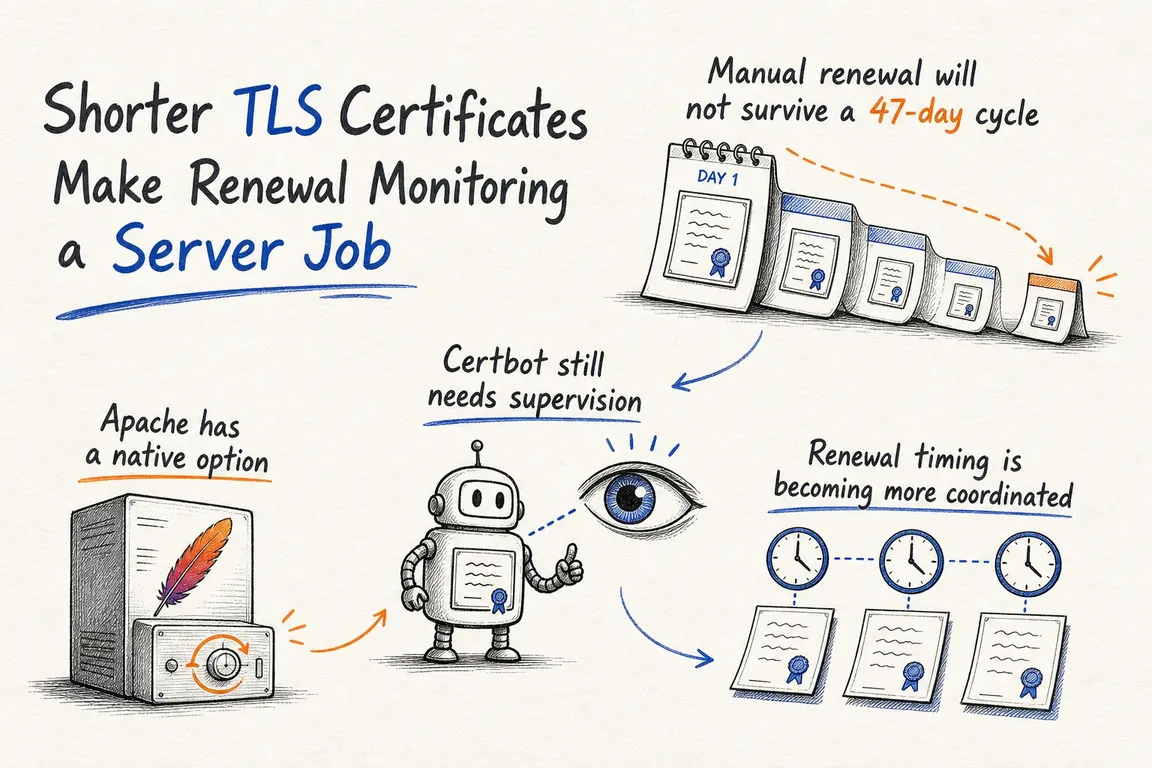
Shorter certificate lifetimes give these gaps more opportunities to interrupt checkout, APIs, client websites, and admin tools. For business owners and operations leads, the useful question is simple: can your team prove that renewal works all the way through to the live service?
What is changing, and when?
The CA/Browser Forum’s current requirements set these maximum lifetimes for newly issued, publicly trusted TLS server certificates:
- 15 March 2026: 200 days.
- 15 March 2027: 100 days.
- 15 March 2029: 47 days.
These are ceilings, not renewal schedules. Issuers can use shorter lifetimes, and existing certificates are not retrospectively shortened by each deadline. Private certificates issued by an internal CA are outside this public trust requirement.
Let’s Encrypt has its own timetable. Its 7 October announcement confirms that default certificates will move from 90 to 64 days on 10 February 2027, unless subscribers select a shorter profile. Staging switches on 14 October 2026, providing an opportunity to test now.
There is no single October expiry date for every website. Prioritise work using the certificates your endpoints actually serve and their individual expiry dates.
Start with the services your business depends on
Build an inventory around hostnames and services, rather than just certificate files. Include the main website, checkout, APIs, redirects, staging sites, agency client domains, and externally accessible dashboards.
For each endpoint, record its issuer, expiry, renewal tool, validation method, certificate location, and responsible person. Where a CDN or load balancer sits in front of an origin server, record both certificate boundaries. A healthy public certificate can conceal an origin certificate that is approaching expiry.
| Check | Evidence to collect | Next action if missing |
|---|---|---|
| Coverage | Every business-critical hostname has an owner and expiry record. | Reconcile hosting, DNS, and application lists. |
| Validation | Domain checks complete without someone logging in. | Automate the challenge and document access dependencies. |
| Scheduling | The renewal task runs and its failures are visible. | Restore scheduling and route failure alerts. |
| Deployment | Each TLS-serving process receives the renewed certificate. | Test distribution and service reloads. |
| Monitoring | Live endpoints present valid certificates for their hostnames. | Add independent checks and test alert delivery. |
| Recovery | A second person can follow the recovery instructions. | Write and review a short runbook. |
Test Certbot beyond the renewal command
On a Certbot-managed server, start with sudo certbot renew --dry-run. Check scheduling with systemctl list-timers, or inspect cron if that is how the installation runs. Confirm recent execution in the logs.
A dry run skips deploy hooks by default. After reviewing their actions, use sudo certbot renew --dry-run --run-deploy-hooks to exercise them too. This uses the current active certificate for the hooks, rather than installing the temporary test certificate; it can still trigger service actions.
Use a deploy hook for actions that should follow successful renewal. A zero exit status from certbot renew can also mean nothing needed renewing. Certificates obtained with --manual require authentication hooks for unattended renewal. These behaviours are explained in the Certbot user guide.
Make deployment part of the renewal process
Before reloading Apache, Nginx, LiteSpeed, or a proxy, validate the relevant configuration. Check that the service reads the certificate path being updated. If certificates are copied to containers or several nodes, verify that every destination receives them and activates them.
Apache also offers native ACME management through mod_md. It can obtain and renew certificates, but newly renewed certificates are activated on the next server restart or reload. Its event notifications can help connect renewal to deployment and alerting.
Keep a working renewal tool when it fits the environment. Changing tools is useful when it simplifies maintenance or removes a manual dependency; it also requires a tested migration.
Let renewal timing adapt to shorter lifetimes
ACME Renewal Information, or ARI, is already standardised in RFC 9773, published in June 2025. It lets the certificate authority suggest a renewal window to supporting clients.
Check support in your installed client version. Where ARI is unavailable, use lifetime-aware renewal logic and the issuer’s guidance. Avoid scripts that assume every certificate lasts 90 days. Run checks frequently enough to retry failures comfortably before expiry.
Monitor the endpoint, and give alerts an owner
Independent monitoring should connect using the correct hostname and check expiry, hostname coverage, and certificate trust. Local file checks cannot prove what a customer receives from a CDN, proxy, or load balancer.
Alert on persistent renewal or deployment failures as well as approaching expiry. Choose thresholds around the expected renewal window and the time needed to repair DNS access, credentials, or configuration. A threshold designed for an annual certificate may be unsuitable for a much shorter one.
Every alert needs a named responder and backup. For agencies, record who controls the client’s DNS and who can authorise changes. Test that an alert reaches someone who can act.
A manageable project with a clear handover
A useful review leaves you with a certificate inventory, tested renewal and reload paths, working endpoint alerts, and recovery instructions. Those instructions should cover restoring configuration and certificate paths while a previous certificate remains valid, plus obtaining a replacement when it does not.
If responsibility is split between hosting, an agency, and your internal team, I can help map the dependencies and close the gaps. Get in touch with Greg about a TLS renewal review, starting with the services your business relies on most.
Related on GrN.dk
- Shorter TLS Certificates: Will Your Renewal Setup Keep Up?
- Let's Encrypt Profiles Put Your Renewal Setup to the Test
- JavaScript-Heavy Service Pages Still Lose Leads: What to Audit in 2026
Need help with this kind of work?
Discuss a TLS renewal review with Greg Get in touch with Greg.










