By Greg Nowak. Updated 10 August 2026.
A MySQL restore that stops at '0000-00-00', '0000-00-00 00:00:00', or an incomplete date such as '2012-00-00' is exposing more than a bad line in a dump. It is usually an old application rule colliding with stricter database validation.
This often surfaces during a hosting move, CMS upgrade, agency handover, or disaster-recovery test. The immediate temptation is to weaken MySQL globally and continue. That may unblock the import, but it can also change validation for unrelated applications. A safer response separates the urgent restore from the lasting data fix.
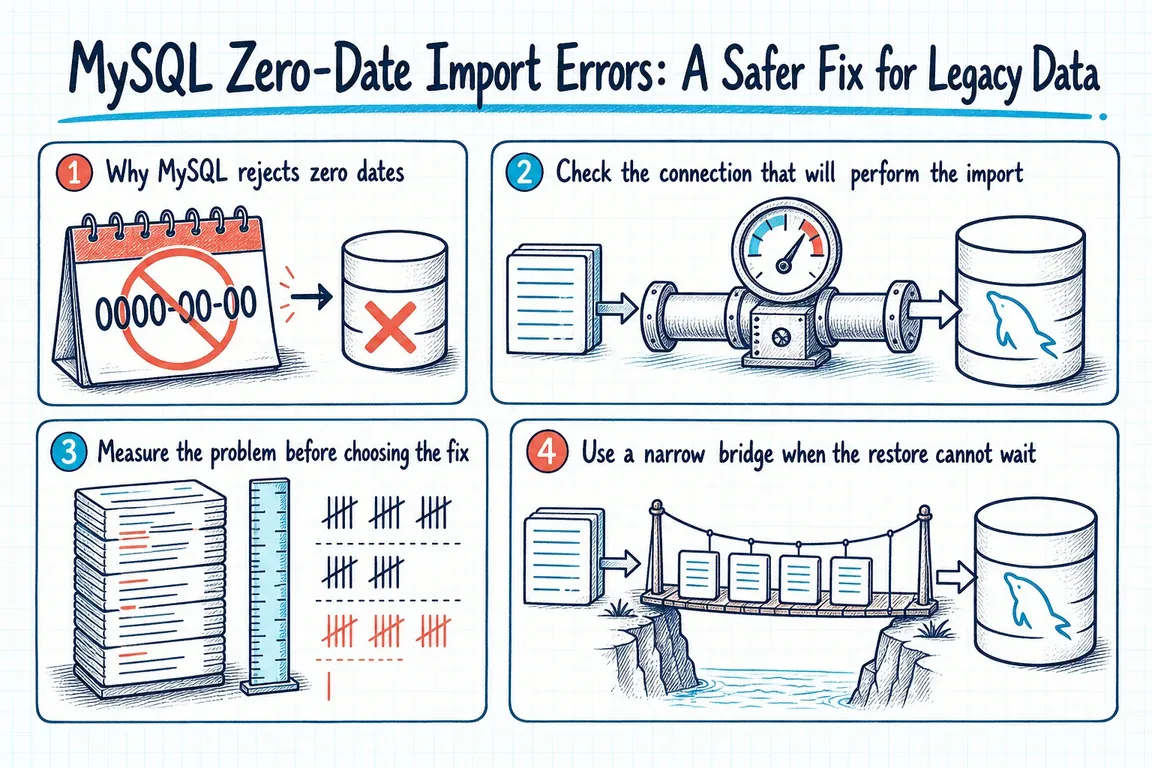
Why MySQL rejects zero dates
Older applications often used an impossible date to mean “unknown,” “not published,” or “not processed.” Current MySQL configurations commonly combine strict validation with NO_ZERO_DATE and NO_ZERO_IN_DATE. These modes govern all-zero dates and dates with a zero month or day.
MySQL documents the two zero-date mode names as deprecated. Their behavior is expected to become part of strict mode rather than remain independently configurable. That makes removing them a compatibility bridge, not a durable design decision.
Check the connection that will perform the import
Inspect both values, but pay particular attention to the session used by the import:
SHOW SESSION VARIABLES LIKE 'sql_mode';
SHOW GLOBAL VARIABLES LIKE 'sql_mode';

SELECT @@SESSION.sql_mode, @@GLOBAL.sql_mode;
The distinction matters. A session change applies to the current connection. A global change initializes later connections, but does not normally change the session you already opened. Persisted settings can survive a restart. Those are three different operational decisions.
Also confirm how the restore tool connects. A setting entered in one interactive client does not carry into a separate mysql process, deployment job, or hosting control panel.
Measure the problem before choosing the fix
First check whether the schema itself still declares zero-date defaults:
SELECT TABLE_NAME, COLUMN_NAME, COLUMN_TYPE, COLUMN_DEFAULT
FROM INFORMATION_SCHEMA.COLUMNS
WHERE TABLE_SCHEMA = 'your_database'
  AND DATA_TYPE IN ('date', 'datetime', 'timestamp')
  AND COLUMN_DEFAULT IN (
    '0000-00-00',
    '0000-00-00 00:00:00'
  );
Then inspect the dump or a safely restored copy for stored zero values. Searching the dump is useful for estimating scope, but distinguish data rows from comments, definitions, and application text. Keep an untouched copy of the original export and record any transformation you apply.
| What you find | Recommended response | Operational implication |
|---|---|---|
| One urgent legacy restore | Use a session-only import bridge | The exception stays with the import connection. |
| A few known columns | Transform the dump or stage and clean the data | The change can be reviewed and tested precisely. |
| Many tables or recurring restores | Fix schema and application semantics | The issue is migration debt, not a one-off error. |
| Shared database server | Avoid an emergency global change | New connections from other applications could inherit it. |
| Isolated system nearing retirement | Consider a documented temporary exception | Give the exception an owner, test plan, and removal date. |
Use a narrow bridge when the restore cannot wait
If the dump must be restored before the data can be corrected, remove only the zero-date modes in the import session. Preserve the remaining modes instead of replacing the whole configuration with a copied list:
SET @original_sql_mode := @@SESSION.sql_mode;

SET SESSION sql_mode = TRIM(BOTH ',' FROM REPLACE(REPLACE(
  CONCAT(',', @@SESSION.sql_mode, ','),
  ',NO_ZERO_IN_DATE,', ','),
  ',NO_ZERO_DATE,', ','
));

-- Run the legacy import through this same connection.

SET SESSION sql_mode = @original_sql_mode;
Test this workflow on a disposable database first. Confirm that the import command uses the same connection in which the session mode was changed. If your tool creates a new connection, put the session statement into the import stream or use a tool-specific initialization option.
After the restore, count affected rows and run application smoke tests. Pay particular attention to date sorting, reports, API serialization, scheduled jobs, and code that compares a field directly with a zero-date string.
Replace the hidden meaning with an explicit rule
For an application that will remain in service, decide what the zero value actually meant. “Unknown date” will often map to NULL. “Not published” may belong in a status field. A genuine historical date should be corrected from an authoritative source rather than guessed.
A typical nullable-date migration may look like this, but use the actual table and column types and test application behavior before production:
ALTER TABLE your_table
  MODIFY your_date_column DATE NULL DEFAULT NULL;

UPDATE your_table
SET your_date_column = NULL
WHERE your_date_column = '0000-00-00';
Depending on the active mode and server version, working with a zero-date literal can itself produce a warning or error. That is another reason to clean data in a controlled staging workflow or transform the export before loading it into the final strict environment.
When a server-wide change is reasonable
A global or persisted exception can be defensible for an isolated legacy environment whose dependencies have been tested. It should still be treated as an infrastructure change: identify the affected applications, capture the previous value, test restart behavior, document rollback, and assign an end date.
For most migrations, the practical rule is simpler: use a session-level bridge for one controlled import, then remove the zero-date dependency from the schema and application. The import error is useful evidence that an old business rule needs to be made explicit.
If this has appeared during a hosting move, CMS rebuild, or client handover, Greg can help turn the database fix into a tested migration and rollout plan without expanding a small compatibility issue into a server-wide risk.
Related on GrN.dk
- Importing External Data into Drupal: A Practical Migration Plan
- MariaDB 10.6 EOL: quiet CMS hosting debt needs a real upgrade plan before July 2026
- Upgrading PHP 5: Use PHP 7 as a Bridge, Not the Destination
Need help with this kind of work?
Plan a safer MySQL migration Get in touch with Greg.










